Godot Version
4.5
Question
In a game I’m making there is a lever, which has it’s z rotation clamped between the angles -50 and 50. The problem I’m having is the rotation in degrees is decreasing every frame for no apparent reason when it is between those two values, and I don’t want this. I have already checked every other node and script that could be running and the only cause I have found for the decreasing angle is the rotation getting clamped, since when I remove that part of the code it stops decreasing.
This is the code I have for the lever:
extends Node3D

func _process(_delta: float) -> void:
	global_rotation_degrees.z = clamp(global_rotation_degrees.z, -50.0, 50.0)

	GlobalDrilling.drill_speed = (global_rotation_degrees.z + 50) / 50


func interact():
	if Input.is_action_pressed("interact"):
		GlobalDrilling.moving_lever = true
	if Input.is_action_just_released("interact"):
		GlobalDrilling.moving_lever = false


func _unhandled_input(event: InputEvent) -> void:
	if event is InputEventMouseMotion and GlobalDrilling.moving_lever:
		rotate_z(-event.relative.y * 0.005)
Please help me with this issue I’m having, thanks!
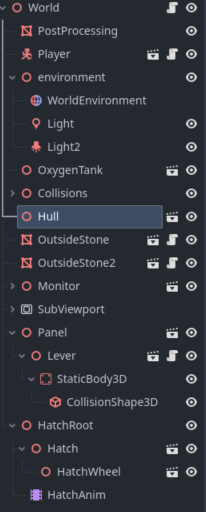
Print the value from _process() and post the printout. Also post your scene tree.
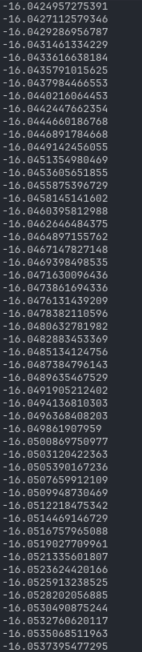
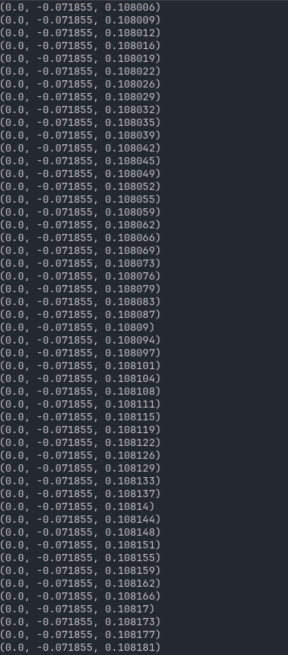
This is the print out of the lever’s z rotation in degrees
Post the entire level script and also printout with clamping commented out.
What happens if you clamp rotation in radians?
I already posted the whole lever script if that’s what you mean, I’m sending the script attached to the world scene if that’s what you meant by level. How would I clamp the rotation in radians?
extends Node3D


func _process(delta: float) -> void:
	if Input.is_action_just_pressed("fullscreen") and DisplayServer.window_get_mode() == DisplayServer.WINDOW_MODE_WINDOWED:
		DisplayServer.window_set_mode(DisplayServer.WINDOW_MODE_FULLSCREEN)
	elif Input.is_action_just_pressed("fullscreen") and DisplayServer.window_get_mode() == DisplayServer.WINDOW_MODE_FULLSCREEN:
		DisplayServer.window_set_mode(DisplayServer.WINDOW_MODE_WINDOWED)


	if GlobalDrilling.drill_speed > 0.05:
		GlobalDrilling.engine_heat += GlobalDrilling.drill_speed * 2 * delta
	elif GlobalDrilling.engine_heat > 0.0:
		GlobalDrilling.engine_heat -= 5  * delta

	if GlobalDrilling.engine_heat > 100.0:
		GlobalDrilling.engine_heat = 0
		GlobalDrilling.engine_quality -= 1

	GlobalDrilling.current_depth += GlobalDrilling.drill_speed * delta
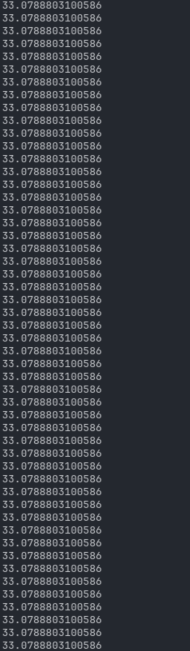
This is the printout of the rotation with the clamp commented out. Like I said it doesn’t change like it does when the rotation is clamped
Clamp global_rotation.z instead of global_rotation_degrees.z
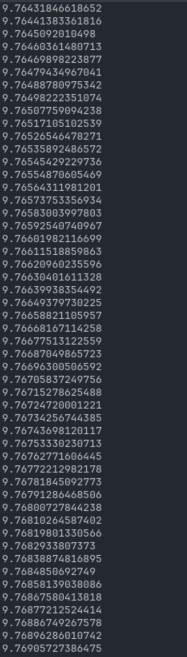
Clamping it in radians doesn’t work, it does the exact same thing no matter what it’s clamped to. This is some of the printout of the rotation in degrees, like I said the exact same thing is happening.
This is the new code for the lever, I’m pretty sure I clamped it right.
extends Node3D

func _process(_delta: float) -> void:
	global_rotation.z = clamp(global_rotation.z, -0.8, 0.8)

	GlobalDrilling.drill_speed = round((global_rotation_degrees.z + 45) / 50)

	print(global_rotation.z)


func interact():
	if Input.is_action_pressed("interact"):
		GlobalDrilling.moving_lever = true
	if Input.is_action_just_released("interact"):
		GlobalDrilling.moving_lever = false


func _unhandled_input(event: InputEvent) -> void:
	if event is InputEventMouseMotion and GlobalDrilling.moving_lever:
		rotate_z(-event.relative.y * 0.005)
Does it increase indefinitely?
What happens if you comment out rotate_z line in _unhandled_input()?
I’m pretty sure it just keeps going on indefinitely, it probably would stop at some point but it’s changing so slowly and I don’t want to wait 15 hours for that. If I comment out the rotate_z the rotation doesn’t change ever and I can’t move the lever. If I set the z rotation to be somewhere between the clamped values it changes the same way it always does even with the rotate_z commented out.
What’s printed if you print the whole global_rotation_degrees?
Is there a need to clamp the rotation every frame? Why not just clamp it when it actually changes.
it’s only the z rotation that changes, nothing else is out of the ordinary.
You can also try orthonormalizing the basis whenever rotation changes.
how would someone do that for those who don’t know
global_basis = global_basis.orthonormalized()
Have you tried clamping from 0 to 100. And then adjusting the resulting angle by -50.
This fixed the issue of the lever’s rotation changing, I had to manually change the scale of the lever in the code because for some reason orthonormalizing the basis made the lever really big, and changing it outside of the code didn’t do anything. Thank you for your help!