Godot Version
4.5.1
Question
I have a simple shader that displaces a plane mesh’s vertices based on a heightmap:
shader_type spatial;

uniform sampler2D heightmap;
uniform float max_height;

void vertex() {
	VERTEX.y += texture(heightmap, UV).r * max_height;
}
I would like to be able to render a StandardMaterial3D on top of a ShaderMaterial I have set to a MeshInstance3D’s material_override. I tried using the ShaderMaterial’s next_pass, but I get this result:
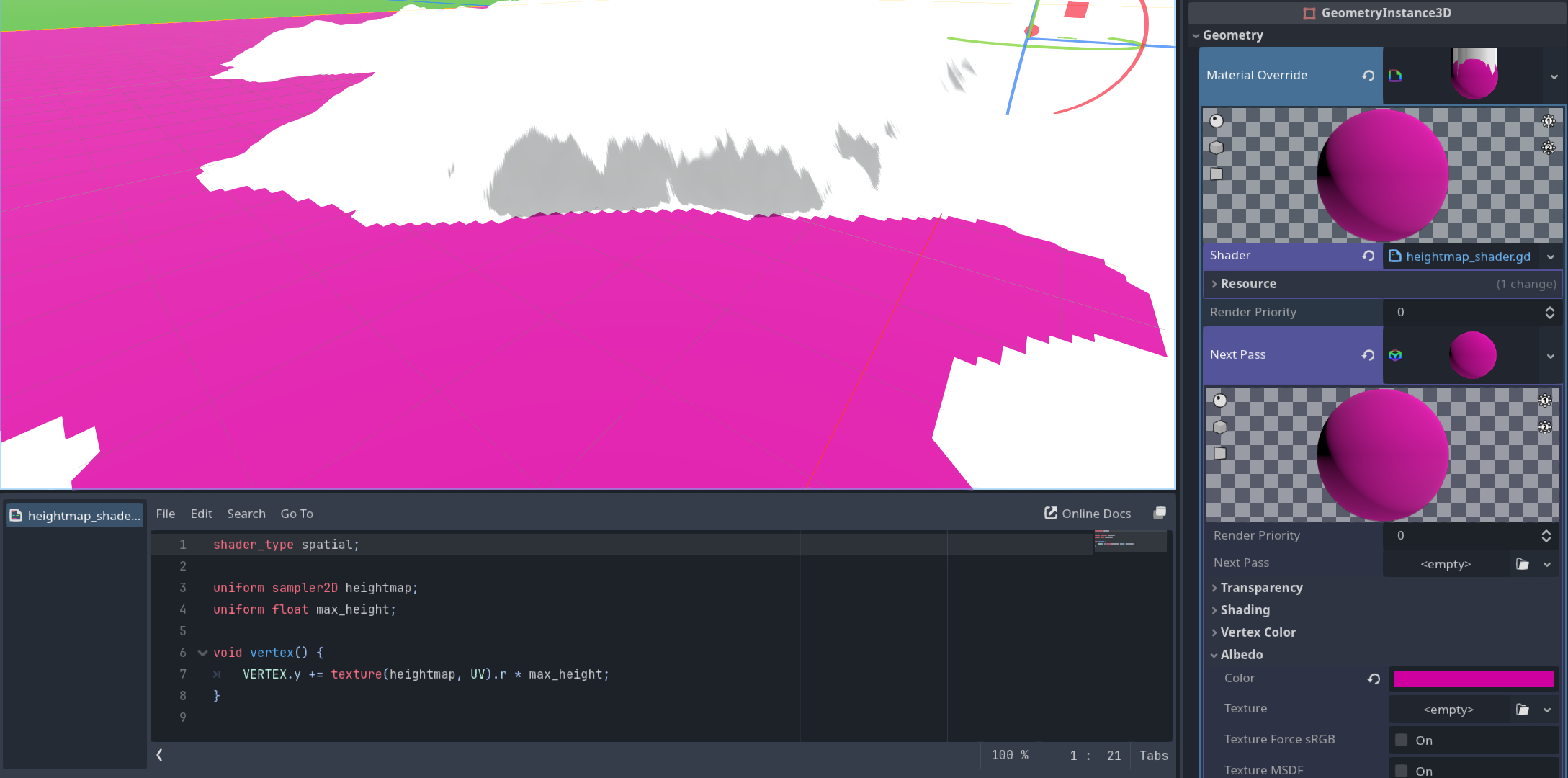
The entire mesh should appear pink, but displaced faces are still white/unaffected by the StandardMaterial3D.
How can I use a ShaderMaterial to displace a mesh’s vertices then use a StandardMaterial3D to color/shade the mesh?