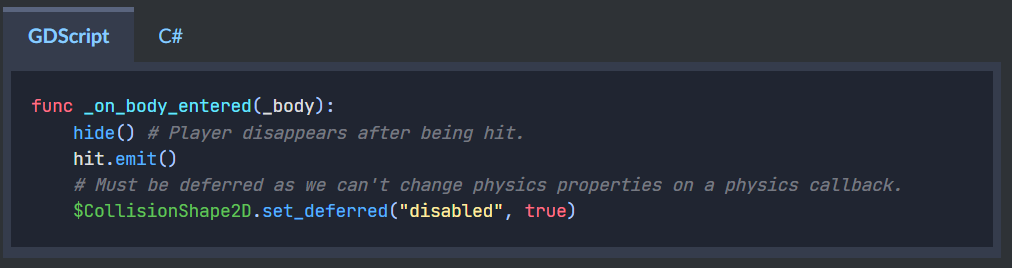
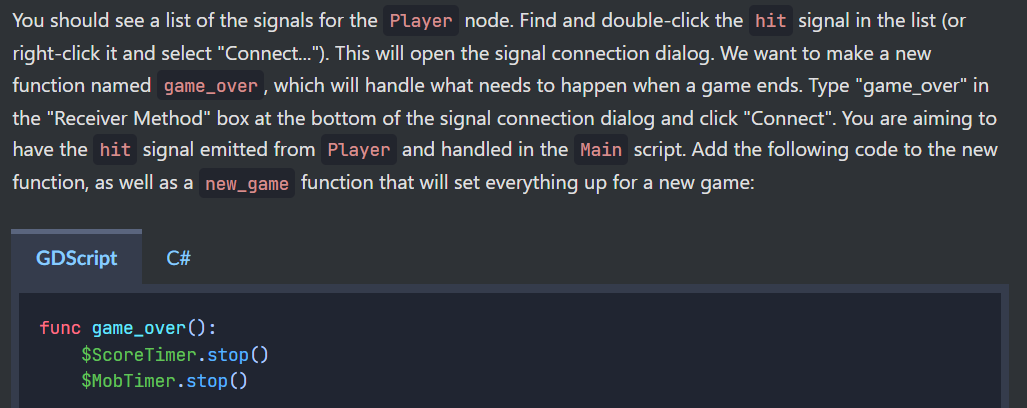
I've just completed the "Your first 2D game" tutorial in the "Getting Started" section of the Godot Docs. Everything is working correctly, and I was able to export the game and didn't really run into any issues. I did have a question about some of the signals the tutorial has you make as they seemed redundant to me so I thought I'd see if any experienced Godot users could tell me why the signals were necessary/beneficial.
Question
In the script for the Player, we create a signal called "hit" which we later emit when the Player node (which is an Area2D node) collides with an enemy. We connect the Player script to a body_entered signal from the Player node and inside the connected function we emit the "hit" signal. The "hit" signal is later used to tell the Main scene Script that the player has collided with an enemy and to end the game. My question is, why don't we just connect the body_entered signal to the Main scene Script and skip the "hit" signal? I tried doing this and the game still worked properly, so I'm unsure why the additional "hit" signal is needed. I've provided some screenshots from the tutorial and a link to the sections the screenshots are taken from. Any insight as to why this would be a good idea would be appreciated! Thanks for any help!
Hit signal is created in top node of the scene for easy connection in editor when you instantiate the scene. In this simple tutorial it happens that the body_entered also comes from the same top node but typically signals will come from children and may be aggregated in the top node, some logic may be used to interpret them and forward “further up” in forms of high level signals with more meaningful names.
For example the player may have multiple areas that can be hit, all body_entered signals from all those areas can be “collected” in one place and forwarded as a “higher level” signal hit
Besides the tutorial also demonstrates the concept of custom signals on a very simple example.
Adding to what @normalized wrote:
Not only does it help understanding the idea of signals, it also prepares you to expand on the tutorial. This is my expecience and may vary for you, but I learn a lot from doing tutorials and then, after they are finished, work on the stuff created a bit more.
You could, for example, add a “Life” system to the game, allowing the player to touch enemies two or three times, before dying. Or add an animation of the player before game_over().
Thanks @normalized! This makes a lot of sense. In fact, later in the tutorial the HUD does a similar thing but the built in signal comes from a child node of the HUD scene. So, while not required to make it work, it’s a best practice that helps keep your code organized.
@ximossi appreciate your contribution as well, I agree finding ways to expand on the tutorial would be a good way to help everything stick!