Hello again, this might seem like a fairly complicated question so bear with me.
I’ve been trying to implement Context Based Steering behavior into a small side project where I am playing around with it. I’ve encountered two issues with, the CharactorBody2D node I called ‘Context Actor’, that I applied this logic to is going to try and move towards a destination of some kind whether that be an object or a player, and it works how I would more or less expect it to, how ever, the first issue that I have is that the context actor’s direction doesn’t rotate smoothly. Second issue is the context actor gets stuck if the destination it’s trying to reach is directly behind a huge obstacle, and doesn’t know how to reach it.
I don’t know how to fix these two problems. Does anyone have a solution to this?
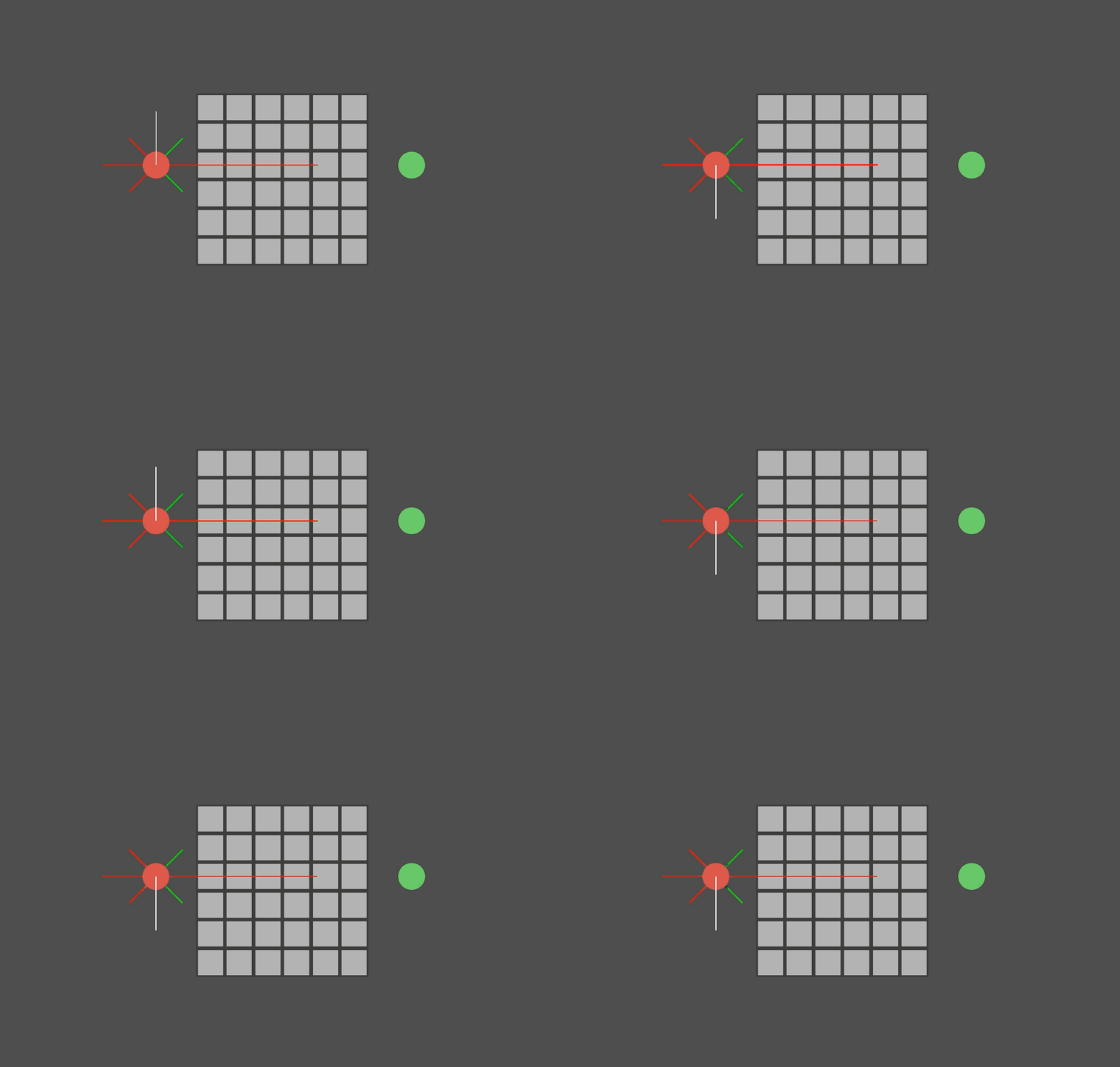
I’ve included gifs that show exactly what I am talking about, and some debugging lines that show what is going on.
The red circle is the actor, the green one is a player.
On the actor, the white line shows the current direction of the actor.
The green lines show the interests, and the red lines show the dangers.
The first gif shows the snapping problem, the direction snaps about sixty degrees to the left when it reaches the obstacle, instead of rotating smoothly.
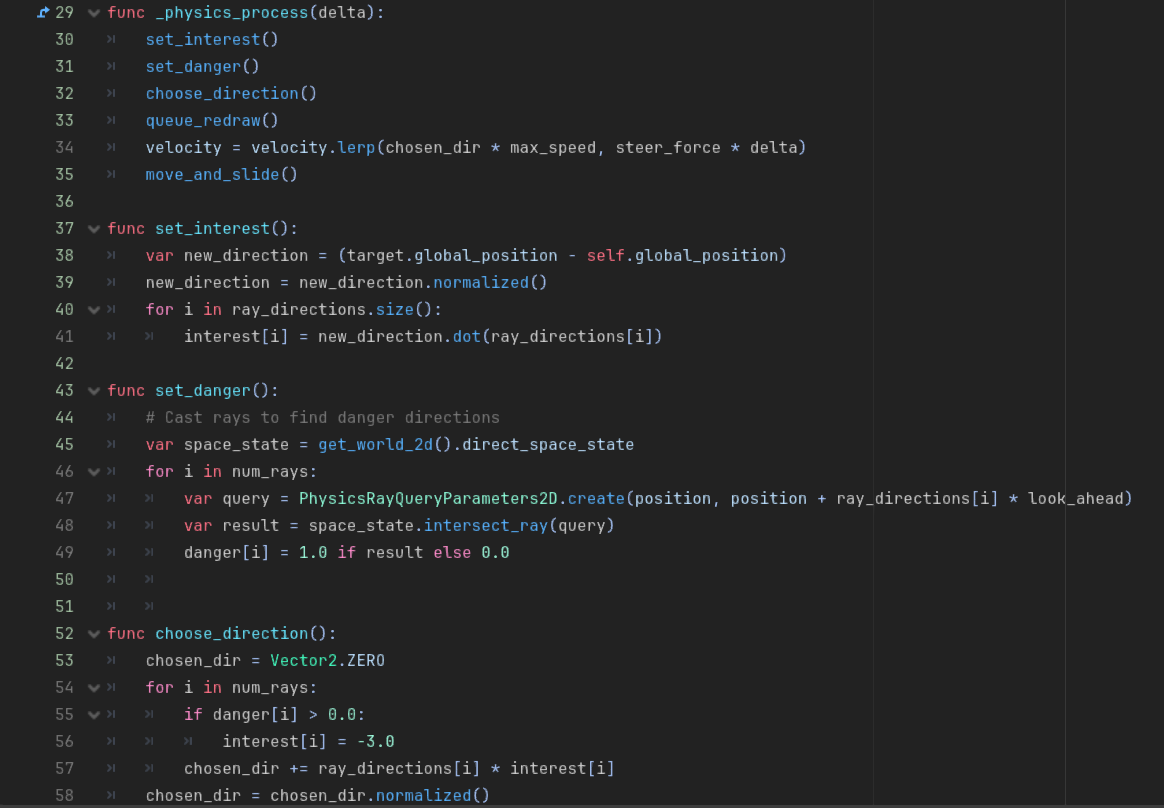
I think the snapping problem could be solved, if the danger level and its effect on interest were set based on the distance to the wall. Now the interest in a direction suddenly jumps to -3.
The solution for getting stuck depends on how you want the actor to behave. If it should go around the obstacle, you need path finding. Alternatively it could also lose interest in the player and start wandering around.
@export var max_speed = 35
@export var steer_force = 1
@export var look_ahead = 100
@export var num_rays = 8

@export var target: Node2D

# context array
var ray_directions = []
var interest = []
var danger = []

var chosen_dir = Vector2.ZERO

# Called when the node enters the scene tree for the first time.
func _ready():
	interest.resize(num_rays)
	danger.resize(num_rays)
	ray_directions.resize(num_rays)
	for i in num_rays:
		var angle = i * TAU / num_rays
		ray_directions[i] = Vector2.RIGHT.rotated(angle)

func _physics_process(delta):
	set_interest()
	set_danger()
	choose_direction()
	queue_redraw()
	velocity = velocity.lerp(chosen_dir * max_speed, steer_force * delta)
	move_and_slide()

func set_interest():
	var new_direction = (target.global_position - self.global_position)
	new_direction = new_direction.normalized()
	for i in ray_directions.size():
		interest[i] = new_direction.dot(ray_directions[i])

func set_danger():
	# Cast rays to find danger directions
	var space_state = get_world_2d().direct_space_state
	for i in num_rays:
		var query = PhysicsRayQueryParameters2D.create(position, position + ray_directions[i] * look_ahead)
		var result = space_state.intersect_ray(query)
		danger[i] = 1.0 if result else 0.0


func choose_direction():
	chosen_dir = Vector2.ZERO
	for i in num_rays:
		if danger[i] > 0.0:
			interest[i] = -3.0
		chosen_dir += ray_directions[i] * interest[i]
	chosen_dir = chosen_dir.normalized()
Well. I am trying out different methods of handling enemy obstacle avoidance, in order to find out what works the best for my game.
I did actually try to use NavigationRegion2D and NavigationAgent2D as well, while it did work. however, I didn’t like how the avoidance with the navigation system works. The agents instead of finding a different route to go around each other, they’re just sliding around and pushing around each other, which looked really odd in my game.
Ok. Then I recommend looking at AStarGrid2D and AStar2D, because what you’re doing is going to run into problems until you end up recreating something like AStar anyway.
Basically the solution to your problem is to plot segments of pathfinding that take more than a frame to traverse, so that you’re not recalculating every frame.
Also, you might look more into how to make NavigationAgent2D objects avoid each other. There are a bunch of settings on those nodes to deal with the problems you’re describing.
Ok. Well unfortunately it’s a complex subject. That’s why I recommended some videos. You may have to dig through a few more. Alternately you can use AStar in which case I recommend that you watch some tutorials on that. There are plenty available.
Or perhaps someone will come along with a better idea for you.
I think I have an idea of how I can handle this. When an enemy gets close to another enemy if so, I could maybe change the direction to go in the opposite direction and cancel all of the logic related to the navigation agent, for a couple of seconds.