Godot Version
v4.4.1.stable.official [49a5bc7b6]
Question
I’m making a 2D platformer game in Godot.
And I wanted to test things out by making a Windows EXE file.
However, the game does not load the remaining scenes after the main scene has loaded.
Splash Screen scene: The very first scene shown when the player launches the game.
extends Control
@onready var animation_player = $AnimationPlayer


# Called when the node enters the scene tree for the first time.
func _ready():
	pass # Replace with function body.


# Called every frame. 'delta' is the elapsed time since the previous frame.
func _process(delta):
	await animation_player.animation_finished
	Gamemanager.load_starting_screen()
GameManager.gd (Singleton):
extends Node

const GROUP_PLAYER: String = "player"
const GROUP_LORE: String = "lore"

var current_respawn_position
var loading_from_main_menu:bool = false
var loading_from_prev_level: bool = false


#Menus
const StartingScreen: PackedScene = preload("res://Menus/MainMenu/starting_screen.tscn")
const Main_Menu: PackedScene = preload("res://Menus/MainMenu/Main_menu.tscn")
const ControlsMenu: PackedScene = preload("res://Menus/controls_menu.tscn")
const StoryScreen: PackedScene = preload("res://Menus/story.tscn")
const RespawnScreen: PackedScene = preload("res://Menus/game_over_can_continue.tscn")
const GameOverScreen: PackedScene = preload("res://Menus/game_over_no_continue.tscn")

#Levels
const FirstLevel: PackedScene = preload("res://Levels/Level_01.tscn")

func load_starting_screen()-> void:
	get_tree().change_scene_to_packed(StartingScreen)

func load_main_menu()-> void:
	get_tree().change_scene_to_packed(Main_Menu)

func load_controls_menu()-> void:
	get_tree().change_scene_to_packed(ControlsMenu)

func load_first_level():
	get_tree().change_scene_to_packed(FirstLevel)

func load_story_scene():
	get_tree().change_scene_to_packed(StoryScreen)

func show_respawn_screen():
	get_tree().change_scene_to_packed(RespawnScreen)

func show_gameover_screen():
	get_tree().change_scene_to_packed(GameOverScreen)
Globals:

File names and structure for reference:


Export Settings I’ve used:
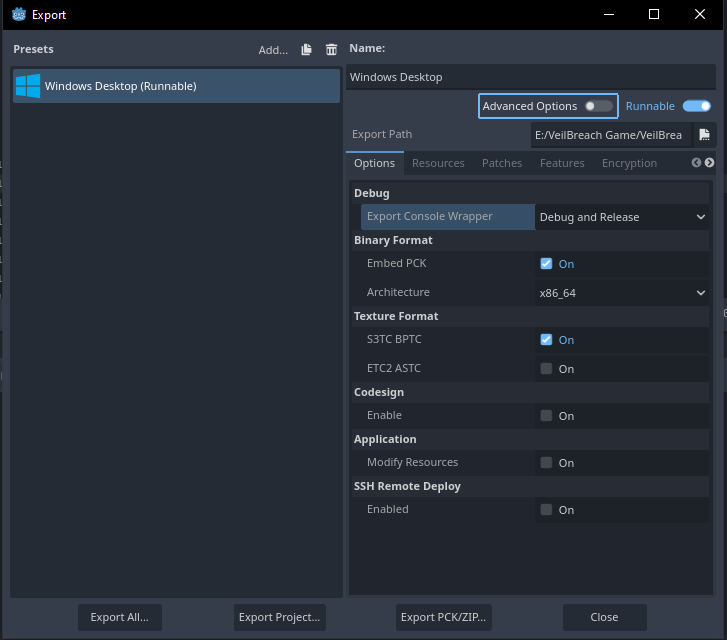
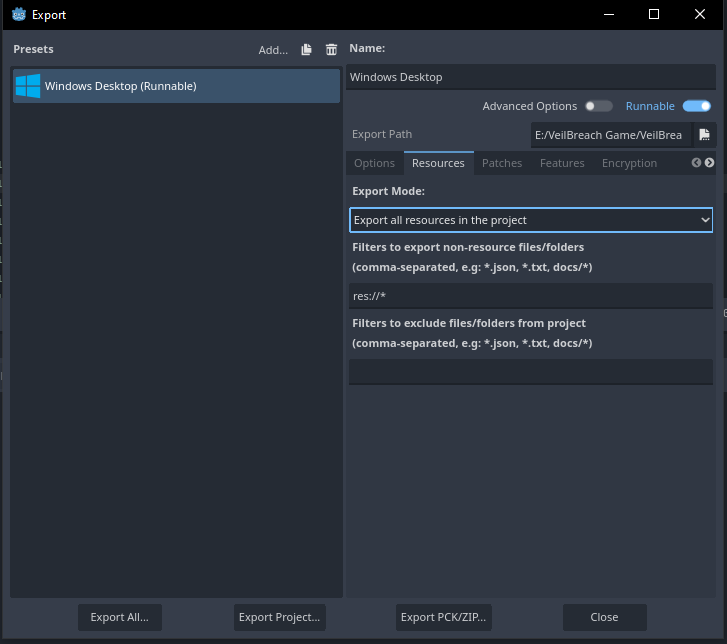
I exported my project with the Debug console enabled, allowing me to capture the following console errors.

I have no idea what to do here.
Like I’ve mentioned above, none of these errors are happening when running the game through the IDE.
So far, here’s what I’ve done to resolve this:
- Verified if the filepath and filenames shown in the file system and how they’re referenced in the scripts are identical. (Capital and simple letters, spaces, underscores, etc.)
- Checked for Git errors
- Originally developed this project on Godot 4.2.2. Then, switched to 4.4.1, hoping the latest export templates would solve this. But no luck. (The screenshots and other data have been updated to reflect the errors received in version 4.4.1.)
Have I missed something here?
Update:
Upon looking into this further, I’ve seen some suggestions that exporting the EXE build into the Project folder would make the game run without issues.
I’ve tried that and it worked.
So why does exporting to a different path that’s not the project folder result in all kinds of errors?
So, when distributing the game, does it mean I will have to ZIP the entire project folder along with the game?
Is there a way to export the game to a different path and make it work?