Is there any way to know the class of a saved resource from the file system?
I’m trying to make an editor plugin and using drop_data to load custom resources in a panel, first verifying that that resource does match the expected resource class
It’d ideally be able to handle resources dragged from the file system (saved as .res/.tres) but I’m not finding any direct way to check the saved resource’s class without loading it first
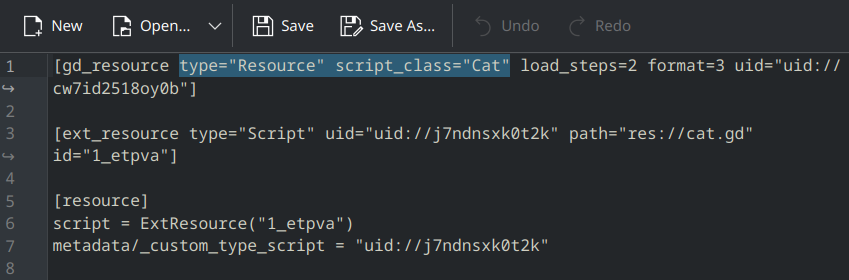
Thing is the editor does seem to be aware of the file’s script class (displaying custom icons, or accepting the file in exported variables), and .tres files store the information directly in the first line (under script_class), but I’m not finding any method exposing it without needing to parse it with file access
You’d obviously do this via FileAccess from code, but you can open them with any text editor. Now, if you want this to also work for .res resources, you’d need to figure out the binary header.
func get_script_class_names(path: String) -> Array[String]:
	var result: Array[String] = []
	var global_classes = ProjectSettings.get_global_class_list()
	for dependency in ResourceLoader.get_dependencies(path):
		var uid = dependency
		if dependency.contains("::"):
			uid = dependency.get_slice("::", 0)
		var dep_path = ResourceUID.ensure_path(uid)
		if dep_path.get_extension() == "gd":
			for global_class in global_classes:
				if global_class.path == dep_path:
					result.append(global_class.class)

	return result
If the resource has other custom resources internally their scripts will also be part of the dependency list so be aware of that.