i have created a simple slime game to demonstrate how to use the Save plugin, tho only 1 level but expandable. here’s the code with SaveSystem implemented:
on main_script.gd:
extends Node2D

@onready var save_slime_button:Button=$SaveSlimeButton
const A_SLIME=preload("res://slime.tscn")

var slime_node_ref:Array=[]
var is_spawning:bool=false
var current_level_id:int=1

func _ready():
	print(SaveSystem.current_state_dictionary)
	randomize()
	spawn_slimes()


func spawn_slimes():
	if is_spawning:
		return
	is_spawning=true
	for slime in slime_node_ref:
		remove_child(slime)
		slime.queue_free()
	slime_node_ref.clear()
	if SaveSystem.has(str(current_level_id)):
		generate_slime()
	else:
		SaveSystem.set_var(str(current_level_id),[])
		print(SaveSystem.current_state_dictionary)
		generate_default_slimes(3)
	is_spawning=false

func generate_slime():
	var slimes=SaveSystem.get_var(str(current_level_id),[])
	for i in range(slimes.size()):
		create_slime(slimes[i].duplicate(true))

func generate_default_slimes(count:int):
	for i in range(count):
		var display_size=DisplayServer.screen_get_size()
		var data={"health":10,"max_health":10,"x":0,"y":0}
		data["x"]=randi()%display_size.x/2
		data["y"]=randi()%display_size.y/2
		create_slime(data)
	save_current_slime_state()

func create_slime(data):
	var slime=A_SLIME.instantiate()
	slime.global_position=Vector2(data["x"],data["y"])
	add_child(slime)
	slime.set_health_display(data["health"],data["max_health"])
	slime_node_ref.append(slime)

func save_current_slime_state():
	var temp_array:Array=[]
	for slime in slime_node_ref:
		var temp_data
		temp_data={"health":slime.health,"max_health":slime.max_health,"x":slime.global_position.x,"y":slime.global_position.y}
		print(temp_data)
		temp_array.append(temp_data)
	SaveSystem.set_var(str(current_level_id),temp_array)
	SaveSystem.save()


func _on_save_slime_button_pressed():
	save_current_slime_state()


func _on_reload_slime_button_pressed():
	spawn_slimes()


func _on_delete_save_data_button_pressed():
	SaveSystem.delete_all()
	SaveSystem.save()

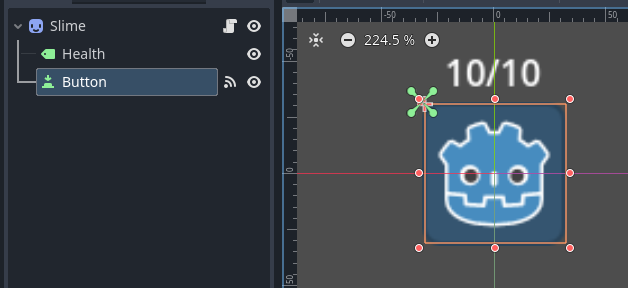
on the slime script (which will be instantiated and add child to this main scene):
extends Sprite2D

@onready var health_label=$Health
var health
var max_health
var custom_id
const MOVEMENT_SPEED:float=10
const R_MOVE:Array=[-MOVEMENT_SPEED,0,0,0,0,0,MOVEMENT_SPEED]

func _physics_process(delta):
	random_move()

func random_move():
	global_position+=Vector2(R_MOVE.pick_random(),R_MOVE.pick_random())

func set_health_display(_health,_max_health=10):
	health=_health
	max_health=_max_health
	health_label.text=str(health)+"/"+str(max_health)


func _on_button_pressed():
	set_health_display(health-1)
Here is the GIF:
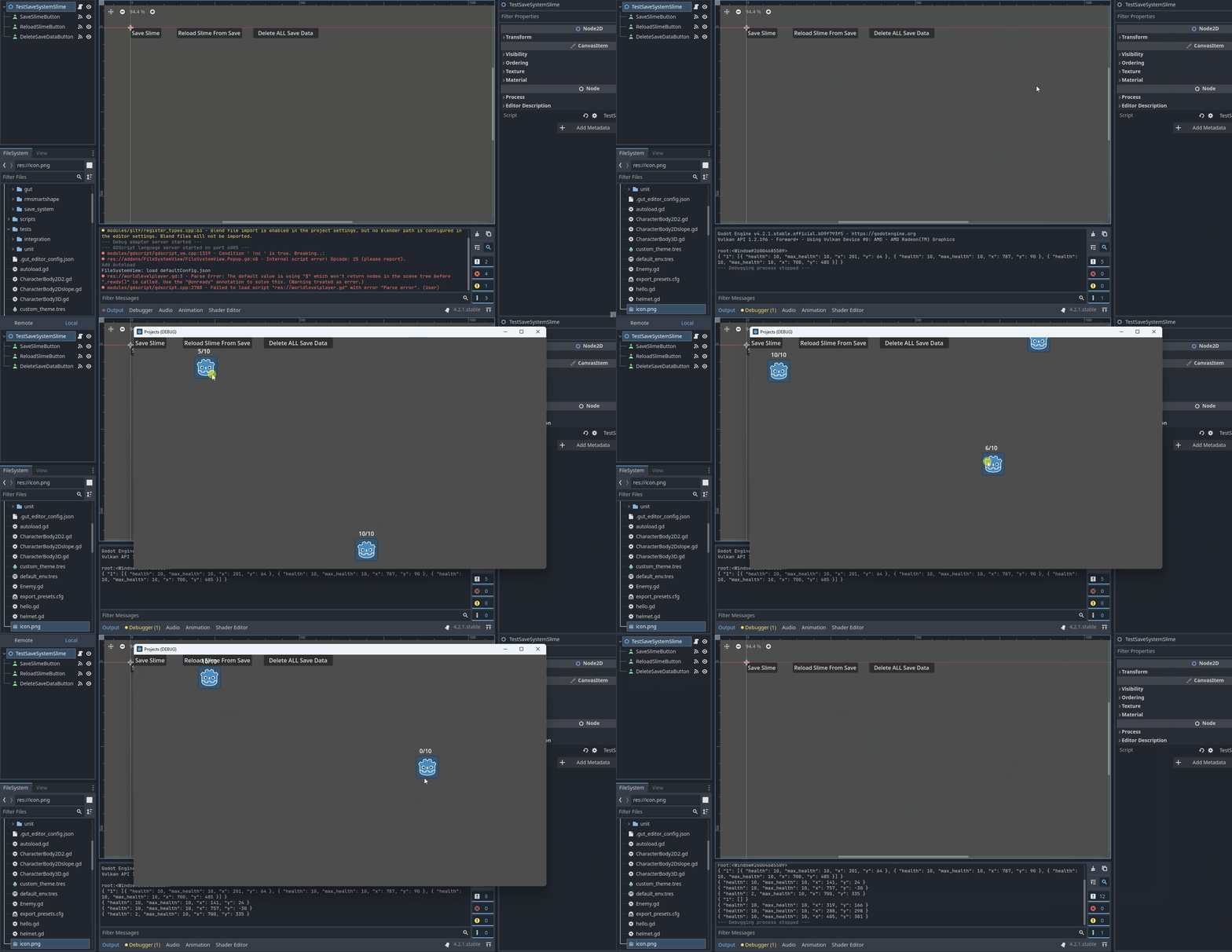
Hopefully this give you an insight on how to save and load (at the very least) with this plugin