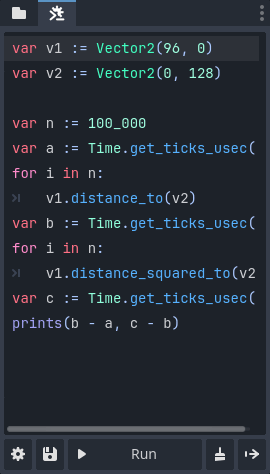
Almost a year after creating the initial version, I’m thrilled to release GDTerminal!
GDTerminal is a free addon for Godot v4.2+ that introduces a GDScript terminal in the editor. Run code at the click of a button to speed up your workflow.
Screenshots
Main Features
Faster Workflow
Whether you need to quickly solve equations or automate complex tasks, use GDScript to speed up your workflow.
Seamless Editor Integration
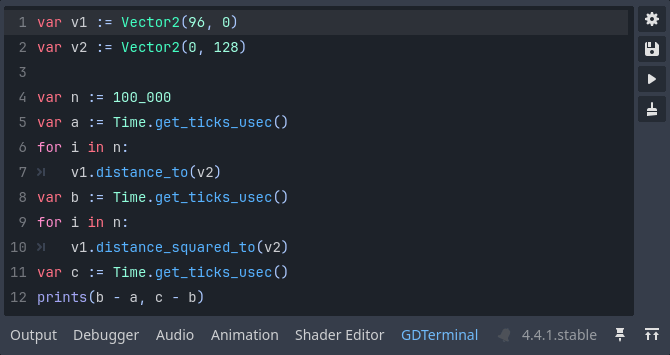
GDTerminal uses the editor’s built-in icons and GDScript syntax highlighting for seamless editor integration. It also automatically adjusts to your theme preferences.
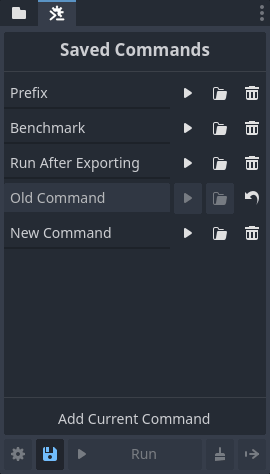
Save Save Code Samples for Future Use
You can save an unlimited number of code samples for quick future use. Run them at the click of a button to automate frequent tasks.
Adjustable Placement
Leave GDTerminal in the default dock, expand it temporarily, or move it to the bottom panel.
Free & Open Source
GDTerminal is completely free and licensed under the MIT License. View the source code, report issues, and request features on GitHub.
Get It Now
GDTerminal is available on the Asset Library, Itch, and GitHub.
Visit the website for more information, including installation instructions and documentation.
Wow, the features are somewhat similar to my plugin. Your list UI is great, and should be much more convenient to use (compared to my popup-menu) .
The Code Editor even has syntax highlighting! ( Is there no auto-completion? )
Differences from my plugin:
My plugin supports Godot 4.0 and works with EditorInterface in old versions too.
I use Godot’s built-in code editor to edit user commands (saved in addon/../snippets.gd), so full syntax completion is available and you can write complete classes.
No, since this doesn’t use the normal script editor.
Thanks for mentioning this. I looked back into this and found that the main reason for lack of 4.0 support was because EditorInterface.get_editor_theme() wasn’t added until 4.2. I’ve tweaked the way the plugin gets theme items and just pushed support for 4.0!
Do you mean like below?
var foo = "bar"
print(foo) # output: bar
foo = "foo"
print(foo) # output: foo
I actually made this because I missed the built-in terminal in another engine I used. The fact that Godot is easily extensible is yet another reason why I love it.
I had a “command bar” input box on Roblox Studio, allowing me to quickly run code, test things, and even change the current place I was working on. I have always sortof missed this feature since then. At least you can achieve something similar with gdscript thanks to toolscripts, but that takes more time to setup.
I think I misunderstood what you meant when you said that this should be an inbuilt tool earlier. This is an inbuilt tool available directly in the editor. You can “quickly run code, test things, and even change the current [scene]” you’re working on - that’s exactly what this plugin is for.

 GDTerminal |
  GDTask |
  Button Feedback |
  Quick Licenses