Godot Version
4.6
Question
For my game I have specified a viewport of 1920x1080 (portrait). When running this on devices with different screen sizes (and aspect ratios), the game scales nicely and Godot makes sure all of my 1920x1080 viewport is visible.
But there is one issues: black bars appear at the top/bottom or left/right, if the device screen does not exactly match my game’s aspect ration (see screenshot).
Is there any way to e.g. just render the background image of my scene larger, so that it covers the black bars? The rest of the game can just stay where it is.
Thank’s! That setting improves the behavior a lot.
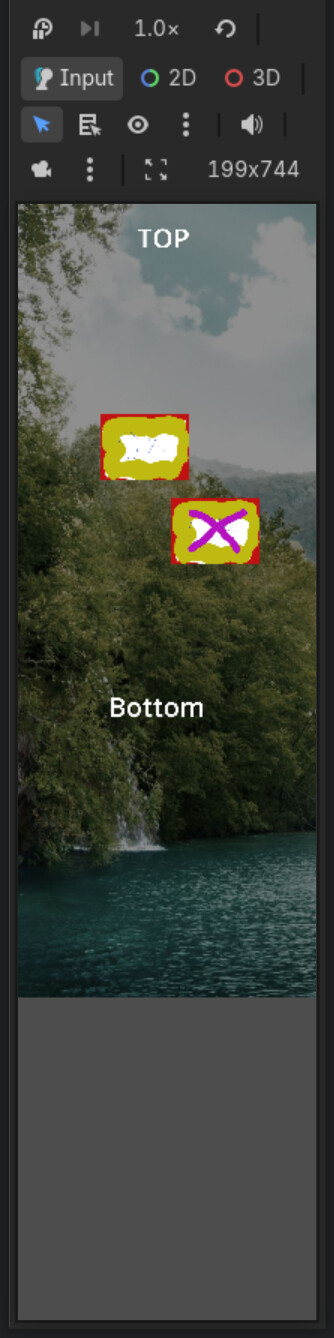
But there is still one issue left: the viewport is always positioned in the top left corner of the device screen. Thus, when the screen is higher than the game was designed for, there is a huge dead-zone at the bottom of the screen. See this (extreme) example:
It would be much nicer, if the viewport was centered on the device screen. This way the dead-zone would distribute evenly at the top/bottom of the screen. Can this be achieved somehow?
This is some uncanny screen aspect; it shouldn’t be a problem in phones.
Did you made the UI responsive? I highly recommend you to watch this tutorial by @FencerDevLog