Godot Version
4.7.1
Question
Built from following this tutorial: Grass Rendering Series Part 4: Level-Of-Detail Tricks for Infinite Plains of Grass in Godot | hexaquo
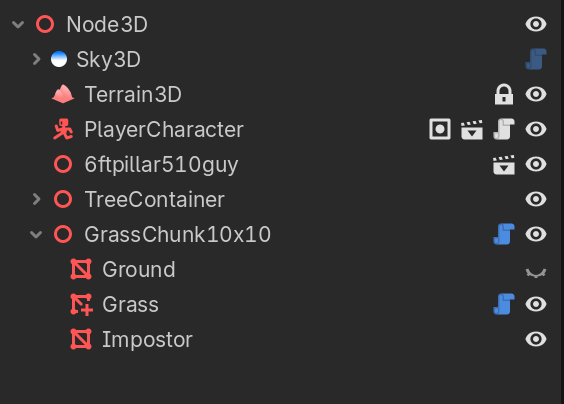
After a fair bit of trial I managed to get the grass LOD’s set up, scene tree below
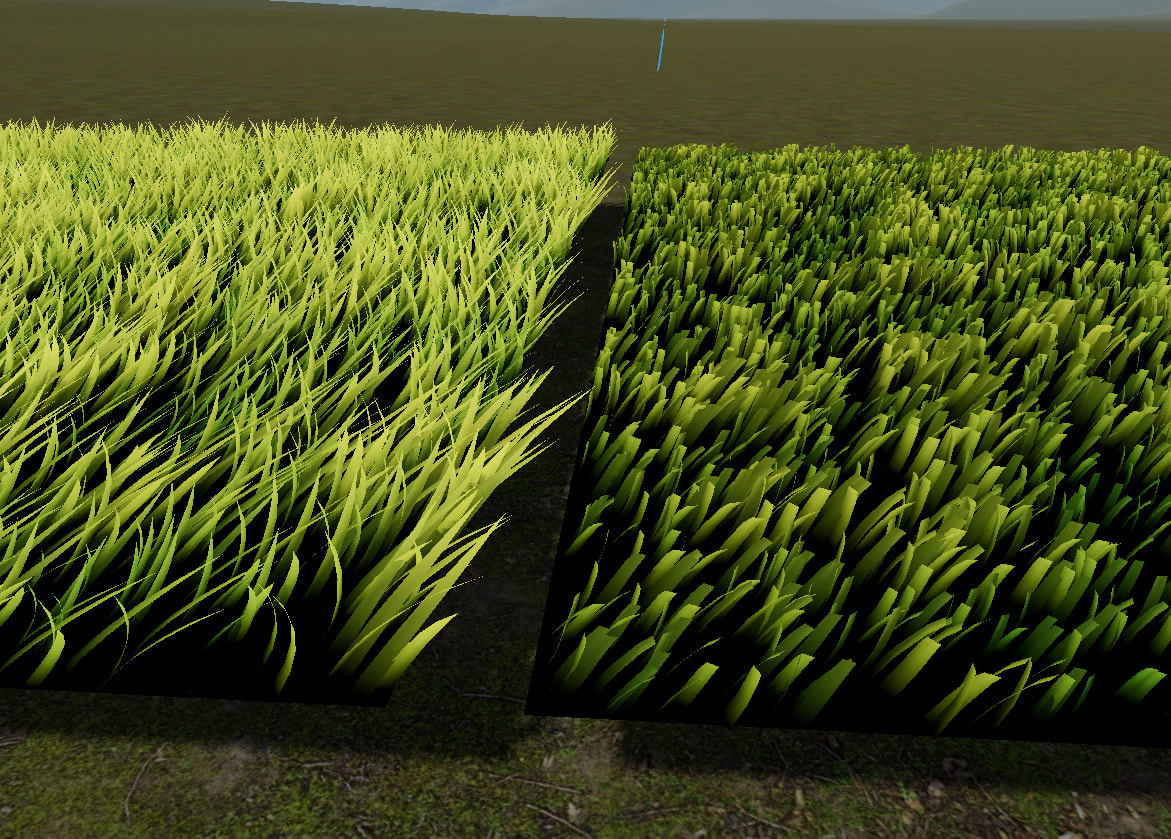
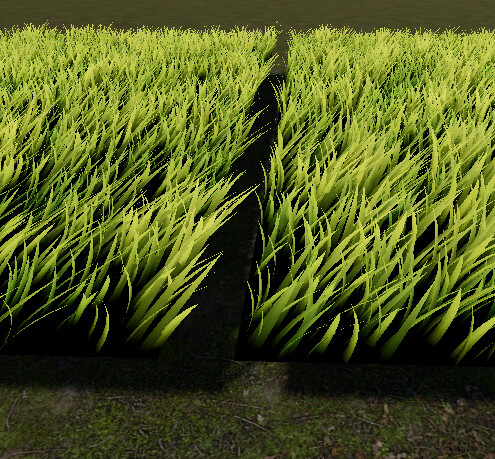
Problem is when I take the one I set up manually (on the left) and duplicate it (on the right) the MultiMesh loses a huge portion of its visual qualities, or something, I’m not sure what this is exactly.
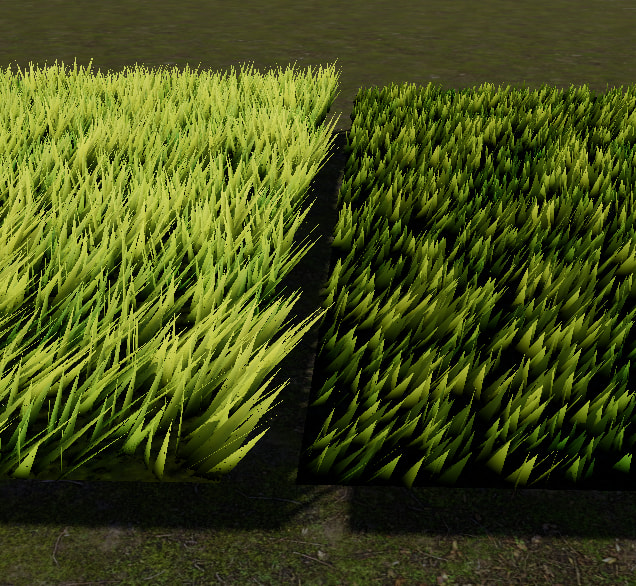
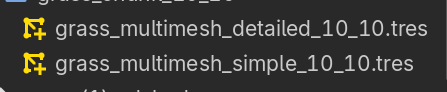
I’ve ruled out that it’s the LOD system as seen below it is working properly for both by swapping between from the detailed to the simple MultiMesh which is just a single triangle.
Previous versions of the grass of this tutorial series have been able to be duplicated with ease, up to 350,000 instances on screen without the LOD setup, I’m really at a loss as to what would cause this. There are no other MultiMesh setups in the scene besides these two, so there’s no chance I’m reaching a limit.
Any help would be much appreciated.
I saw here demo and it’s impressive, the tutorial you shared as well.
Maybe it be something simple like shared properties in shader, mesh or something like that.
Often I found when I duplicate things with shader it need to be made unique.
It really is some incredible stuff, so much to learn from.
When duplicating prior to incorporating the MultiMesh detailed and simple steps which are saved as .tres, it never had this issue so maybe it could be related to that. Although I’m not sure how that would be as they’re saved to disk and still work.
From my limited knowledge I can’t see anything in the shader regarding shared properties, or anything that could cause this. Any duplicates would be pointing to the exact same shaders/scripts as the original working one.
maybe a short video would help me and other understand your issue a bit better what is the issue.
I LOVE SHADER PROGRAMMING DESPITE HAVING ZERO EXPERIENCE
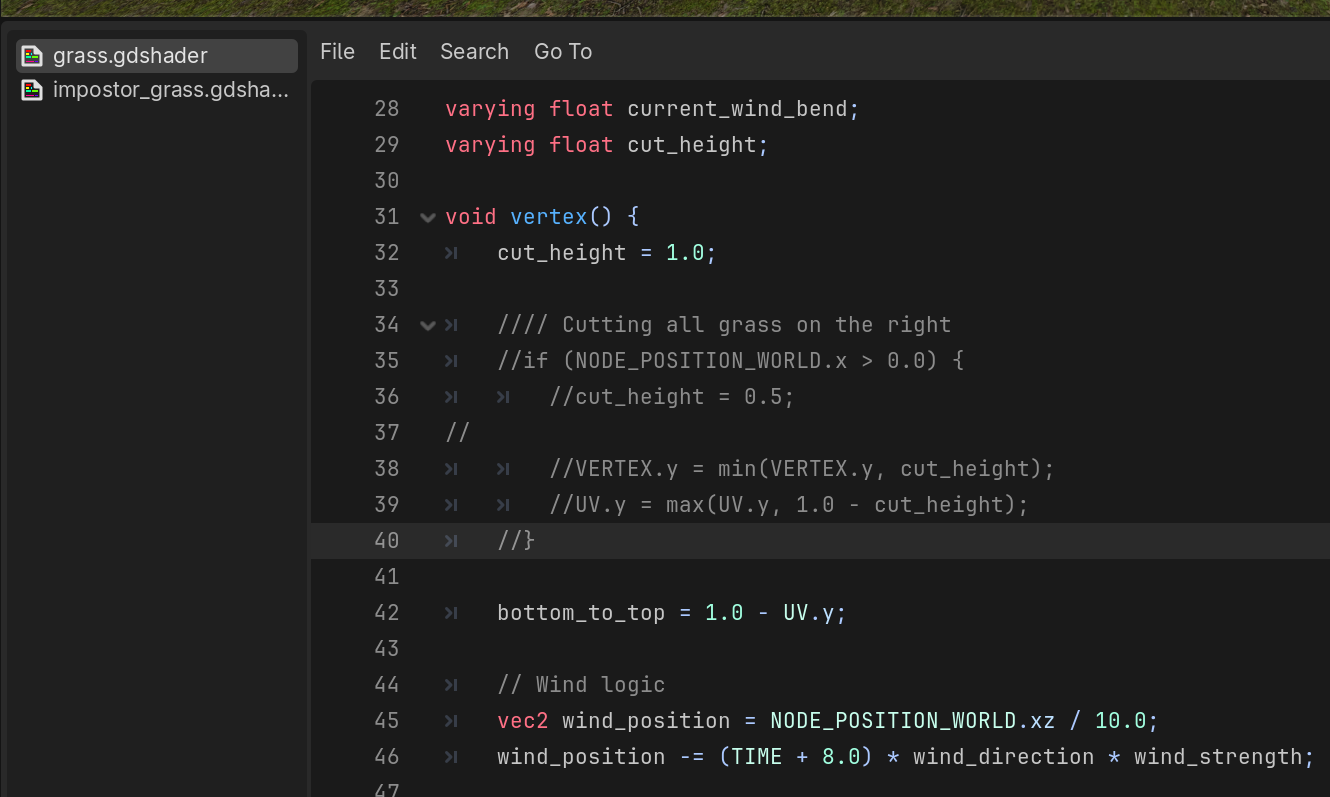
Found what was causing it. In the grass shader there is a section that gives the grass a “cut” look based on it being placed to the right hand side of what I assume to be the original version.
Added backslashes to the relevant code and my grass is normal. I find this funny as I noticed this difference in the tutorial repo between versions but didn’t think it did anything as I hadn’t given the grass the opportunity to appear “cut”.
All good, ty for the pointers! It was the shader.