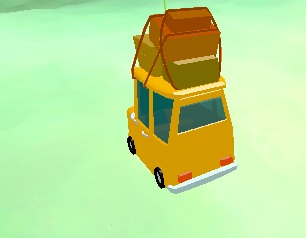
The easy way of doing this is too divide/separate the model into different parts and asign each part it’s own material. Like one for body(opaque) and one for windows(transparent).
There is other way, which is more technical which is you need to bake the material into one which in sort of like merging both material into one. I have not tried this one approach but still it is a way used in high optimized studios. But honestly I recommend the first approach.
3 Likes
Thank you for your help. Initially, I wanted to try to achieve this effect using only one shader, but I didn’t know exactly how to do it. Now, following your suggestion, I applied different materials to the glass and the car, and I have achieved the effect I wanted.