Hello, i have a 3D game where i want to chop down trees. Currently i’ve implemented the ability to chop logs into pieces, but i’m kind of stumped on how to connect logs together to form trees. I’ve tried Generic6DOFJoint3D, and they’re ok for my use, but i’m not sure of a good way to check if the log is connected to a joint, and on what side it is connected.
I’ve thought about adding all joints to a joint node and checking each joint to see what it connects, but i feel that its a bit convoluted and could impact performance with enough trees/logs. Currently the trees are pre-built because i don’t feel like making a tree generator, so the joints can be pre-made. Any ideas?
I’d send a video but for some reason the max file size is 8mb
Be aware that you can have multiple representations for what is seen as the same game object.
For example, there can be one scene for the planted tree, another scene for when the tree is cut down, and yet another when the player chops it into pieces. Swap scenes in a sleight-of-hand fashion depending on the current state of the object. The player won’t be aware of that and will perceive it as a continuity.
When building stuff in games, always think like a magician performing tricks, not like magician’s audience that gets tricked.
I don’t think my idea is getting across correctly. Lets say the player has chopped down a tree. It is lying on the ground with all of its branches. I want the player to be able to decide which branch and where to chop it off. Not only that, but i want its attached branches to stay attached. I also want the player to be able to drag the tree wherever they want.
I would probably use joints, but connecting rigidbodies with joints seems like a massive issue in Godot. I’m looking for other ways to connect (or fake) the connection of branches and chopping). So far i have mesh/rigidbody slicing and dragging implemented.
Have a single rigid body for the whole tree but let each part be a separate collision shape. When a part is cut off, remove its shape (and mesh) from the rigid body and create a new rigid body only with that shape (and the corresponding mesh).
I managed to make that solution work out. Each tree is a single rigidbody with multiple colliders representing the trunk/branches. Below is a cleaned up version of my code with a few comments.
The code assumes the y axis of the branches is the length. If the length of your branches is not the y, you’ll have to change some of the math. camLookingAt is obtained using “spaceState.intersect_ray(params)”.
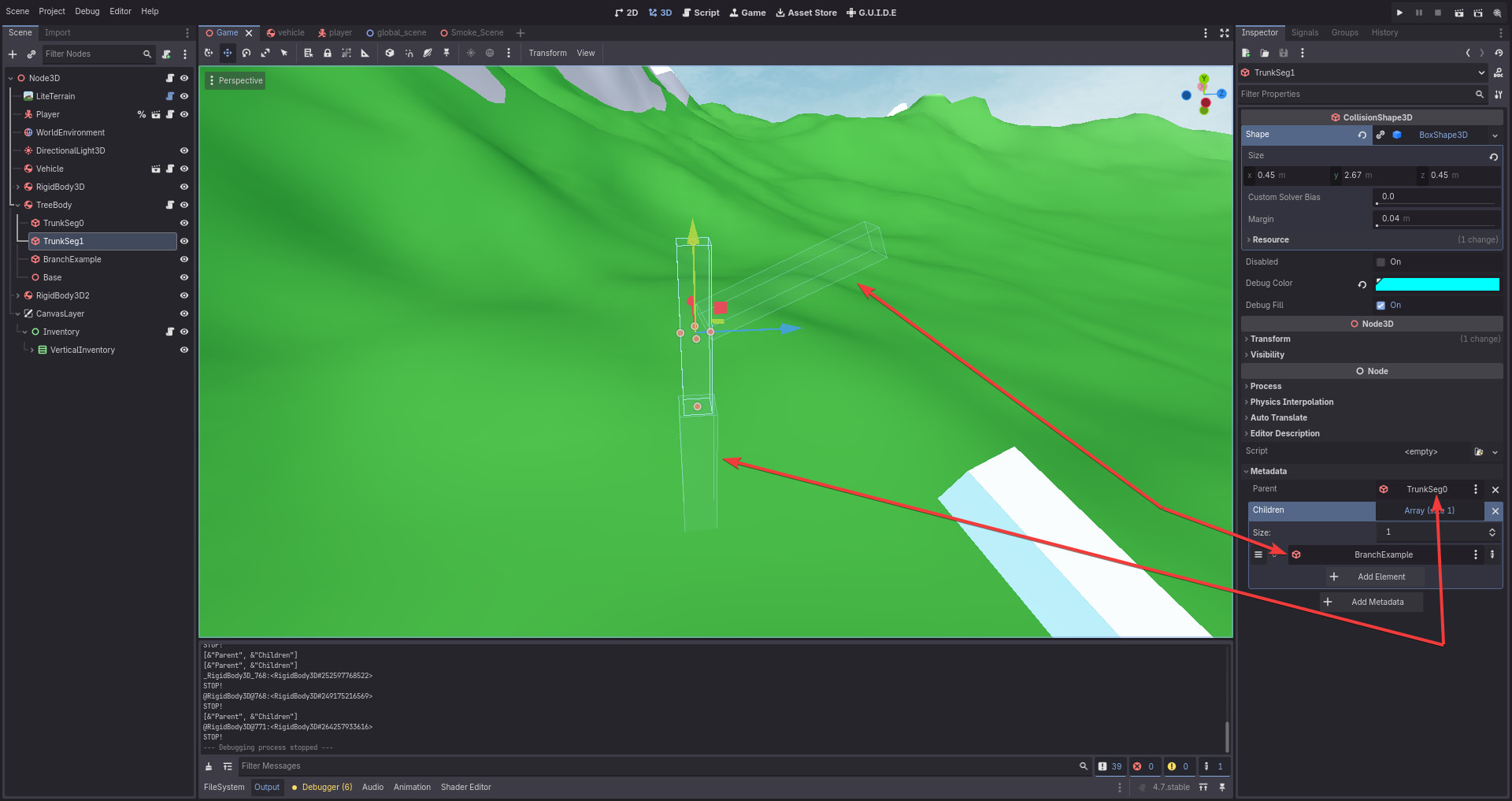
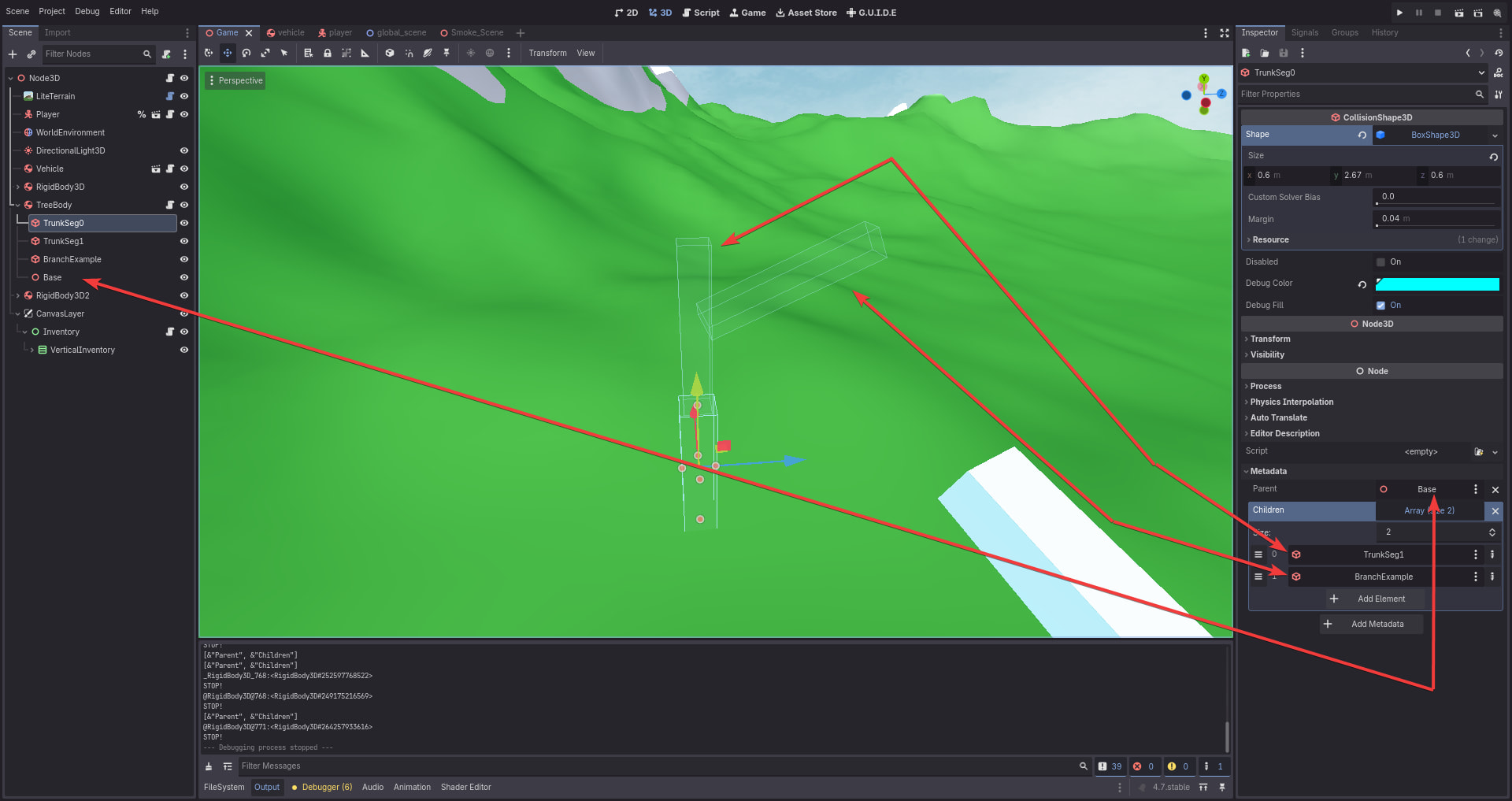
Each branch needs two meta data: “Parent” which is the nodepath to the node the branch is connected to, and “Children” which is an array of nodepaths of branches that connect to this one. Think of it bottom to top. The first trunk’s parent is the tree root and the “children” is the rest of the tree. The second trunk piece’s Parent is the previous trunk piece, and the “children” is the rest of the tree excluding the previous trunk piece
It should significantly help out anyone who struggled with this like i did.
(I solved all the bugs i have found thus far. If anyone finds one, lmk)
func axeTool(camLookingAt : Dictionary):
	if camLookingAt != null and camLookingAt.has("collider") and camLookingAt.collider.is_class("RigidBody3D"):
		var body = camLookingAt.collider
		var ownerId = body.shape_find_owner(camLookingAt.shape)
		var hitColliderNode = body.shape_owner_get_owner(ownerId) # This gets the exact collider hit

		var pieceLength: float
		var centerY: float
		var splitY: float = hitColliderNode.to_local(camLookingAt.position).y
		var logSize: Vector3 = hitColliderNode.shape.size
		var logLength = logSize.y

		var newTreeParts = []
		newTreeParts.append(hitColliderNode)

		for childPath in hitColliderNode.get_meta("Children", []):

			# This check is ran because logs that are closer to the bottom of the tree may have references to logs that have already been chopped off.
			# So instead of checking for every possible parent a log may have and clearing the reference, just run this check.
			var branch = hitColliderNode.get_node_or_null(childPath)
			if branch == null:
				continue

			var endGlobal = branch.to_global(Vector3(0.0, -branch.shape.size.y / 2.0, 0.0))

			if hitColliderNode.to_local(endGlobal).y > splitY:
				newTreeParts.append(branch)

		var newTree = camLookingAt.collider.duplicate()

		for child in newTree.get_children():
			newTree.remove_child(child)
			child.free()

		get_tree().current_scene.add_child(newTree)
		newTree.global_position = hitColliderNode.global_position

		for treePart in newTreeParts:
			if treePart and treePart != hitColliderNode:
				treePart.reparent(newTree, true)

		# Actual splitting mechanics
		for i in 2: # 0-1
			if i == 0:
				pieceLength = (logLength/2.0) - splitY
				centerY = splitY + pieceLength / 2.0
			else:
				pieceLength = splitY + (logLength/2.0)
				centerY = -(logLength/2.0) + pieceLength / 2.0

			var newLogPosition = hitColliderNode.to_global(Vector3(0.0, centerY, 0.0))
			var newLogSize = Vector3(logSize.x, pieceLength, logSize.z)

			# Different logic for the piece that will stay with the old tree. Instead of making a whole new piece, this just reuses the old piece.
			# This is done because making a new collision shape would invalidate the child references on the parent logs
			if i == 1:
				hitColliderNode.global_position = newLogPosition
				hitColliderNode.global_rotation = hitColliderNode.global_rotation

				hitColliderNode.shape = hitColliderNode.shape.duplicate() # Duplicate it to prevent resource sharing
				hitColliderNode.shape.size = newLogSize

				hitColliderNode.get_child(0).mesh = hitColliderNode.get_child(0).mesh.duplicate()
				hitColliderNode.get_child(0).mesh.size = newLogSize

				break

			var newLog: CollisionShape3D = hitColliderNode.duplicate()

			newTree.add_child(newLog)
			newLog.set_meta("Parent", "")

			print(newLog.get_meta_list())

			newLog.global_position = newLogPosition
			newLog.global_rotation = hitColliderNode.global_rotation

			newLog.shape = hitColliderNode.shape.duplicate() # Duplicate it to prevent resource sharing
			newLog.shape.size = newLogSize

			newLog.get_child(0).mesh = newLog.get_child(0).mesh.duplicate()
			newLog.get_child(0).mesh.size = newLogSize

		newTree.freeze = false