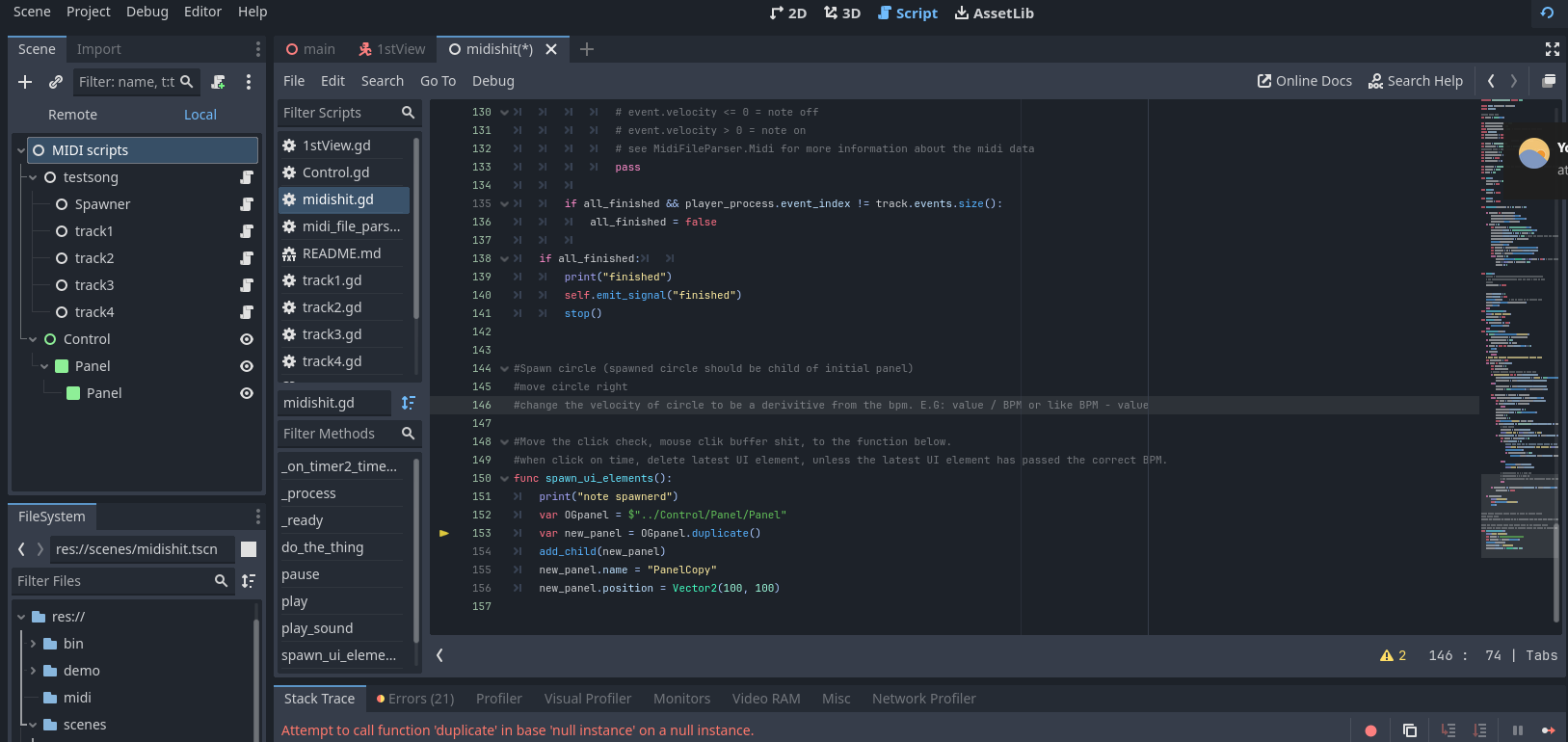
How would I duplicate a Panel node, retaining all of its properties? I need to duplicate a panel node, as I want to make a function to be able to move it, and then remove the duplicated node after, based on other criteria. I tried doing this:
var OGpanel = $"../Control/Panel/Panel"
var new_panel = OGpanel.duplicate()
add_child(new_panel)
new_panel.name = "PanelCopy"
but got the error. "Attempt to call function “duplicate” in base “null instance” on a null instance
The function “spawn_ui_elements” is called in a process function, which triggers the function “spawn_ui_element” when a MIDI note gets registered. I tried running this function from the ready function, but it didn’t work.
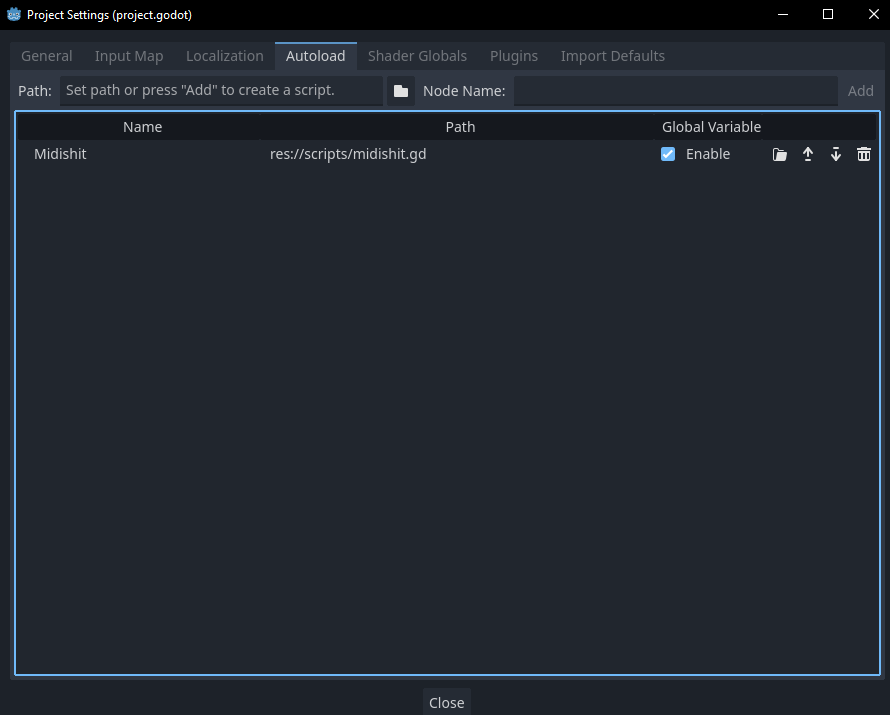
A global/autoload script does not make one node/script accessable globally, it creates a node as a sibling of your current scene (on /root) which is globally accessable. Since you have the script somewhere in the scene you now have two of that script, one global, one not. When running the game check your “Remote” tab in the scene tree to see what is actually created under the root window.
If you want to add the scene as a global/autoload then it will create children along with the script, but it may only be useful if your script is attached to the autoloaded scene’s topmost node.
Autoloads are supposed to be Godots answer to Singletons. Technically they are not as they can be instantiated more than once. True Singletons are always created just once and are locked so that copies cannot be created. There is a good reason for that, if you have a singleton that is globally accessible and then make a copy of it, which one is the code supposed to go to?
So whilst copies of autoloads can be created in Godot, the advise would be to never do that. The compiler is going to struggle to understand what do with that and your code is going to get very confusing.
You will end up with null references all over the place which will be difficult to debug. Add an autoload and use it as intended , as a single version of that class only.
Is it required for this to be a global script/scene? I tried adding the scene as a global as well, and the error still remained. I might’ve done the global script/scene incorrectly, but I don’t know. I followed some other sources. The main problem is still the initial error. Also, I did some research into singletons, and by my shallow understanding, it is basically used to make global references? If so, why is it required to make this script into a global script?
I’m not sure if you have fixed this, but it is likely that OGpanel is null because the Panel hasn’t been instantiated at the time the code is running. If you change it to use the @onready qualifier the variable won’t be assigned until after the scene has been instantiated:
Of course you can. I use it all the time and, in fact, it was because of the exact reason that the OP is experiencing. The script is running before the scene is instantiated so he needs use @onready var ... or declare the variable as he has done but assign it from the node tree in _ready()
That’s your problem right there. _process() starts running before _ready() is even finished running. You’re probably running into a race condition. There are a number of potential fixes, including moving the variable to a class scoped @onready variable. But really the issue is you’re relying on something that hasn’t been instantiated yet.
You might be better off creating a preload of the tscn file and instantiating that instead of duplicating it live.
You cannot use the @onready annotation for function-local variables, the screenshot they posted here shows the snippet in a better context, not the class body
This is not true. _process only starts after _ready, assuming no async/await signals or functions have been called.
Always good advice, duplicants are usually a bad idea.
I am pretty confident the solution is related to the script being a Autoload, which means it does not have any children even after _ready.
Are you sure? A number of times I’ve had to create an is_ready variable and check it in _process() or _physics_process() to prevent them from kicking off before a node was fully constructed.
Yes, if you ever had to create a is_ready it must’ve been because you relied on a parent to be ready or a dynamically instantiated object. Children will run _ready before there parents, but the _process function will not start until the entire scene tree is ready.