Godot Version 4.6
Imagine you want to have a shrink tool of some kind in your game that can make characters tiny, 10-20 times smaller than normal size so that they can still be seen but perceive the world in a much different way. This shrink feature could allow players to introduce themselves into small structures and traverse them from the inside.
Messing up with scales comes with a great deal of issues when it comes to physics, but that’s another topic. How would you actually make the camera view “scale” with your character. The way I think this shrink feature could be implemented is by having the “normal” sized character be huge and then have the smaller sized character be of “normal” scale (in the measure of 1-2 meters). But what about the camera?
To my knowledge, the only thing that kind of does this with the view (although it’s not exactly that) is FOV, at least for the perspective projection; sadly, I don’t think it’s enough, by a lot. I do not know much about other projections or potential shaders that could work for this. Anyone a little bit more skilled could give out a hand on this?
Thanks 
This will only work for a single player game but…Try having the rest of your world in a Node3D and scaling that up instead. I’d probably make the world move around the character so things don’t get messed up when you scale up, i.e. position of player.
Transition to shrinked mode should load an entirely new level, with geometry of “regular” size in respect to world units, but visually designed to look gigantic.
Sorry for misunderstanding, but I think that does not address the camera view issue. Although it’s a great solution for scaling the world, might have to think of it.
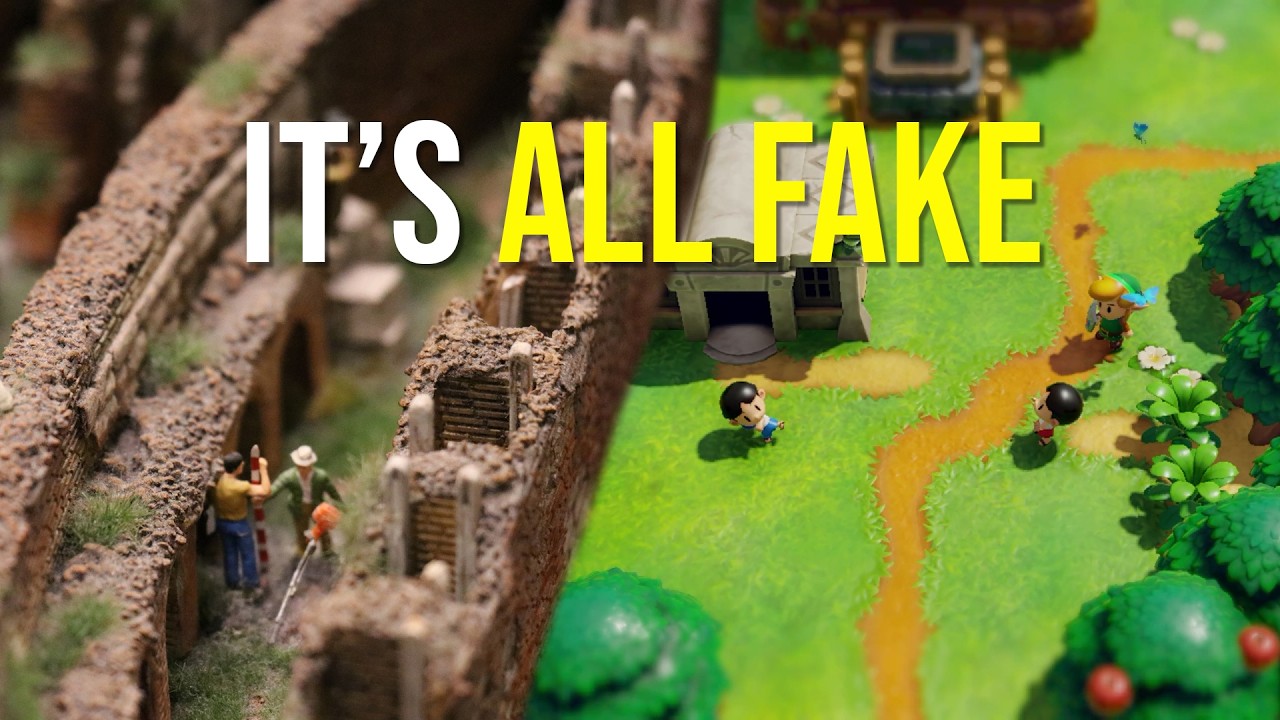
A tilt-shift effect is employed by photographers to make large structures feel small. A similar effect could be emulated by shaders and some strange transforms.
I’m not exactly sure what you are asking, you can move the camera closer to smaller objects and the effect is “zoomed in”, and doesn’t affect FOV.
This video talks a good amount of tilt shift, but it’s more a discussion than implementation.
1 Like
As to that, it would be the most “mirrors and smoke” solution to this issue, but I don’t see it being really compatible with the idea of multiplayer and world concurrency. Sorry if I haven’t mentioned it, but yes, I plan on doing this on multiplayer so that shrinked down players can be seen and even picked up by giant ones. Have you ever seen of those Minecraft mods that changed character sizes?
Tilt-shift is actually a property of one of the available projection styles for the Camera3D node. I’ll take a deeper look into it and also check out the video to get some better understanding. As to this:
It may be just that I haven’t fiddled properly with the camera yet. It’s a little late here and I’m going to bed soon, I’ll experiment more tomorrow.
Well, if visual representation is not a problem then just scale every distance down by a factor. FOV (and other angles) stay the same. Scaling down (or up) by a single order of magnitude shouldn’t affect physics precision.
1 Like