Godot Version
4.7.2
Question
I wanted to combine both the animation tree and the state machine, and I wanted to do that without using Blendshape2d
but it got in the way and lost confidence and I don’t know how
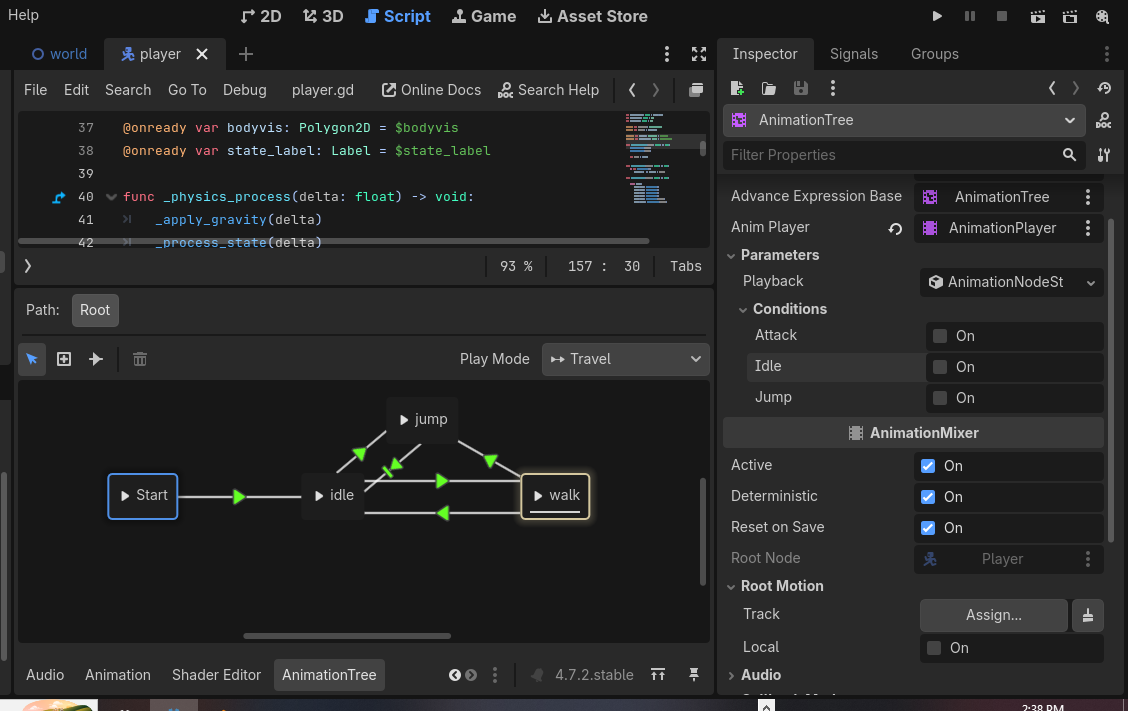
	match State:
		State.idle: _state_idle()
		State.walk: _state_walk()
		State.jump: _state_jump()
		State.fall: _state_fall()
		State.land: _state_land(_delta)
		State.death: _state_death(_delta)


		# space for animation tree


func _state_idle() -> void:
	velocity.x = move_toward(velocity.x, 0.0, speed)

	#state change
	var _direction: float = Input.get_axis("ui_left", "ui_right")
	if _direction != 0.0:
		_change_state(State.walk)
	elif Input.is_action_just_pressed("jump") and is_on_floor():
		_change_state(State.jump)
	elif not is_on_floor():
		_change_state(State.fall)

func _state_walk() -> void:
	var _direction: float = Input.get_axis("ui_left", "ui_right")
	velocity.x = _direction * speed


	if _direction < 0.0:
		bodyvis.scale.x = -1.0
	elif _direction > 0.0:
		bodyvis.scale.x = 1.0

	#transitions
	if _direction == 0.0:
		_change_state(State.idle)
	elif  Input.is_action_just_pressed("jump") and is_on_floor():
		_change_state(State.jump)
	elif not is_on_floor():
		_change_state(State.fall)

func _state_jump() -> void:
	velocity.y = jump_velocity
	_change_state(State.fall)

func _state_fall() -> void:
	var _direction: float = Input.get_axis("ui_left", "ui_right")
	velocity.x = _direction * speed


	#sprite flip
	if _direction < 0.0:
		bodyvis.scale.x = -1.0
	elif _direction > 0.0:
		bodyvis.scale.x = 1.0


	if is_on_floor():
		_change_state(State.land)


func _state_land(delta: float) -> void:
	velocity.x = move_toward(velocity.x, 0.0, speed * 3.0)
	land_timer -= delta

	if land_timer <= 0.0:
		var _direction: float = Input.get_axis("ui_left", "ui_right")
		if _direction != 0.0:
			_change_state(State.walk)
		else:
			_change_state(State.idle)

func _state_death(delta: float) -> void:
	velocity.x = move_toward(velocity.x, 0.0, speed * 3.0)
	death_timer -= delta


	if death_timer <= 0.0:
		global_position = respawn_pos
		velocity = Vector2.ZERO
		_change_state(State.idle)

#helpers
func _change_state(new_state: State) -> void:
	#don't reenter the same state
	if new_state == current_State:
		return


	#entry actions
	match new_state:
		State.land:
			land_timer = land_duration
		State.death:
			death_timer = death_duration


	current_State = new_state