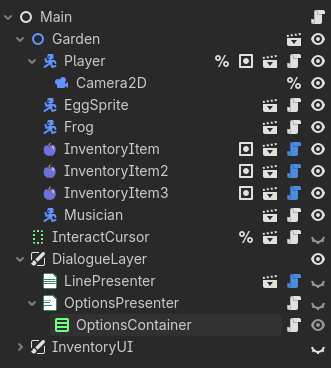
I’m using various controls to present dialogue in speech balloons positioned with my characters on the map. I’m using the Yarn Spinner dialogue system, and because of how that addon is structured, the player’s dialogue choices are displayed as buttons. All the dialogue UI items are in a CanvasLayer called DialogueLayer.
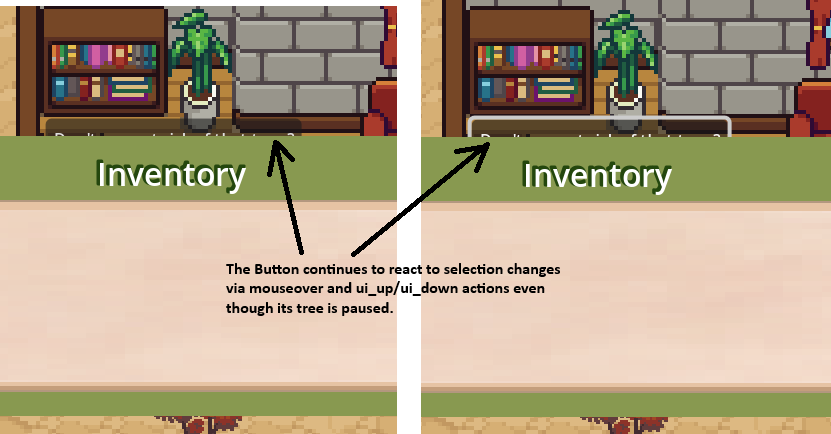
When I bring up the Inventory menu, I call get_tree().paused = true. I want to pause everything else in the game, including any currently playing dialogue. The dialogue UI does pause in the sense that the buttons cannot be clicked–but they still visually react to user input. The dialogue buttons behind the Inventory menu continue to react to mouseovers and ui_up/ui_down actions.
How can I stop these controls from responding to any input when the game is paused?
If you instantiate a pause menu, you could have one of its buttons (if there are any) to grab focus. Then set up neighbours so that focus can not leave the pause menu nodes.
When you press pause, store the currently focused button in a variable so that you can refocus it when you close the pause menu.
For the buttons you dont want to react to the mouse, you could set mouse_filter to mouse_filter_ignore when instantiating the menu and then return to normal when you close the menu.
Place a transparent layer between your pause menu and your UI layer and show it on pause screen this way the mouse cant click the ui. A layer with a color rect covering all the screen and mouse filter configured as Mouse_Filter_Stop.
I have to admit I wasn’t thinking of having the menu take keyboard focus, even though that seems obvious now. My only menu is mostly a mockup, and I was thinking about the paused state instead of how a menu system should work. I guess that’s what I’ll work on next.
For the time being, I am setting the dialogue options buttons’ focus_behavior_recursive and mouse_behavior_recursive to disabled while the tree is paused. I prefer your suggestions above though, because those make the pause menu responsible for catching all inputs, and no special code is required for the stuff behind it.
(Aw, I can only select one reply as the solution?)