Godot 4.4
Imports .PNG as .tscn for Texture2D. But CanvasItem needs the repeat texture (material) as .tres. How to convert?
Otherwise, how to repeat 1m x1m wall surface photos on a canvas? Hundreds of sprites or what?
Godot 4.4
Imports .PNG as .tscn for Texture2D. But CanvasItem needs the repeat texture (material) as .tres. How to convert?
Otherwise, how to repeat 1m x1m wall surface photos on a canvas? Hundreds of sprites or what?
Help me understand so I can support you better. As far as I know, Godot doesn’t import pngs as either tscn or tres, it creates it as a Texture2D. Could you show a screenshot of what the file looks like to make it clearer?
If you’re trying to create a tiled texture for a 2D game, this post shows some ways you can do that:
Yes, import as Texture2D creates a .tscn file.
but the Material for a Sprite2D and a CanvasItem will only load a Resource file, not a scene. A NewCanvasItemMaterial or a NewShaderMaterial. These have extensions of .tres .res .material. So how do I get from .png or .tscn to .tres? It’s a photo, not a Sprite, I want to repeat.
You can assign a texture resource and a material resource to a Sprite2D. Texture2D does not create a .tscn scene file, it’s a resource file. What are you trying to do?
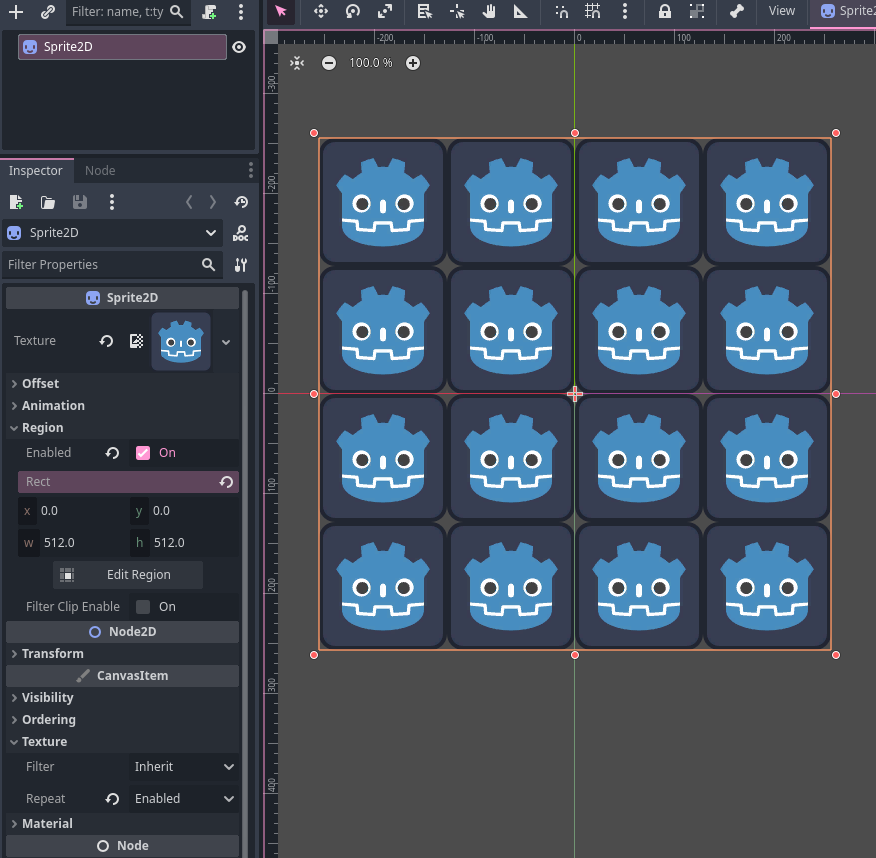
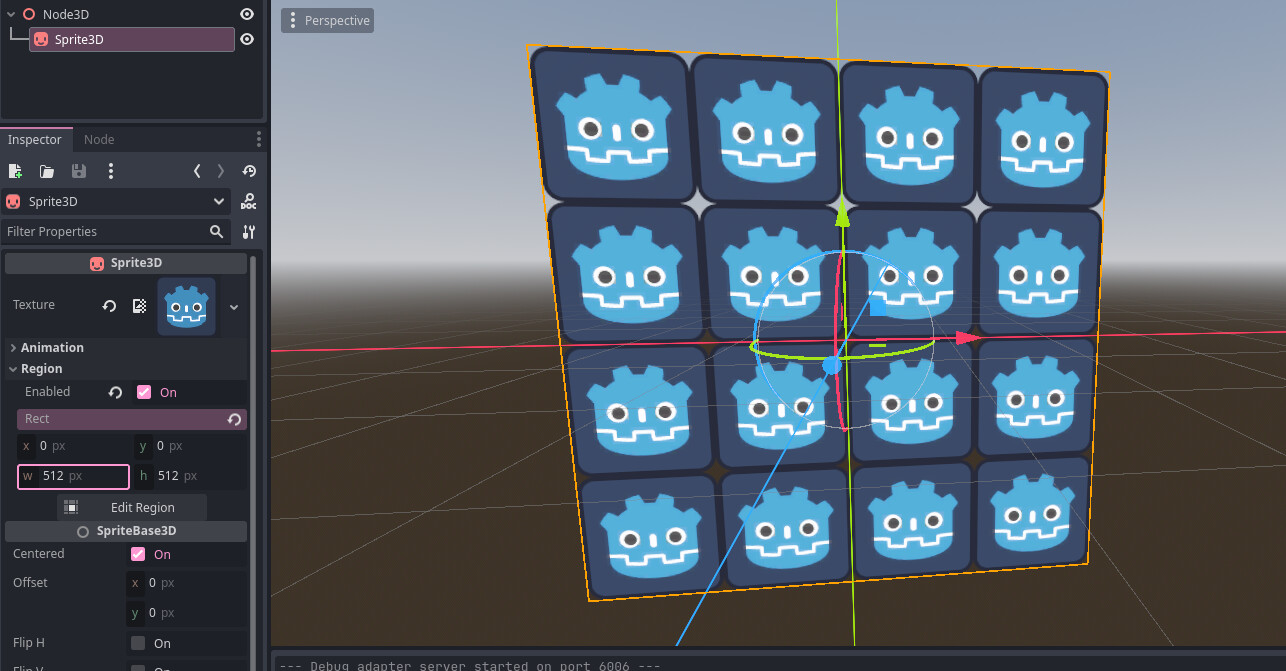
Here’s an example using a Sprite2D to repeat via setting a larger region than the 128 px Texture2D and enabling repeat mode, no material necessary and no external scene files.
Sorry, yes, the .tscn is the parent of a Sprite3D with the texture taken directly from the .png file as a CompressedTexture2D but Sprite3D has no repeat. Sprite2D has repeat but needs a .tres resource file.
So: (1) convert .png.import to .tres somehow ? Is that a custom shader job? How do you make a NewCanvasItemMaterial or a NewShaderMaterial.
(2) stack hundreds of 1m square Sprite3D along the street ?
or any other way to repeat a 1m square texture along a CanvasItem2D ?
I’m trying to make a Google-like street view to walk along. Still deciding if mostly 2D or 3D Is my project 2D or 3D or both? IDK
Really? Oh great! Yea! Works. Thank you!
because I can’t paste a .png into a 2D region, it seems. How would you do it?
I suppose I would make a 3D world of corridors with real images as the wall textures. I guess I prefer using textured meshes over Sprite3D to prevent transparency issues and I find it’s easier to use 3D tools like Blender for content/world creation.
That’s what I’m doing, it seems. 3D corridors, 3D skeleton. Maybe I’ll learn Blender but it’s hard enough learning Godot. Improve the street corridors much much later if I ever get this past alpha.
Looks like you can turn off transparency in Sprite3D, that’s the only thing I’d highly recommend disabling. You’re doing good I’m just interjecting with my workflow-biases
It doesn’t have to be pretty. Old people are used to sketch-level scenery. This is what I’m doing … For old, retired people only (a neglected audience) - #13 by oldrobcat
Managed to load .png texture into a Sprite2D today and repeat it. Maybe using a StaticBody3D as a parent was my problem before? IDK. Experimenting.
Maybe, mixing 2D and 3D nodes is generally not a good idea; Control/UI is fine. If you want 2D looking objects in 3D then you would use a Sprite3D or a quad mesh + texture (which is mostly what a Sprite3D does)
Reached same conclusion myself, use Sprite3D on one-sided mesh.
Also resolved my texture problem, wrong import. Can’t use 2DArray, only 2D. The default import box must have got shifted down a notch.
This topic was automatically closed 30 days after the last reply. New replies are no longer allowed.