Godot Version
4.6.stable
Initial Implementation
We want to format a RichTextLabel with icons. The icons are represented by emojis in text and should be replaced by AtlasTextures in the RichTextLabel. For example:
Input:
"You can only use this ability once per game. Deal 2🗡️ to a random enemy. Then, you gain 2🛡️."
Output:
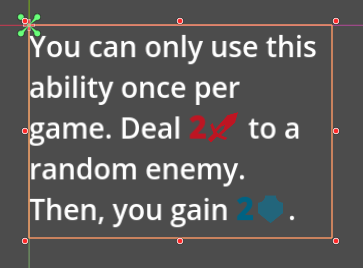
The code we use for this looks like this:
extends RichTextLabel

const ICON_SIZE := Vector2i(20, 20)

const EMOJI_TO_ICON: Dictionary[String, Texture] = {
	"🗡️": preload("res://sword_icon.tres"),
	"🛡️": preload("res://shield_icon.tres"),
}

const EMOJI_TO_COLOR: Dictionary[String, String] = {
	"🗡️": "be1522",
	"🛡️": "006282",
}


@export var txt: String:
	set(value):
		txt = value
		format_icons(txt)


func _ready() -> void:
	format_icons(txt)


func format_icons(content: String) -> void:
	# Reset the label, so we can build it from the ground up with icons
	text = ""

	# Construct regex (should be precompiled in a real project)
	var regex := RegEx.new()
	regex.compile("(?<number>\\d+)(?<emoji>" + "|".join(EMOJI_TO_ICON.keys()) + ")")

	var cursor := 0
	for m in regex.search_all(content):
		var number := m.get_string("number")
		var emoji := m.get_string("emoji")

		var icon := EMOJI_TO_ICON[emoji]

		# Append text before the match
		var before := content.substr(cursor, m.get_start() - cursor)
		append_text(before)

		# Append formatted number (optional)
		if number:
			var color := EMOJI_TO_COLOR[emoji]
			append_text("[color=" + color + "][b]" + number + "[/b][/color]")

		# Append the icon
		add_image(icon, ICON_SIZE.x, ICON_SIZE.y, Color(1, 1, 1, 1), INLINE_ALIGNMENT_CENTER)
		cursor = m.get_end()

	# Add any trailing text
	append_text(content.substr(cursor))
Table-based solution
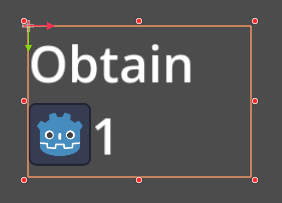
The issue with the initial implementation is that the number and icon can be separated by text wrapping:
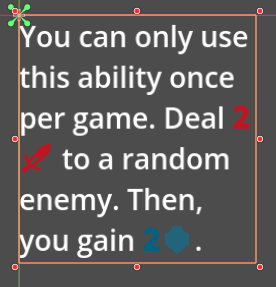
We want the number and icon to be bundled together, so they never get separated by text wrapping. Our current approach for this uses the table tag:
@tool
extends RichTextLabel

const ICON_SIZE := Vector2i(20, 20)

const EMOJI_TO_ICON: Dictionary[String, Texture] = {
	"🗡️": preload("res://sword_icon.tres"),
	"🛡️": preload("res://shield_icon.tres"),
}

const EMOJI_TO_COLOR: Dictionary[String, String] = {
	"🗡️": "be1522",
	"🛡️": "006282",
}

@export var txt: String:
	set(value):
		txt = value
		format_icons(txt)


func _ready() -> void:
	format_icons(txt)


func format_icons(content: String) -> void:
	# Reset the label, so we can build it from the ground up with icons
	text = ""

	# Construct regex (should be precompiled in a real project)
	var regex := RegEx.new()
	regex.compile("(?<number>\\d+)(?<emoji>" + "|".join(EMOJI_TO_ICON.keys()) + ")")

	var cursor := 0
	for m in regex.search_all(content):
		var number := m.get_string("number")
		var emoji := m.get_string("emoji")

		var icon := EMOJI_TO_ICON[emoji]

		# Append text before the match
		var before := content.substr(cursor, m.get_start() - cursor)
		append_text(before)

		# Bundle number + icon into a table row
		push_table(2, INLINE_ALIGNMENT_CENTER)

		push_cell()
		var color := EMOJI_TO_COLOR[emoji]
		append_text("[color=%s][b]%s[/b][/color]" % [color, number])
		pop() # cell

		push_cell()
		add_image(icon, ICON_SIZE.x, ICON_SIZE.y, Color.WHITE, INLINE_ALIGNMENT_CENTER)
		pop() # cell

		pop() # table

		cursor = m.get_end()

	# Add any trailing text
	append_text(content.substr(cursor))
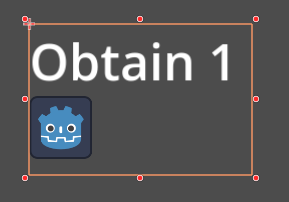
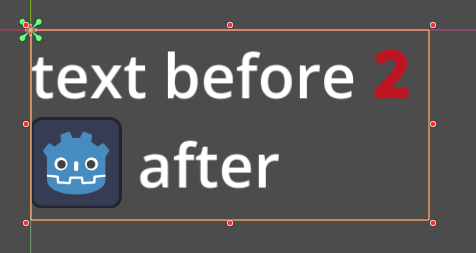
The result is as desired. The “2” and “ ” are bundled together and cannot be separated by a line break anymore:
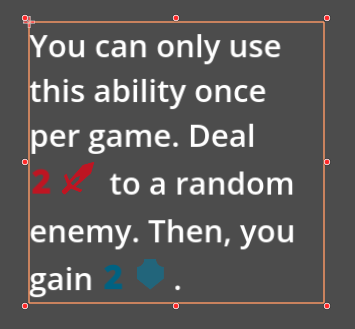
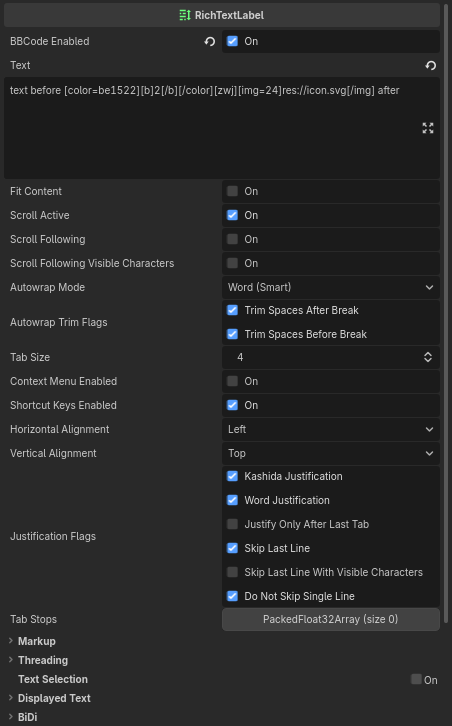
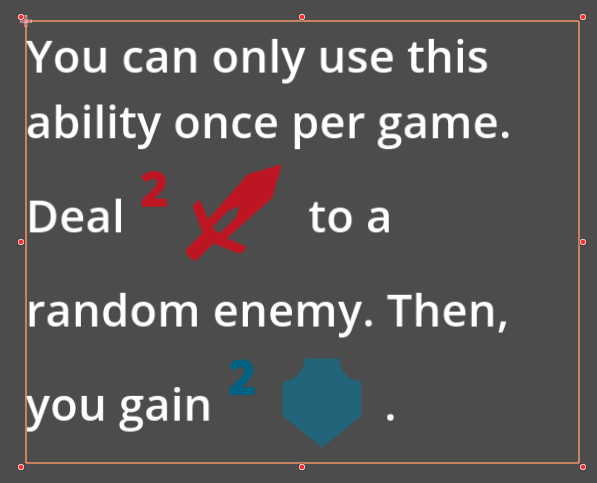
But the number and icon are not vertically aligned with the rest of the text anymore. The image below shows an exaggerated example of a text with very large icons. The icon is vertically aligned thanks to the INLINE_ALIGNMENT_CENTER of the table. But the number is top-aligned.
Questions
- Is there a way to vertically center the text inside a RichTextLabel table cell?
- Is using an inline table the best way to keep a number and icon together as a non-breaking inline element, or is there a better approach?