How to Recreate Unity-like glow in Godot?

Godot Version

Godot 4.4.1 stable

Question

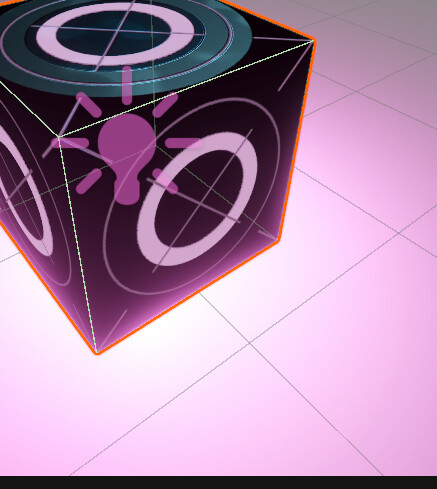
Hello. I’m trying to recreate a small scene from Unity and one small thing I just can’t figure out is how to obtain the bloom effect shown in the image:

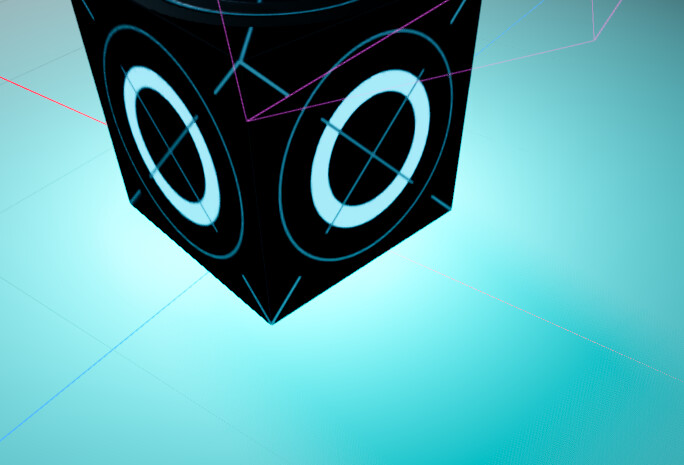
So far I’ve managed to make a pretty convincing imitation but this detail still eludes me:

I tried messing with the “Glow” tab in my WorldEnvironment but it didn’t seem to help much unless I didn’t configure it correctly.

You’ve left a lot of information out if you want help with this.

  1. I’m assuming those two screenshots are from Unity and Gosot respectively, but if one of them is from say, Blender, that’s important to know.
  2. What have you done to reproduce this? Is that a StandardMaterial3D or a ShaderMaterial3d?
  3. If it’s a StandardMaterial3D, what are the settings you are using?
  4. If it’s a ShaderMaterial3d what does the shader code or VisualShader look like?
  5. Is Emission on in the StandardMaterial3D or hooked up in the shader? What are the settings?

Update: the reason it wasn’t appearing the way I wanted it to because of the glow_blend_mode. Setting it to “add” and tuning it gave me the effect I wanted. Thanks regardless!
1 Like

This topic was automatically closed 30 days after the last reply. New replies are no longer allowed.