input_event triggering randomly and event position for it not being accurate to the mouse's actual position

Godot Version

4.7.2.stable

Question

Hi, I am trying to create a strategy game and in doing so, I need to select a unit through clicking the unit with left mouse button and then doing the same on the map, to get the unit to move to the position that was clicked on the map.

I have been able to get this working occasionally, but I run into 2 problems and I haven’t been able to figure out a solution for it.

  1. The input_event is triggering randomly. What I mean by this is the input_event is only triggering occasionally when it should be triggered constantly, to test this I set up a print for every time the event is triggered on the target and it is flickering between being triggered and not when the mouse is hovering over the target whilst not moving the mouse at all. With sometimes not being triggered at all despite the mouse clearly being over the target.

Here are images showing how it is organised (and in case it is important but it shouldn’t be according to: InputEvent docs as the unit node is lower then the map mode in the scene, the input_event for the map being clicked works the exact same way as shown here, apart from a different signal being sent).
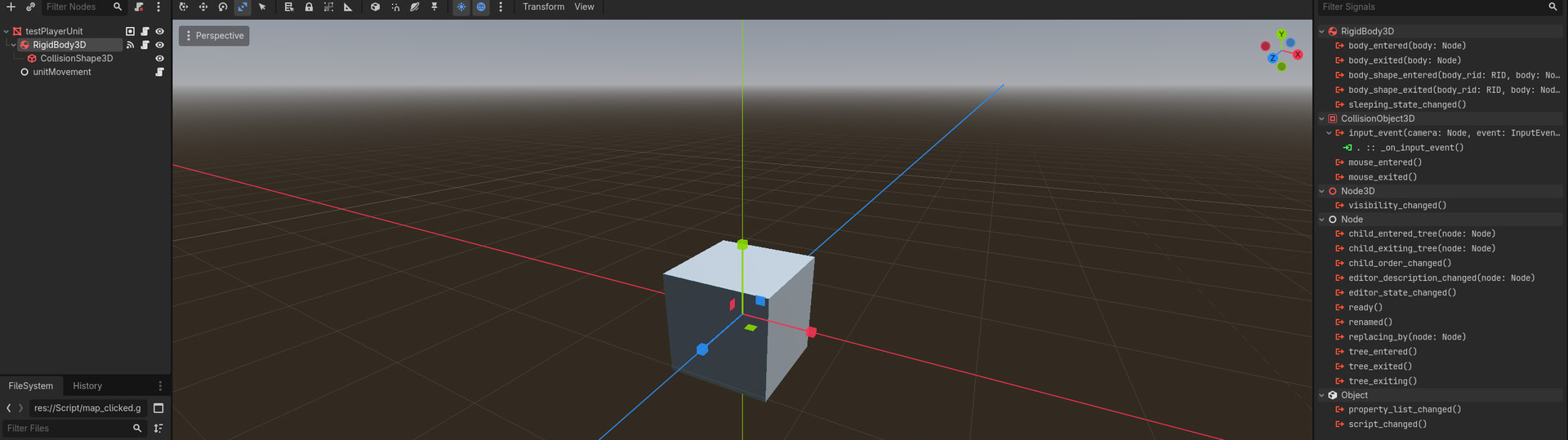
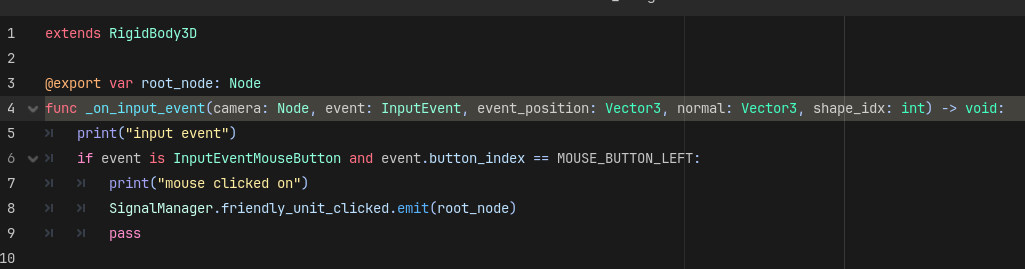
  1. When I am able to select the unit and a position for the unit to move to on the map. The unit moves past the point, the mouse clicked at at and stops further away from it, going through the point on the map selected. I have tried to solve this by calculating if it goes through an area around the position the mouse clicked at which didn’t solve it but did show it calculating being much further away then it was.

Here are images showing how the code works for it.

Here is a video showing both error’s happening one after another (in order of my list): Link (as new users can’t upload attachments when I try uploading the video).

Any help would be greatly appreciated and thanks in advance.

That is how events work, if you aren’t moving the mouse then it’s not creating mouse moved events. Does your code not work? It seems like it will detect motion and clicks. Can you explain what you expect to happen versus what really happens?

Your local .position is probably a different unit than the event position. Try using .global_position instead


Make sure to paste code instead of screenshots

Okay, thanks for confirming events are meant to work that way, I thought they were but got confused when the print was being triggered constantly at times, despite me not interacting with the mouse at all.

But what, I expected for it was that I could just hover over the unit and then click on it to select the unit. What really happens is that often times, it doesn’t register any clicks at all on the unit or any motion I do with the mouse or it detects motion and triggers for a while and then just stops responding at all while other times it works as intended.

Here is the code so you can copy it for this issue:

func _on_input_event(camera: Node, event: InputEvent, event_position: Vector3, normal: Vector3, shape_idx: int) -> void:
	print("input event")
	# if left mouse button is pressed
	if event is InputEventMouseButton and event.button_index == MOUSE_BUTTON_LEFT and event.pressed:
		print("mouse clicked on")
		SignalManager.friendly_unit_clicked.emit(root_node)
		pass

For the 2nd issue, I just tried switching the positions to global_positions for all the moveable_object.position references and the same error is still occurring.

Here is the code for the 2nd issue:

extends Node

@export var movement_speed: float
@export var moveable_object: Node
var position_move_to: Vector3
var moving: bool

func _ready() -> void:
	SignalManager.map_clicked.connect(_move_to)

# called every frame
func _physics_process(delta: float) -> void:
	if moveable_object.is_in_group("Friendly") and moving == true:
		_movement(delta)

# set position for unit to move to
func _move_to(movement_position: Vector3):
	if moveable_object.is_clicked == true:
		position_move_to = movement_position
		position_move_to.y = moveable_object.position.y
		moving = true
		moveable_object.is_clicked = false

# moves unit to selected position, based on movement speed and delta
func _movement(delta: float):
	moveable_object.global_position += moveable_object.global_position.direction_to(position_move_to) * movement_speed * delta
	print(position_move_to.x - moveable_object.global_position.x)
	if position_move_to.x - moveable_object.global_position.x < 1 and position_move_to.x - moveable_object.global_position.x > -1:
		print("target reached")
		moving = false
extends Node

func _on_input_event(_camera: Node, event: InputEvent, event_position: Vector3, _normal: Vector3, _shape_idx: int) -> void:
	if event is InputEventMouseButton and event.button_index == MOUSE_BUTTON_LEFT and event.pressed:
		SignalManager.map_clicked.emit(event_position)
		pass
extends Node

signal friendly_unit_clicked(object_clicked: Node)
signal enemy_unit_clicked(object_clicked: Node)
signal map_clicked(place_clicked: Vector3)

Thanks for telling me about pasting code instead of screenshots, first time I have actually submitted to a forum before.