Godot Version
v4.4.1
Question
Hi all,
Quick question about data validation, I have a LineEdit node to input a integer for seed generation. Here’s a few screenshots:
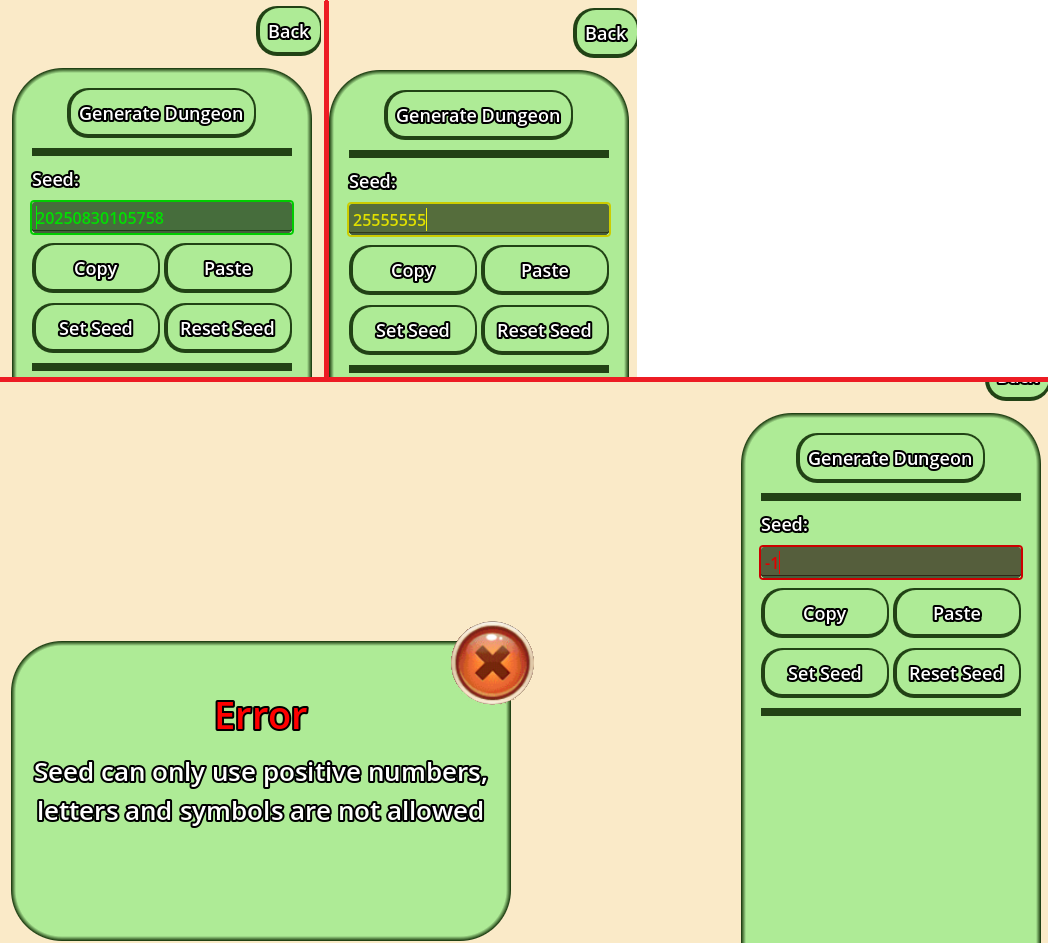
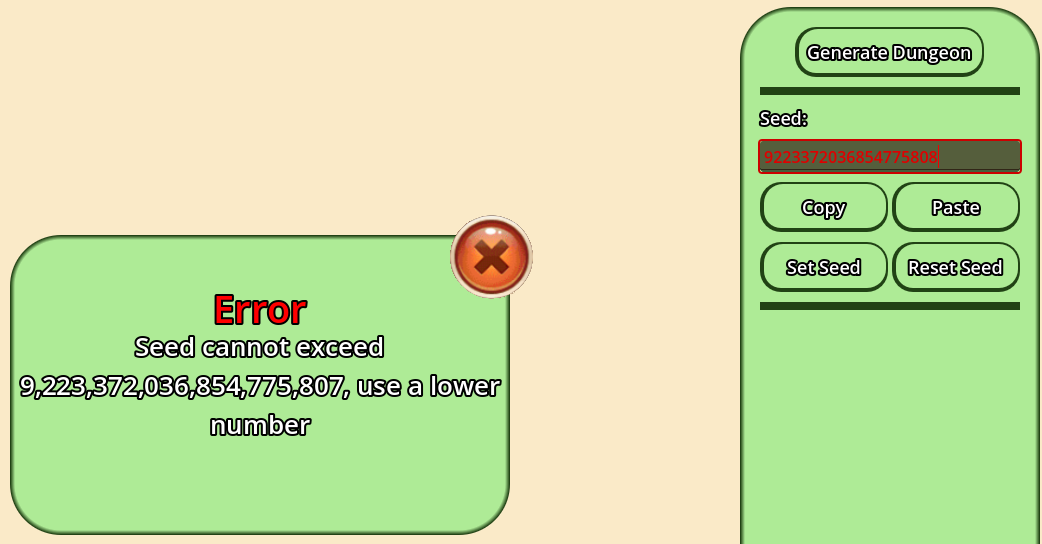
The field gets colored green if its a valid int above 0 and below the max integer value (9223372036854775807), yellow if it’s a valid number but not set and red if its not valid.
For some reason, going slightly above the max value, say just by 1 or 2 above, the validation works fine, but when I go well above it such as putting an extra 0 on the end, it goes back to yellow and I start getting Debugger errors:
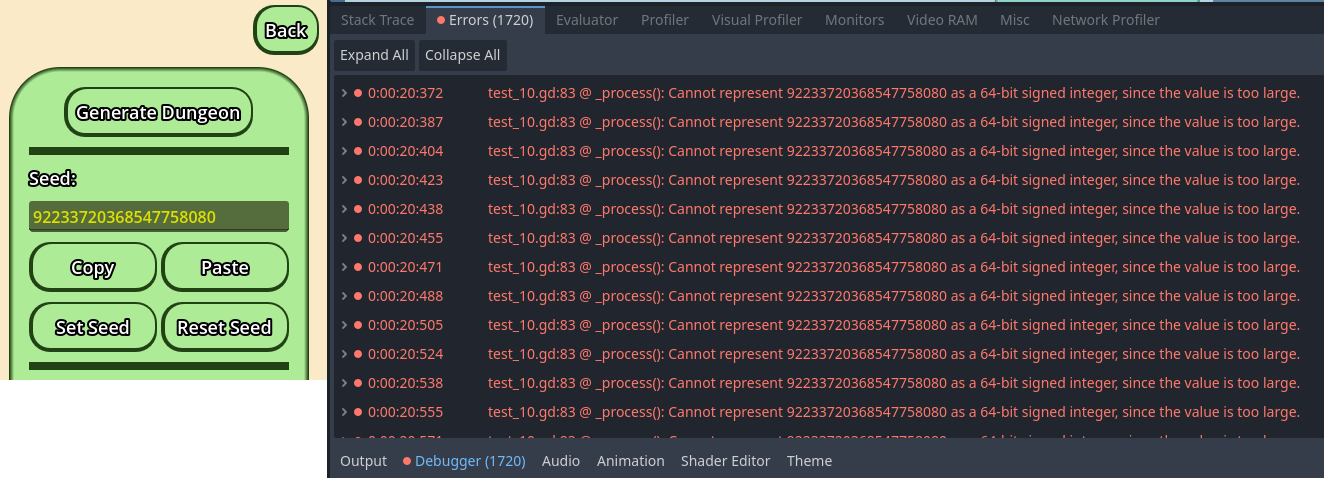
Here’s my code:
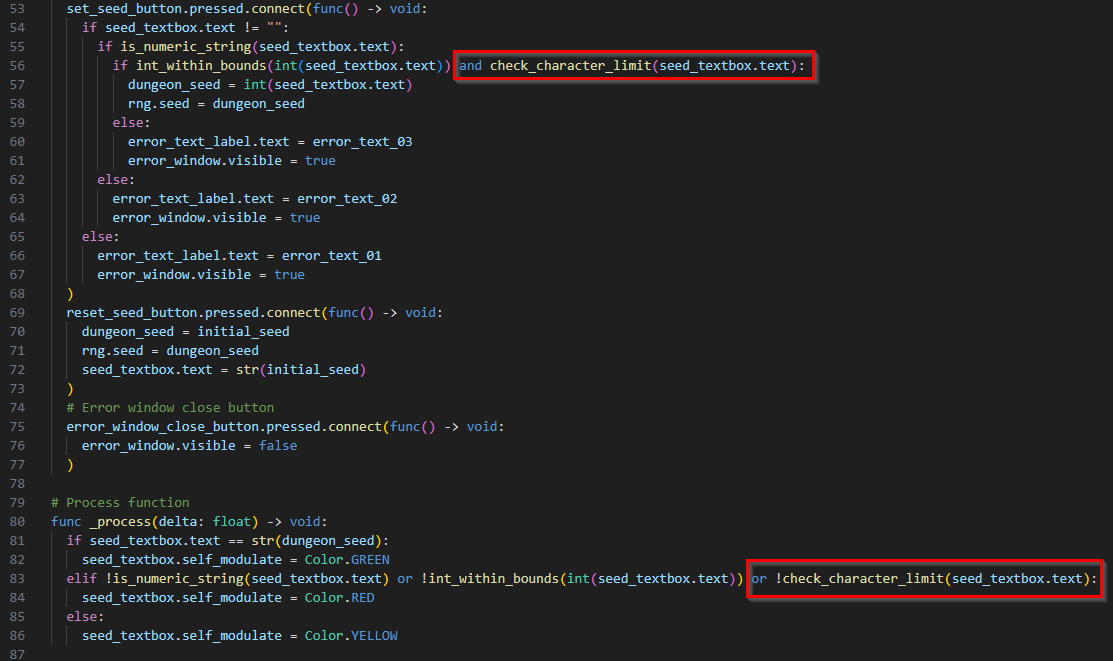
# Ready function
func _ready() -> void:
	# Seed buttons
	set_seed_button.pressed.connect(func() -> void:
		if seed_textbox.text != "":
			if is_numeric_string(seed_textbox.text):
				if int_within_bounds(int(seed_textbox.text)):
					dungeon_seed = int(seed_textbox.text)
					rng.seed = dungeon_seed
				else:
					error_text_label.text = error_text_03
					error_window.visible = true
			else:
				error_text_label.text = error_text_02
				error_window.visible = true
		else:
			error_text_label.text = error_text_01
			error_window.visible = true
	)

# Process function
func _process(delta: float) -> void:
	if seed_textbox.text == str(dungeon_seed):
		seed_textbox.self_modulate = Color.GREEN
	elif !is_numeric_string(seed_textbox.text) or !int_within_bounds(int(seed_textbox.text)):
		seed_textbox.self_modulate = Color.RED
	else:
		seed_textbox.self_modulate = Color.YELLOW

# Check if a string is made of numbers only
func is_numeric_string(text: String) -> bool:
	if text.is_empty():
		return false
	for chars: String in text:
		if not (chars >= "0" and chars <= "9"):
			return false
	return true

# Check whether seed is within integer bounds and is positive
func int_within_bounds(int_check: int) -> bool:
	if int_check <= 9223372036854775807 and int_check >= 0:
		return true
	return false
Does anyone know a better integer validation technique?