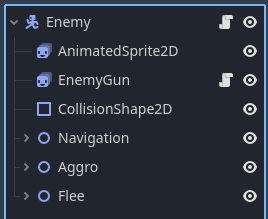
I have no clue why it isn't working but the Look_At function isn't looking towards the player's global position and doesn't update despite it running. I couldn't find any fixes online either.
extends Node2D

@export var player:Player


func _physics_process(delta: float) -> void:
	if player == null:
		player = Player
	else:
		look_at(Player.global_position)

		rotation_degrees = wrap(rotation_degrees, 0, 360)

		if self.rotation_degrees > 90 and rotation_degrees < 270:
			$EnemyGun.scale.y = -0.8
		else:
			$EnemyGun.scale.y = 0.8
This makes no sense, you’re assigning class definition to a variable. Remove these lines completely.
Then you’re trying to look at the class definition’s position, which probably generates an error in the console.
Change the Player to player. And make sure you’ve assigned the player to the player variable in the inspector.
Just removed it. It makes the scene load a bit quicker but the function still won’t work. It doesn’t display any error messages either so idk what to do now
You’re still looking at the Player, not player. Case matters in programming.
And you removed the player variable declaration, which is important to keep here.
I found a solution. Instead of controlling the way the gun points in the enemy’s weapon script I instead have to do it in the Enemy’s AI. (Also thanks for telling me how to get the export variable to work)