Godot Version
4.5
Question
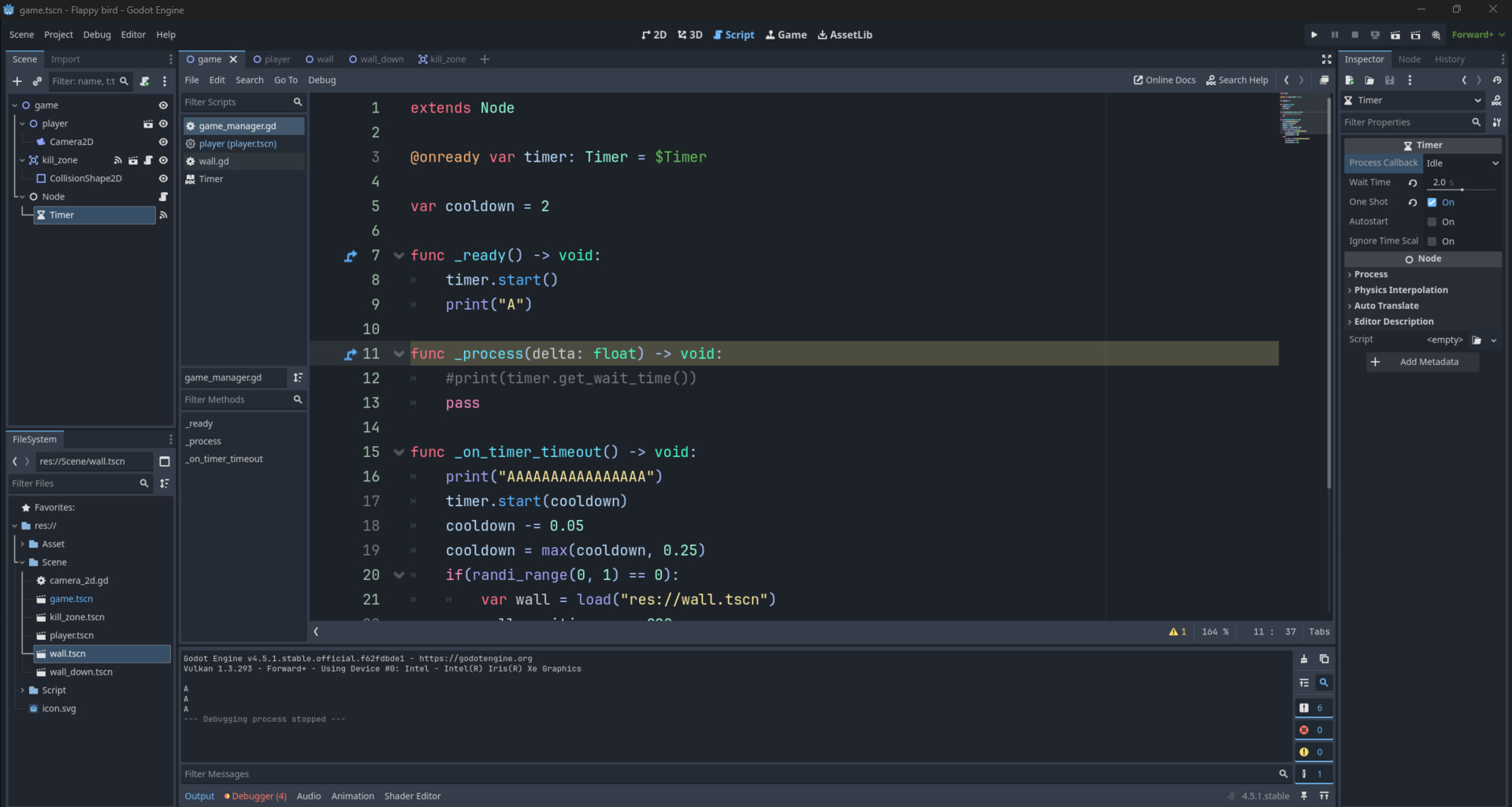
I am new to Godot, and for some reason this timer just doesnt seem to end. The print triggers, so it starts, but it never ends, so i really dont know whats going on.
4.5
I am new to Godot, and for some reason this timer just doesnt seem to end. The print triggers, so it starts, but it never ends, so i really dont know whats going on.
Did you connect the timer signal to your _on_timer_timeout function?
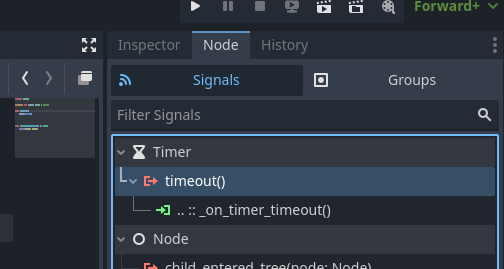
@zoeren is right. Otherwise you would have a little green signal connected box.
Select your timer node and in the inspector go to signals:
Right click the timeout signal and select ‘connect’.
It should work fine.
extends Node2D

@onready var timer: Timer = $Timer

func _ready():
	timer.start()

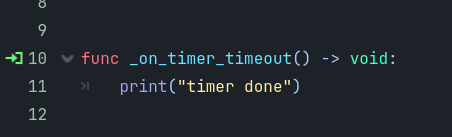
func _on_timer_timeout() -> void:
	print("timer done")
I think the timer is connected. The scene tree has the wifi icon next to the Timer instance.
I do see some other issues:
When the timer times out it is started again.
When the timer is started in _ready a time value is not specified.
I think the last point may be the cause, as the default time value is -1. The OP did not specify which print statement is being shown - so it is not clear that they meant the print inside the signal handler.
The OP also has this line in the handler:
cooldown = max(cooldown, 0.25)
The intent seemed to be to have multiple cooldown timers, each shorter than before. Thing is that max method means that the every time the timer times out it will be restarted for a minimum of 0.25 seconds.
In other words, as written, the timer will run forever if it runs at all.
The timer node will have a default of 1s though, unless it was changed by them. What do you mean a default value of -1? It doesn’t, I tested it.
Their print out also has A, then another A, then another A, like the node’s ready function is being called three times. Or there are other print statements in the rest of his code also helpfully printing “A”.
Why a person would not type “Timer started” rather than “A” is beyond me. Or “Timer timeout signal received” rather than “AAAAAAAAAAAAAAAAA”?
Perhaps @octo353 will let us know.
I think you connected it to another script.
I’m just going by the documentation. Timer start. I don’t use timer much, I tend to use get_tree().create_timer()
Oh you are right. This is what is says in the docs:
void start(time_sec: float = -1)
That is strange. When I tested it the timer just used the default wait time of 1s.
We crossed messages.
Yeah so do I unless I am doing something like text typewriting and need it the timer in a loop.
I still don’t get why the docs say -1.
It can’t mean false, as false is usually 0. Perhaps the engine code checks for < 0 and -1 would trigger that. IDK.
The docs could be wrong. I’m not in the mood to go spelunking in the source code to find out 
Assuming you are right, and the default is 1 second, then my prime suspect is restarting with the cooldown variable - as it never reaches zero.
I had a spelunk but TBH I might be looking in the wrong place anyway.
I checked NOTIFICATION_READY but that is 13.
IDK.
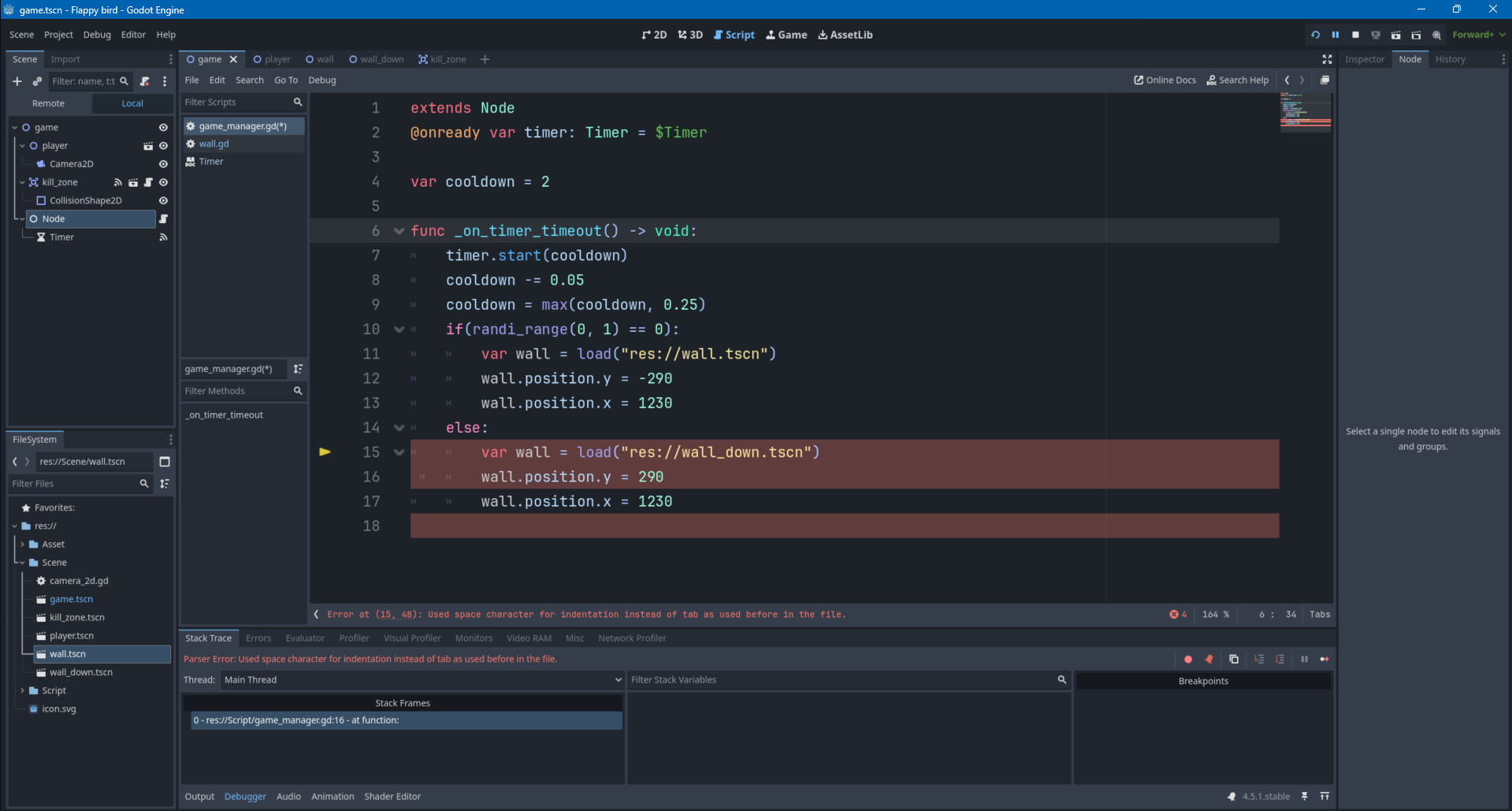
There are errors in the debugger. What do they say?
void Timer::start(double p_time) {
	ERR_FAIL_COND_MSG(!is_inside_tree(), "Unable to start the timer because it's not inside the scene tree. Either add it or set autostart to true.");

	if (p_time > 0) {
		set_wait_time(p_time);
	}
	time_left = wait_time;
	_set_process(true);
}
So, if you don’t specify a positive time it looks like it doesn’t start at all.
I am curious as to what time_left is set to in that instance, also as to what is being processed if there is no wait time.
I have now come to believe the timer is not timing out at all, since it is starting for -1 seconds.
Expanding the screenshot, I just see a single “A” in the output. The print statement in the handler is not shown at all.
However, fixing that will likely trigger the infinite loop I noticed in the timeout handler.
Why speculate before reading the errors?
If “AAAAAAAA” is never printed, then there’s something wrong with the connection. Timer’s wait time cannot be set to less than 0 via gui.
Multiple “A” printouts point to that very common mistake of running the script in the scene and as an autoload at the same time. It could be just some other printout though as the OP has a habit of only printing A’s.
Let’s see those errors @octo353
@that_duck
-1 is the default value for Timer.start(), but as the docs state: (only) “If time_sec is greater than 0, this value is used for the wait_time”.
A negative value is just ignored and uses Timer.wait_time instead, which has a default value of 1.0 (OP set it to 2.0 in this case).
sorry for not seeing these messages in all this time - you were right at the start, I just hadnt connected the timer to the node.
For those of you asking about the printing, its a bad habit i should get out of, i was just a bit lazy and couldnt be bothered to type out a real message. The single A was for when the object was started and the timer also was started, so i wanted to check to see if the timer had started and then the multiple As were for when the timer finished.
I saw someone notice that the timer would go indefintiely, thats the point. Im making flappy bird, and this spawns the pipes, so i want them to spawn faster and faster but never stop or spawn instantly.
For those of you wondering about the error, it had nothing to do with the timer issue, Im trying to create the wall, and then save it as a variable to change properties like location and size but i cant figure it out. looking at some previous messgaes it would be some variation on get_tree().create_timer() but I cant think what it would be, nor can i find it in any documentation, but im sure im just not finding it, any more help would be appreciated but thank you all for your help already!
This topic was automatically closed 30 days after the last reply. New replies are no longer allowed.