Godot Version
4.61
I want to do a plugin to generate c# code for signals based on the selected node in the scene tree.
Originally I was looking to try and use the existing signal tab, but couldn’t find a way to do it without looking up the signals tab, and that seemed clunky.
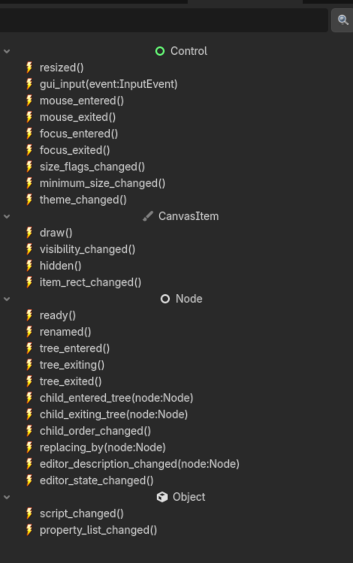
So I decided to make a dock plugin and just duplicate the current signals tab, allowing me to do the same thing. However I seem to have hit a wall and am hoping one of the script gurus here can help me figure out the logic or point out an easier way to do it. In the signal tab it presents the signals grouped under base object, I already have the tree set up and it loads signals, but how would I determine which group a signal belonged to, in order to group them together?
I currently use get_signal_list() to get the signals and then parse the dictionaries to create the tree but I nothing pops out at me as to indicating the base object the signal is from.
Also it is possible to get the default icon for that group?
Here’s a screenshot to help clarify. The signal tab is on the left, my tree on the right. Any advice would be appreciated.