Godot Version
Godot Engine v4.5.stable.official.876b29033
Question
Currently working on a RTS type game
I’m trying to find the “best” way to overide a building material, so that if the “building placement” is valid, make the material green and if not, make it red.
Upon placing the building, the material is no longer overridden.
I have a basic shader applied by default
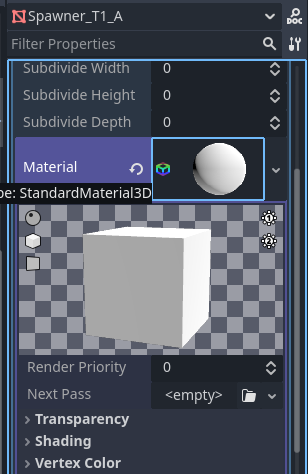
And I’m aware that there is a “Shader script” that is suppose to interact with it.
shader_type spatial;
render_mode blend_mix,diffuse_toon,shadows_disabled,specular_disabled,ambient_light_disabled

instance uniform vec4 instance_color_01 : source_color;

void fragment() {
		ALBEDO = instance_color_01.rgb;
		ALPHA = instance_color_01.a;
}
my current problem, is I don’t understand where am I suppose to plug the “shader script”
I would assume that I need to pulg it into the “Material Override” (as in drag and drop the script), but it doesn’t seem to do anything.

I feel like there is a much easier/efficient way of doing what I need. Which is changing an asset’s material between 3 (Valid>Green / Invalid>Red / Placed>AssignedMaterial).