Godot Version
4.6.2.stable via Steam
Question
So I’m trying to make a Mario Kart style racer, as many people do, and I’ve got a bit of an issue with my kart skewing itself off of slopes and ramps that are tilted to either the left or right.
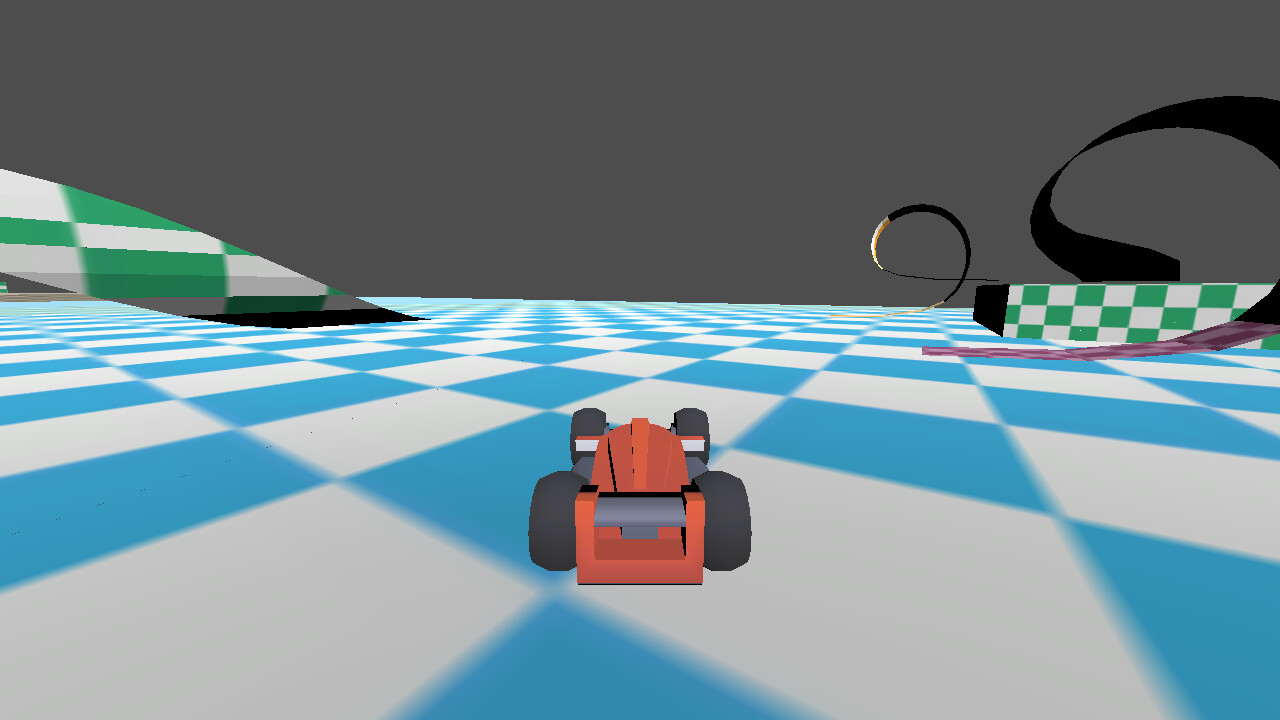
Here’s how it sits normally
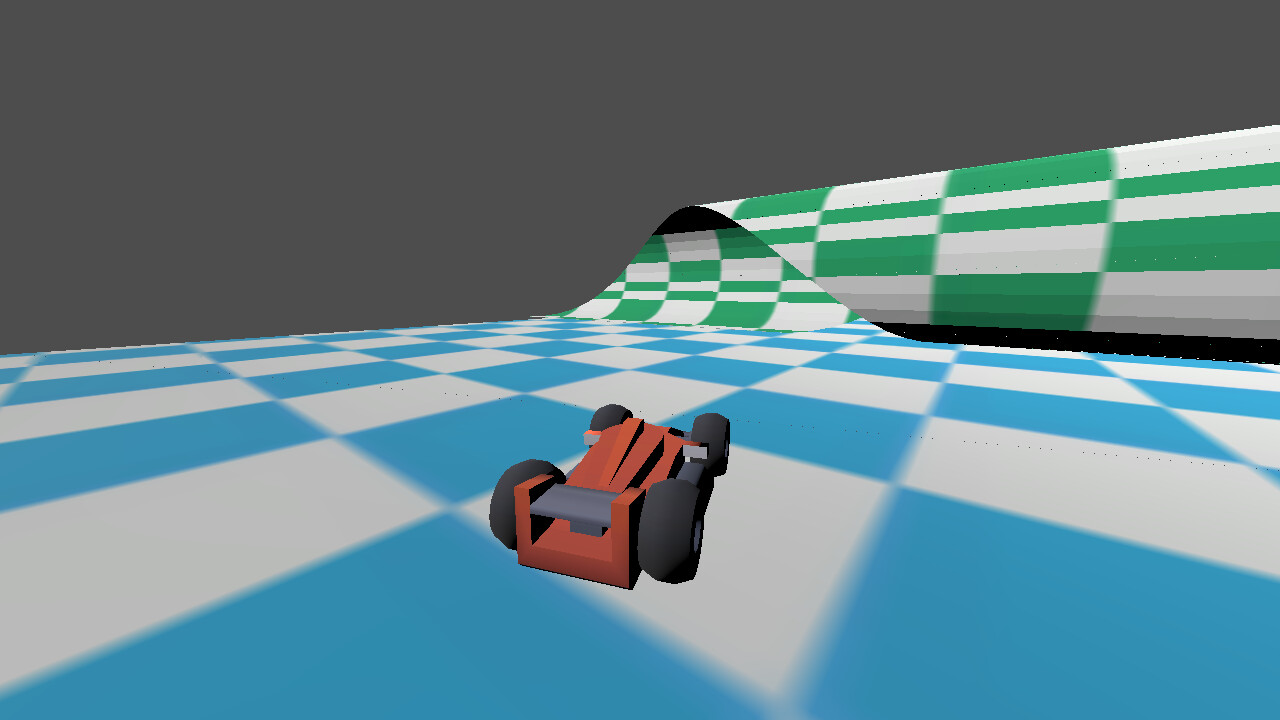
and here it is after a few rides up some slopes.
Any ideas as to what could be causing this? I’m assuming it has something to do with how it handles aligning itself with the ground it’s on.
Here’s the code I have for it:
extends Node3D

@onready var Ball = $PhysicsBall
@onready var Car = $Car
@onready var CarModel = $Car/Model
@onready var GroundRay = $Car/RayCast3D
@onready var LeftWheel = $"Car/Model/wheel-front-left"
@onready var RightWheel = $"Car/Model/wheel-front-right"
@onready var CarBody = $Car/Model/body
@onready var DriftTimer = $DriftTimer
@onready var BoostTimer = $BoostTimer
@onready var Anim = $AnimationPlayer

@export var Acceleration: int = 70
@export var Steering: int = 20
@export var TurningSpeed: int = 5
@export var TurnStopLimit: float = 0.75
@export var BodyTilt: int = 30

var SpeedInput = 0
var RotateInput = 0

var isDrifting = false
var DriftDirection = 0
var isMinDrift = false
var Boost = 1
var DriftBoost = 1.75

func _ready() -> void:
	GroundRay.add_exception(Ball)

func _physics_process(_delta: float) -> void:
	Car.transform.origin = Ball.transform.origin
	if GroundRay.is_colliding():
		Ball.apply_central_force(-Car.global_transform.basis.z * (SpeedInput * Boost))

func _process(delta: float) -> void:
	SpeedInput = (Input.get_action_strength("Accelerate") - Input.get_action_strength("Brake")) * Acceleration
	RotateInput = (Input.get_action_strength("SteerLeft") - Input.get_action_strength("SteerRight")) * deg_to_rad(Steering)
	LeftWheel.rotation.y = RotateInput
	RightWheel.rotation.y = RotateInput

	if GroundRay.is_colliding():
		var n = GroundRay.get_collision_normal()
		var xform = AlignWithY(CarModel.global_transform, n)
		CarModel.global_transform = CarModel.global_transform.interpolate_with(xform, 10.0 * delta)
	else:
		var xReset = AlignWithY(CarModel.global_transform, Vector3(0,1,0))
		CarModel.global_transform = CarModel.global_transform.interpolate_with(xReset, 10.0 * delta)

	if Input.is_action_just_pressed("Drift") and not isDrifting and RotateInput !=0 and SpeedInput > TurnStopLimit:
		StartDrift()

	if isDrifting:
		var DriftAmount = 0
		DriftAmount += Input.get_action_strength("SteerLeft") - Input.get_action_strength("SteerRight")
		DriftAmount *= deg_to_rad(Steering*0.55)
		RotateInput = DriftDirection + DriftAmount

	if isDrifting and (Input.is_action_just_released("Drift") or SpeedInput < 1):
		StopDrift()

	if Ball.linear_velocity.length() > TurnStopLimit:
		RotateCar(delta)

func RotateCar (delta: float) -> void:
	var NewBasis = Car.global_transform.basis.rotated(Car.global_transform.basis.y, RotateInput)
	Car.global_transform.basis = Car.global_transform.basis.slerp(NewBasis, TurningSpeed * delta)
	Car.global_transform = Car.global_transform.orthonormalized()
	var t = -RotateInput * Ball.linear_velocity.length() / BodyTilt
	CarBody.rotation.z = lerp(CarBody.rotation.z, t, 10 * delta)

func AlignWithY(xform, newY):
	xform.basis.y = newY
	xform.basis.x = -xform.basis.z.cross(newY)
	xform.basis = xform.basis.orthonormalized()
	return xform#.orthonormalized()

func StartDrift():
	isDrifting = true
	Anim.play("Hop")
	isMinDrift = false
	DriftDirection = RotateInput
	DriftTimer.start()

func StopDrift():
	if isMinDrift:
		Boost = DriftBoost
		BoostTimer.start()
		Anim.play("ZoomOut")
	isDrifting = false
	isMinDrift = false

func _on_drift_timer_timeout() -> void:
	if isDrifting:
		isMinDrift = true

func _on_boost_timer_timeout() -> void:
	Boost = 1.0
	Anim.play("ZoomIn")
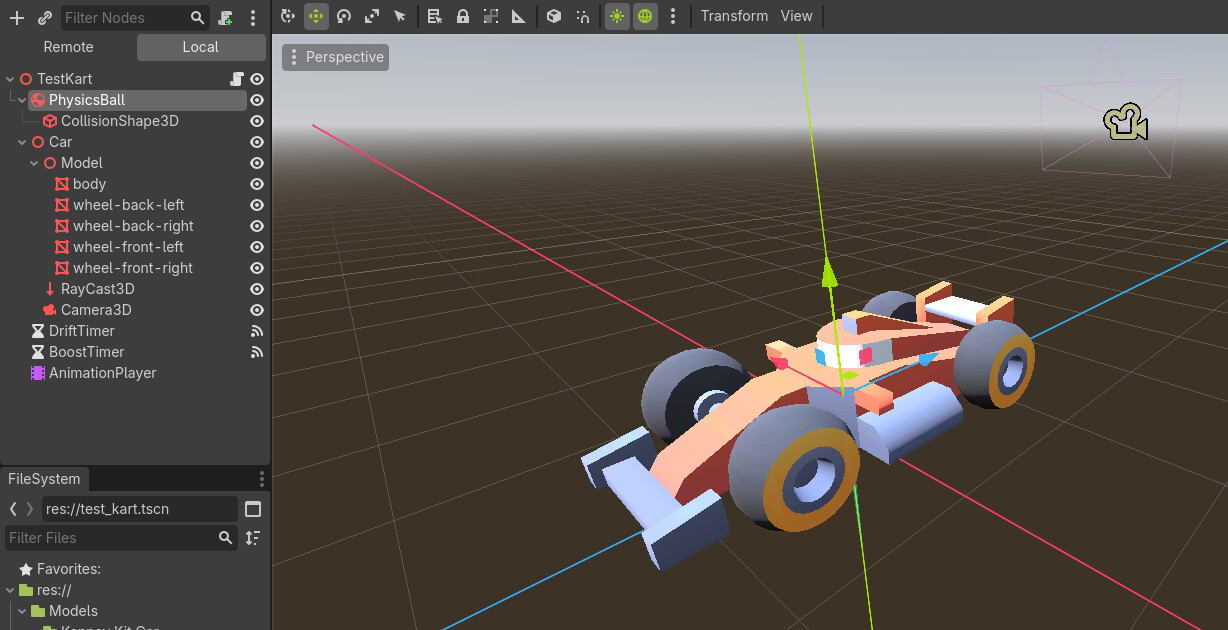
and here’s the kart scene setup:
Any help would be massively appreciated