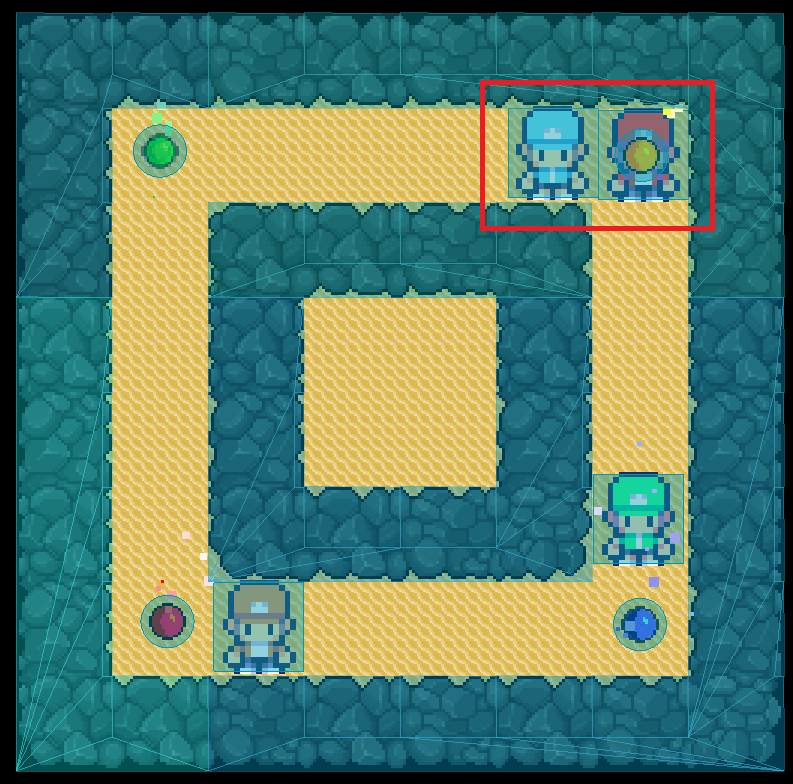
Put all the players on a physics layer 2. Turn off physics layer 1 for them. Leave Physics Mask 1 on. Leave Physics mask 2 off. They will see walls and hit them, but will not run into each other.
In which direction are you trying to move the player in the screenshot @Fpaez?
If it’s to the left, @dragonforge-dev ‘s answer should suffice, but if it’s down, I agree with @paintsimmon, it seems there’s something happening with your collision shapes preventing movement.
Are you using a grid, because the collision shapes seem not to be aligned on a grid specifically (At least not the same size as the tileset).
I’m trying to move the red player to the bottom down but it remains stuck, if i move the blue player to the left i can move the red player without problem.
I’m not so clued up on Godot since I’m a novice to it, but based on my own experiences with other engines I can think of a couple of ways that might work for you.
Presuming that when two players meet they become locked in a constant collision check, on collision:
Move one or both colliding players a pixel in the opposite direction in code to stop the collision (make them bounce off each other slightly).
This method probably won’t work as it’s possible they’re colliding with both the wall and the player at the same time and that’s why movement is stuck.
Raycast2D ( How to RayCast LineTrace in Godot - Blue Robot Guru ), modify your code so that if a collision occurs, do a short trace from the player origin to up, down, left and right and set movement direction booleans based on the collision.
Then, rather than stopping the player outright as you currently do, use a modified version of your movement code to then prohibit movement in that direction (so, do no movement, but play the idle animation).
However, if the key press is in a permitted direction, then apply the movement/walking animation and also set all the movement booleans to permit full movement again.
Finally i’ve discarded the use of raycast as i faced the same problem so i’ve used 1px knockback. Here’s the code:
func _physics_process(delta):
	if not PlayerIsMoving:
		read_input()
	else:
		var collision = move_and_collide(PlayerDirection * PlayerSpeed * delta)
		if collision:
			var collider = collision.get_collider()
			if collider.name == "Scenario":
				stop_movement()
			else:
				KnockBack()
		else:
			play_walk_animation()