Godot Version
4.5.1
Question
Is it possible to activate single area2D when PhysicsServer2D.SetActive = false ?
4.5.1
Is it possible to activate single area2D when PhysicsServer2D.SetActive = false ?
No. That wouldn’t make much sense.
Mmh. I have build a Inventory system with area2D detection on slots and Inventory-Objects. Works very well. But on pause, when the PhysicsServer stops, the areas don’t detect anymore.
You shouldn’t be stopping the server anyway.
You can selectively pause nodes by changing their process modes
Yes, but this doesn’t stop the Physics/PhysicServer.
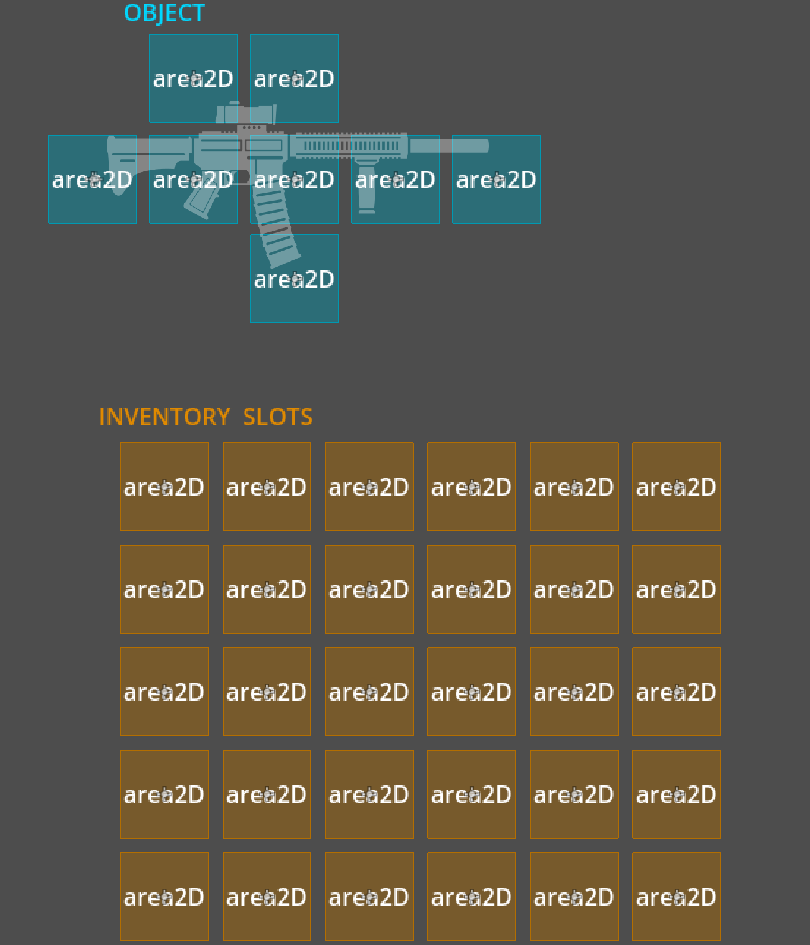
Here is an example of what my idea for an Inventory-System with aera2D-Slot-detection.
In this case, when the OBJECT is moving with the MouseCursor over the Inventory-Slots, it will check if every OBJECT.area2D is over an INVENTORY-SLOT.area2D.
Only when all OBJECT.area2D signals detect a free INVENTORY-SLOT.area2D I can drop the object.
For me, this is the simplest way to build complex OBJECTS with different slot arrangements using the same simple Area-Signal-detection-code
So, that’s why I used areas2D for this.
Why would you need to stop it?
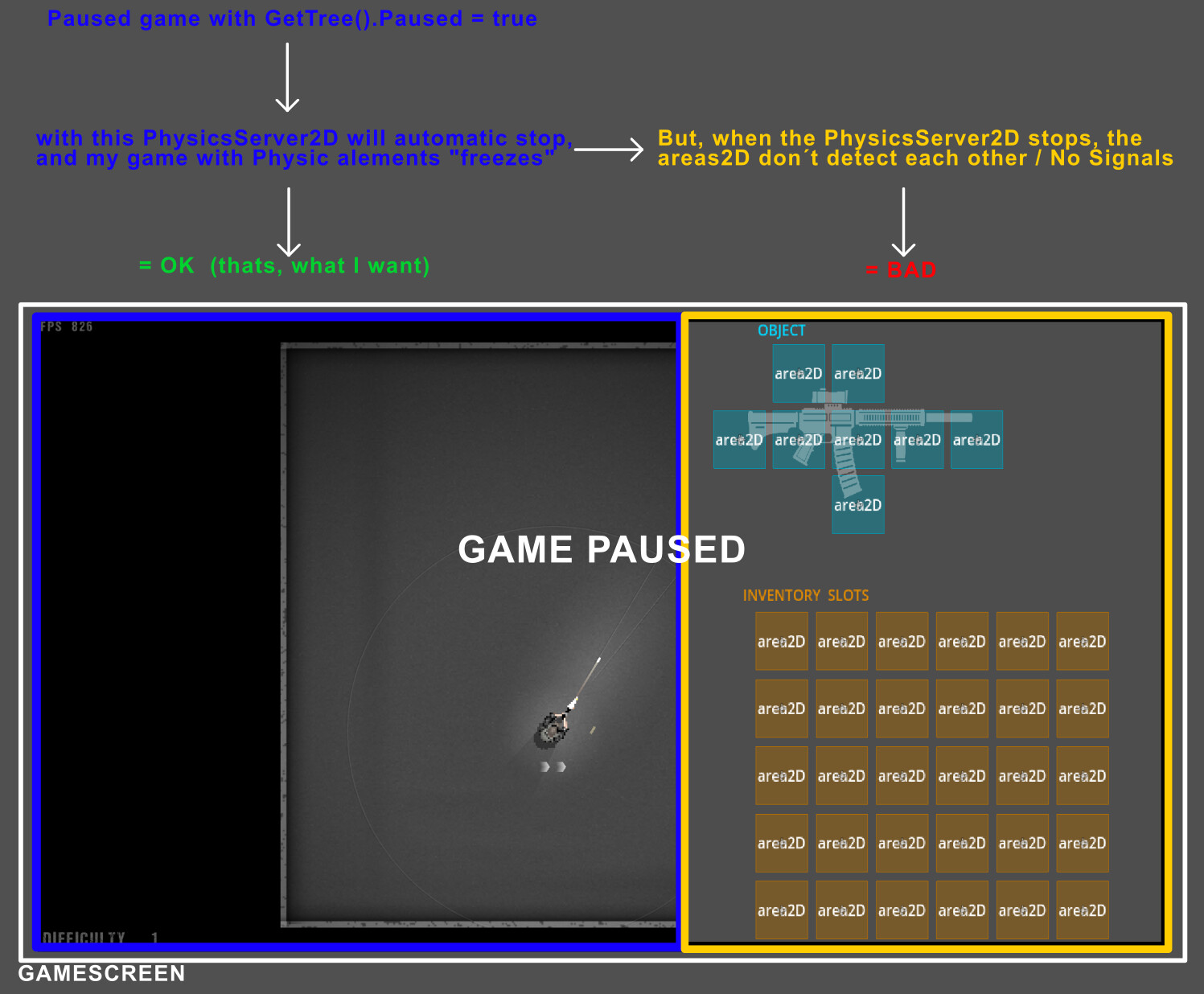
I have created a brief overview that shows the current situation and explains why I asked the question at the beginning.
I hope this helps to clarify my issue.
Well don’t pause the whole scene tree. Put everything you want paused under a node, and pause that node.
Good idea. But how can you pause a single node directly in Godot? As far as I know, you can only pause all nodes with GetTree().Paused = true.
If you need to pause the whole game, which means you have to pause like this:
get_tree().paused

#then add this to continue the physics server

PhysicsServer2D.set_active(true)
You can stop various aspects of node processing using Node::set_process_*() and some of that state is recursively propagated down to children.
You typically never want to pause everything. Even if the gameplay is paused, some interactions/animations are always required to run.
The “problem” with this is that it still pauses physics processing completely for everything, and not just part of the tree. But OP needs physics processing for his Area2Ds.
I say “problem” because, as I have already written on godotforums.org, OP is reinventing the wheel. He has a UI, and there are Nodes that are made specifically for UIs: Controls.
All this discussion seems to boil down to: I want to do it my way and I don’t want to spend the time to implement it the proper way.
How does set_process_*() pauses everything? It only pauses nodes it’s called on.
But I do agree that control nodes should have been used in this case.
True, but my understanding of this whole situation is this:
get_tree().paused = true.So one workaround would be to re-enable the 2D physics server and, as you said, enable processing for only the menu part of his tree.
Which may or may not work without issues now or in the future.
Or just use the proper tool for the job: Control nodes.
Right but I’d never suggest to pause the tree or the server. When the gameplay is paused, those should still run. You don’t naively freeze everything there is just because the gameplay is paused.
Assuming that control nodes are not an option (for whatever reason), splitting the tree into a branch that process when the gameplay is paused and the branch that doesn’t - is an ok solution.
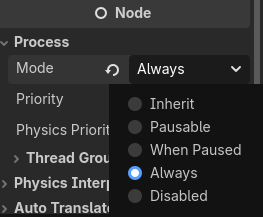
Just set the process mode to Always for the nodes you want to work when the tree is paused.
You can do it through code in _ready() too if you want.
func _ready() -> void:
	process_mode = Node.PROCESS_MODE_ALWAYS
I get where you’re coming from @Toxe and @normalized, but drag-and-drop is weird, and every example I’ve seen of it uses Node2D nodes and not Control nodes.
Right, but that’s just the default when one would run get_tree().paused = true, which is OPs dilemma. The physics servers stop and the whole tree stops processing. The latter is easy to fix, which leads to OPs initial question.
They can be mixed. The real question though is should physics objects (areas) be used. I’d avoid them, but they can be made to work if need be.
As a bit of an tangential unpopular opinion - I think that drag and drop has no place in modern games.