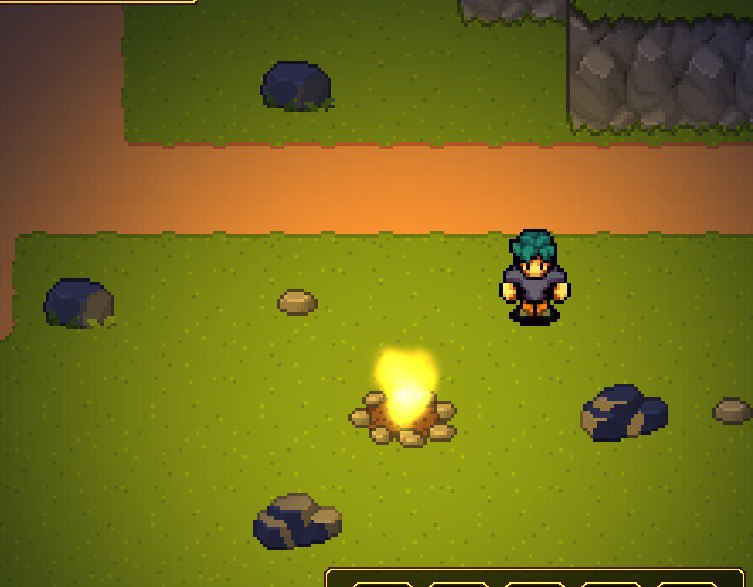
I’m trying to use normal maps for rocks and it works but it works strange when I add canvas modulate to make night (I use Point light 2D for campfire) I don’t know what I did wrong..
If you have any ideas how to fix that, please, tell me
The rocks seem too dark, and I would like them to look more pleasant and not stand out so much against the grassy tiles. I want to add realistic light using normal maps, but when I added canvas modulation to make night, they became too dark, and I don’t know what to do with it because I want to keep the day and night cycle while also maintaining realistic light.
I know this is an old thread, but I had the same issue today and I fixed it by myself. And if anyone else runs into this, I hope this helps.
One way to fix it is by adding more lights, which isn’t ideal, but it can help. The ultimate solution for me was lowering the Normal Map’s strength.
I couldn’t find any settings for it, for some reason Godot doesn’t have it implemented yet. Crazy, right? (I’m new to Godot, so maybe I just didn’t find it yet)