Godot Version
4.4
Question
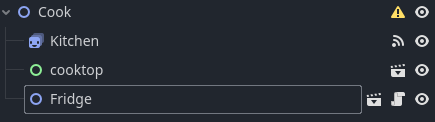
I'm trying to code a fridge scene for my game, and the fridge scene works as it should independently, but when I attempt to drag it into a different scene it doesn’t do anything. I have no clue why it isn’t working, so any help is appreciated
extends Node2D

@export var spawn_object = preload("res://Scenes/dragtest.tscn")
@onready var open_area = $"FridgeRECT/Fridge OPEN AREA"
@onready var close_area =$"FridgeRECT/Fridge CLOSE AREA"

var OPEN = false

func _ready():
	var OPEN = false
	pass

func spawn():
	var obj = spawn_object.instantiate()
	obj.position = Vector2(450,100)
	add_sibling(obj)

func _on_fridge_open_area_input_event(viewport: Node, event: InputEvent, shape_idx: int) -> void:
	if Input.is_action_just_pressed("leftclick"):
		if OPEN == false:
			OPEN = true
			# $Kitchen.play("Fridge Open")
			print("its open")
			spawn()
	if OPEN == true:
		open_area.visible = false
		close_area.visible = true

func _on_fridge_close_area_input_event(viewport: Node, event: InputEvent, shape_idx: int) -> void:
	if Input.is_action_just_pressed("leftclick"):
		OPEN = false
		# $Kitchen.play("Fridge Close")
	if OPEN == false:
		open_area.visible = true
		print("door closed")
		close_area.visible = false
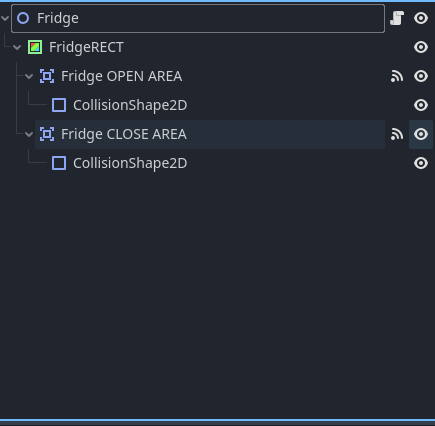
The fridge scene:
Scene I added the fridge to: