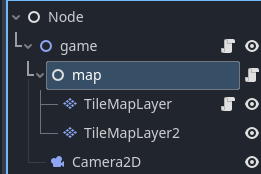
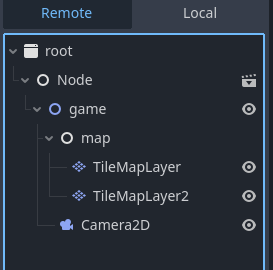
set_cell() is not putting any tiles when the game is running

Godot Version

4.5.1

Question

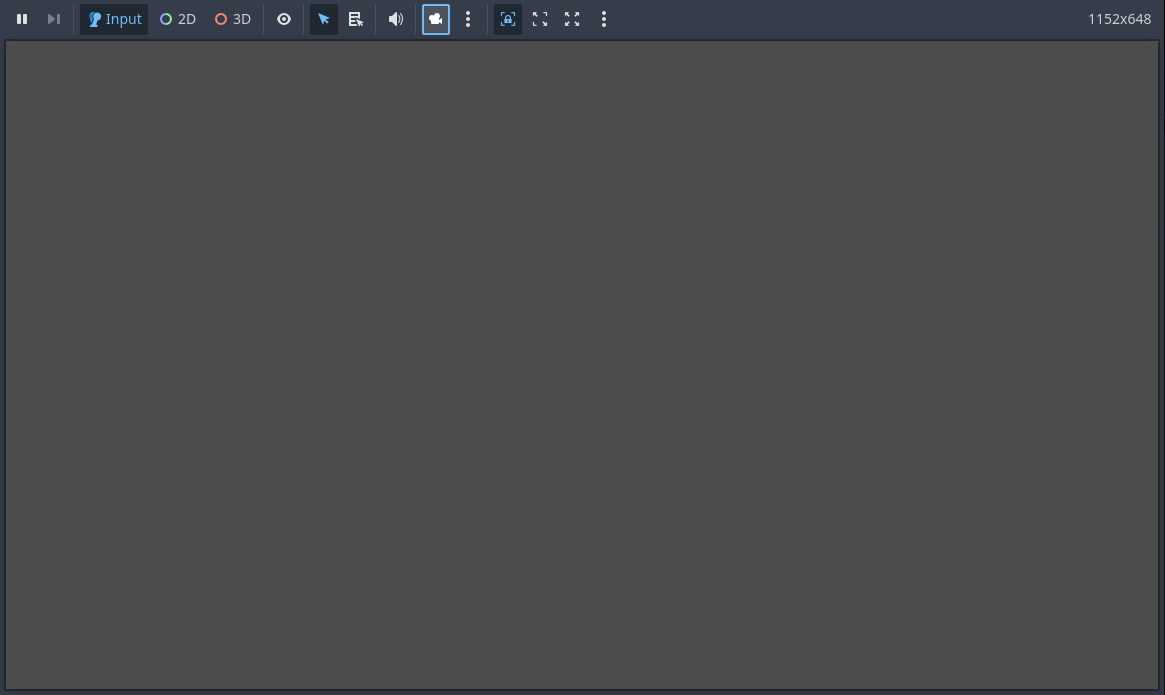
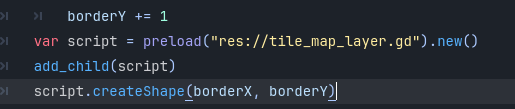
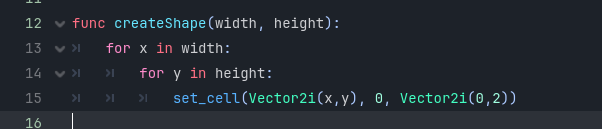
The code in the screenshot above is a function (in the TileMapLayer node) to draw a rectangle/square based on a given width and height, but for some reason it is not showing up when running the game (just a blank screen).

Using print statements, I can see the program is going through the createShape function.

When I draw tiles manually before running the game, they will show up once the game is run.

The set_cell() method only works in the _ready function of the node.

I also tried set_cell() at the start of the createShape function and it does not work there either.

No errors are being produced when running the game.

Here is where the function is being called from just in case it’s important:

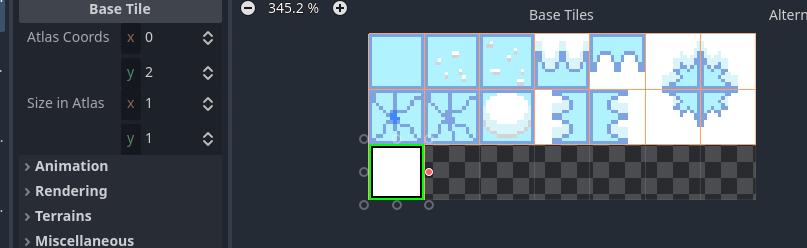
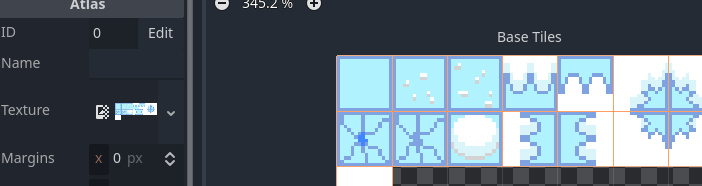
If you input an invalid source ID or invalid atlas coords, the function will erase the tile instead of placing one. Are you sure you’re using the right parameters?

Theoretically, the tiles could also be placed off screen (although that would only be the case if your tilemap had been moved), you can check by overriding the in-game camera:

The source ID and the atlas coords should be correct, unless I’m reading these images wrong:

I also checked the camera and tile map layer. They are both in the right place.

Where do you add the node to the scene tree?

I think it’s in the bottom screenshot on the original post. Though I might just be wrong about what adding a node to a scene tree means. Let me know if I am.

You need to call add_child(). You instantiate the node by calling new() on the script resource, but you need to add this node to the scene tree. Otherwise it won’t be drawn.
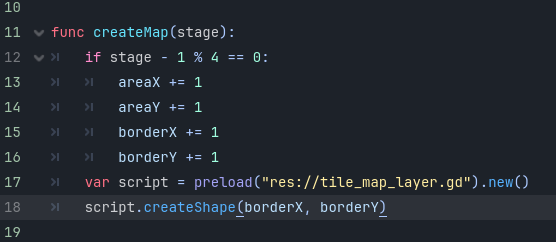
Where do I call add_child()?

Wherever you wish after you’ve created the node.

Sorry I’m not following really (probably because I am new to this). Could you be more specific as to what I have to do?

The line that calls new() creates the node.
After the node has been created you can add it to the tree. So anywhere after that line.

Did I do this correctly?

It’s correct if the tilemap has appeared.

Nope, still not there.

Post your local and remote scene tree structure and specify where the script that creates the node is attached.

Map has the script that creates the node. I’m not sure where the other scene tree you’re talking about is.

The other tree is runtime tree. Click on the “Remote” button in the scene tree panel while the project is running.

The node doesn’t appear to be added to as a child to map. Make sure that add_child() actually gets executed, put a print statement before it.

Also, map should probably be a Node2D not a plain Node.

It does output the print statement, but the child node still isn’t appearing

Wait, I’ll try adding the code to the starting script as that function in the most recent screenshot is also called by another script