Godot Version
4.6
Question
Hello!
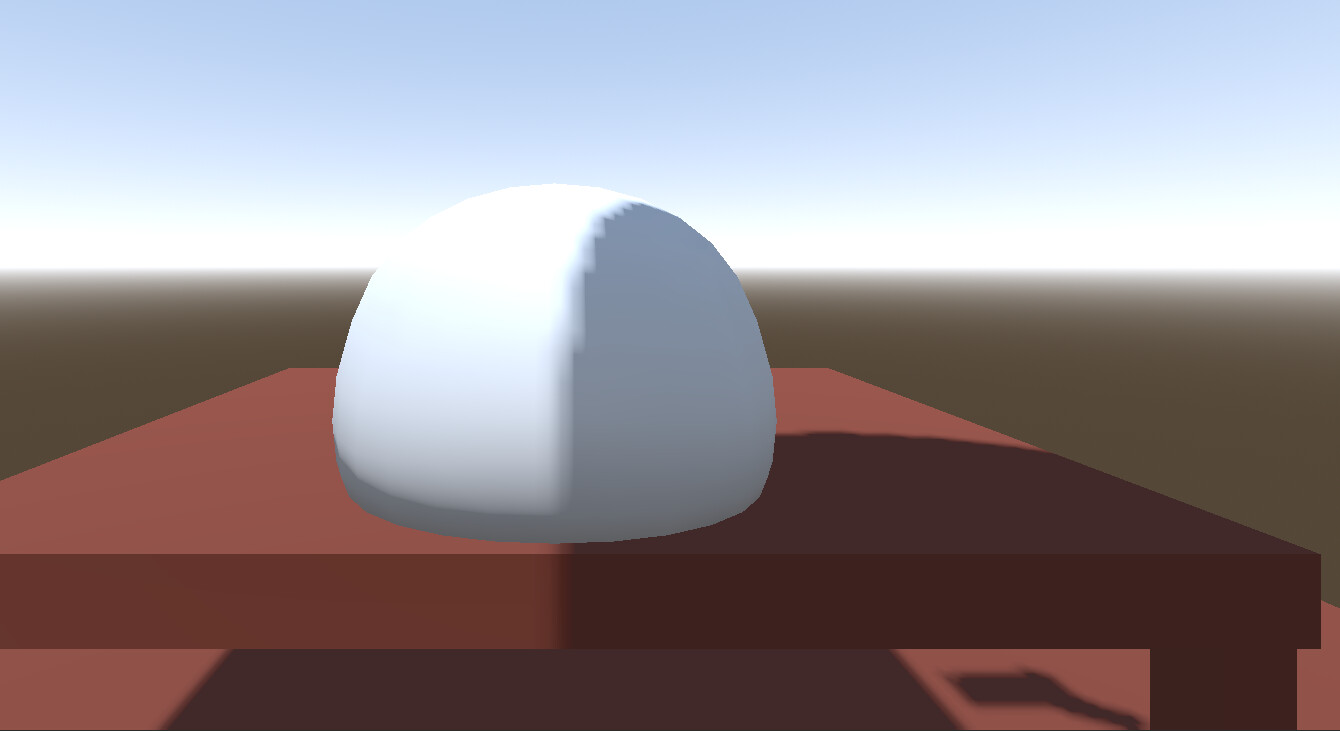
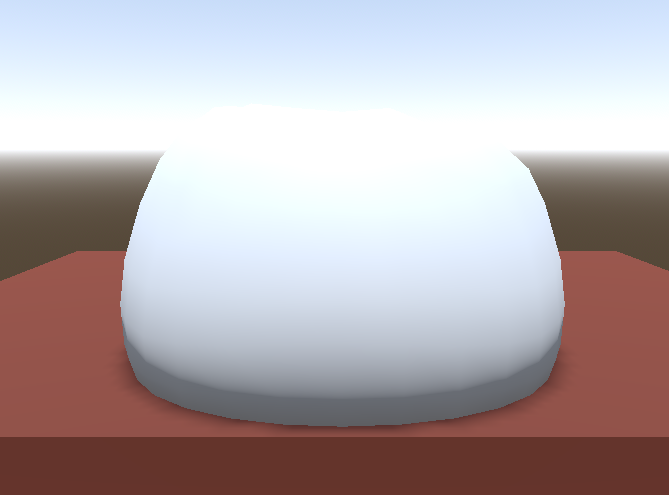
I have created an ArrayMesh which is based an obj file I put into it, but the shadow that it casts is very incorrect! How can I fix this?
Here is the code I made for making it:
extends MeshInstance3D

@export var mesh_scale: Vector3
@export var mesh_scale: Vector3

var surface_array := []
var mdt := MeshDataTool.new()
var array_mesh := ArrayMesh

func _ready() -> void:
	##Import Mesh
	surface_array.resize(Mesh.ARRAY_MAX)
	mesh = imported_mesh.duplicate()
	surface_array = imported_mesh.surface_get_arrays(0)
	mesh.add_surface_from_arrays(Mesh.PRIMITIVE_TRIANGLES, surface_array)

	mdt.create_from_surface(mesh,0)
	for i in range(mdt.get_vertex_count()):
		var vert = mdt.get_vertex(i)
		vert *= mesh_scale # Scales the mesh to the scale
		mdt.set_vertex(i, vert)

	#Commit mesh
	mesh.clear_surfaces()
	mdt.commit_to_surface(mesh)

	#Make collider
	create_trimesh_collision()
What I mean by the shadow being incorrect is that the shadow appears to be cast from the object but from a different location to where the mesh actually is, having it cast the shadow on itself.
If it helps, I am using the gl_compatibility renderer.