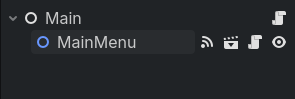
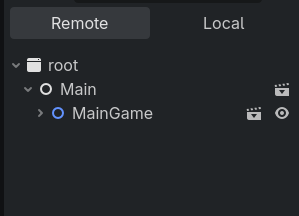
Now I want to implement a button in MainGame for the opposite function: delete MainGame and instantiate MainMenu. However, since MainGame wasn’t originally a part of the tree, I couldn’t connect a signal from there to Main through the signals tab. I tried something like
I know I could add MainGame to the original tree and do some changes, but before I do that, I want to know if there’s a way to do what I want with what I have.
i’ve tested it, it’s probably bug with your code cuz you can emit newly connected signal
extends Node

var test = preload(“res://Other/test_node_2.tscn”)

func hello():
print(“hello”)

func _ready():
var new = test.instantiate()
add_child(new)
new.hello.connect(hello)
new.hello.emit()
Well then fix the error, following the error message. It says that it cannot find the node on the specified path, meaning that you provided an incorrect node path.
How are you instantiating these new MainGame and MainMenu scenes? If you are using a preload it is likely a circular dependency which silently fails and becomes null.
Is there any reason you cannot use get_tree().change_scene_to_file()? It is built to do such operations, may prove easier than managing your own “main” node.
I tried the function but it replaced the entire tree including Main with MainGame, which is not what I wanted (I wanted MainMenu to be replaced with MainGame).