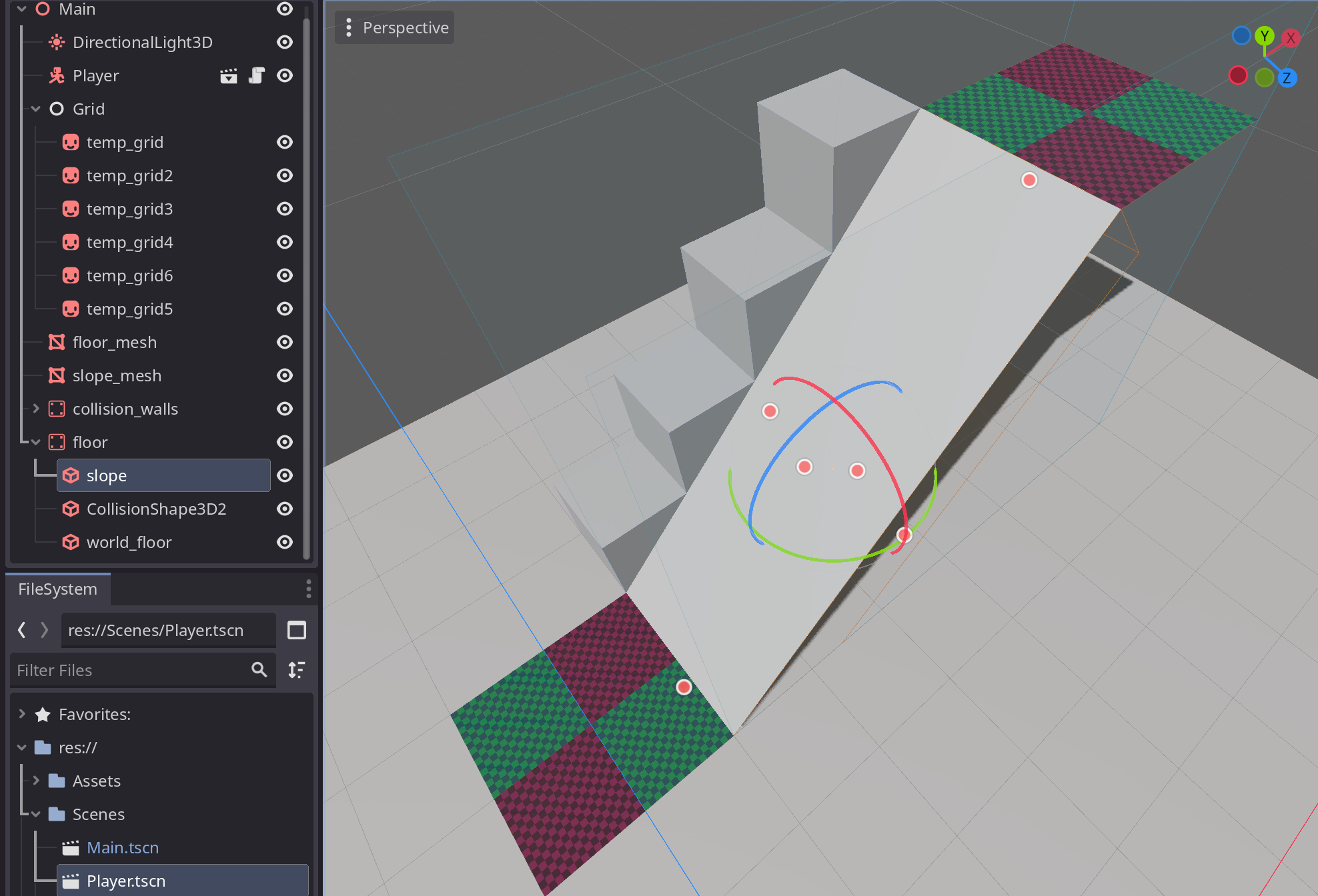
Hi! I’m new to Godot (but not completely new to gamedev). I’ve spent the past week or so trying to recreate the 3D grid movement from Pokemon Black/White. I’m using this 2D tutorial as a starting point, and just as of today I’ve got it working (yippee!). The only issue I’m running into now is when going up slopes the movement isn’t smooth, it’s all jittery because the Y is slightly offset, I think. I can’t directly upload a video yet but here’s an link to one.
I’m not sure exactly what’s causing this, or how to fix it. Anyone else have a clue?
I have a suspicion it has to do with the tweens I’m using to move my player, but idk. This code below is what is supposed to be smoothly snapping the character to the floor, the rest of the script is in the block at the bottom.
Thanks much (•:
if floor_ray.is_colliding():
floor_height = floor_ray.get_collision_point()
position.y = floor_height.y
extends CharacterBody3D
# Movement variables
const tile_size = 1
var speed : float
@export var walk_speed = 0.45
@export var sprint_speed = 0.2
@onready var collision_ray = $collision_raycast
@onready var floor_ray = $floor_raycast
var input_dir # May be better refered to as target_pos, but eh
var is_moving = false # May be better refered to as can_move, but eh
var floor_height : Vector3
# Animation variables
var facing : String
var button_timer = 0
# Movement
func _physics_process(delta: float) -> void:
# Change speeds
if Input.is_action_pressed("sprint") and is_moving == false:
speed = sprint_speed
else:
speed = walk_speed
# Snap player to floor
if floor_ray.is_colliding():
floor_height = floor_ray.get_collision_point()
position.y = floor_height.y
# Get input to decide where the target position is, then move_and_slide (??? what does that mean)
input_dir = Vector3.ZERO # If player isnt trying to move, set target to none
if button_timer > 1 : button_timer = 1 # Just so the button timer doesen't go crazy
if Input.is_action_pressed("move_down"):
input_dir = Vector3(0, 0, 1)
facing = "down"
move()
button_timer += 0.1
elif Input.is_action_pressed("move_up"):
input_dir = Vector3(0, 0, -1)
facing = "up"
move()
button_timer += 0.1
elif Input.is_action_pressed("move_right"):
input_dir = Vector3(1, 0, 0)
facing = "right"
move()
button_timer += 0.1
elif Input.is_action_pressed("move_left"):
input_dir = Vector3(-1, 0 ,0)
facing = "left"
move()
button_timer += 0.1
else:
button_timer = 0
# Set position
func move():
if button_timer > 0.4:
if input_dir.z != 0:
collision_ray.target_position = input_dir * (tile_size + 0.01)
# That little 0.01 is too make sure the player doesen't move into any collision that's not perfectly on the grid.
collision_ray.force_raycast_update()
if not collision_ray.is_colliding():
if is_moving == false:
is_moving = true
var tween = create_tween()
tween.tween_property(self, "position:z", position.z + (input_dir.z * tile_size), speed)
tween.tween_callback(move_false)
elif input_dir.x != 0:
collision_ray.target_position = input_dir * (tile_size + 0.01)
# That little 0.01 is too make sure the player doesen't move into any collision that's not perfectly on the grid.
collision_ray.force_raycast_update()
if not collision_ray.is_colliding():
if is_moving == false:
is_moving = true
var tween = create_tween()
tween.tween_property(self, "position:x", position.x + (input_dir.x * tile_size), speed)
tween.tween_callback(move_false)
func move_false():
is_moving = false
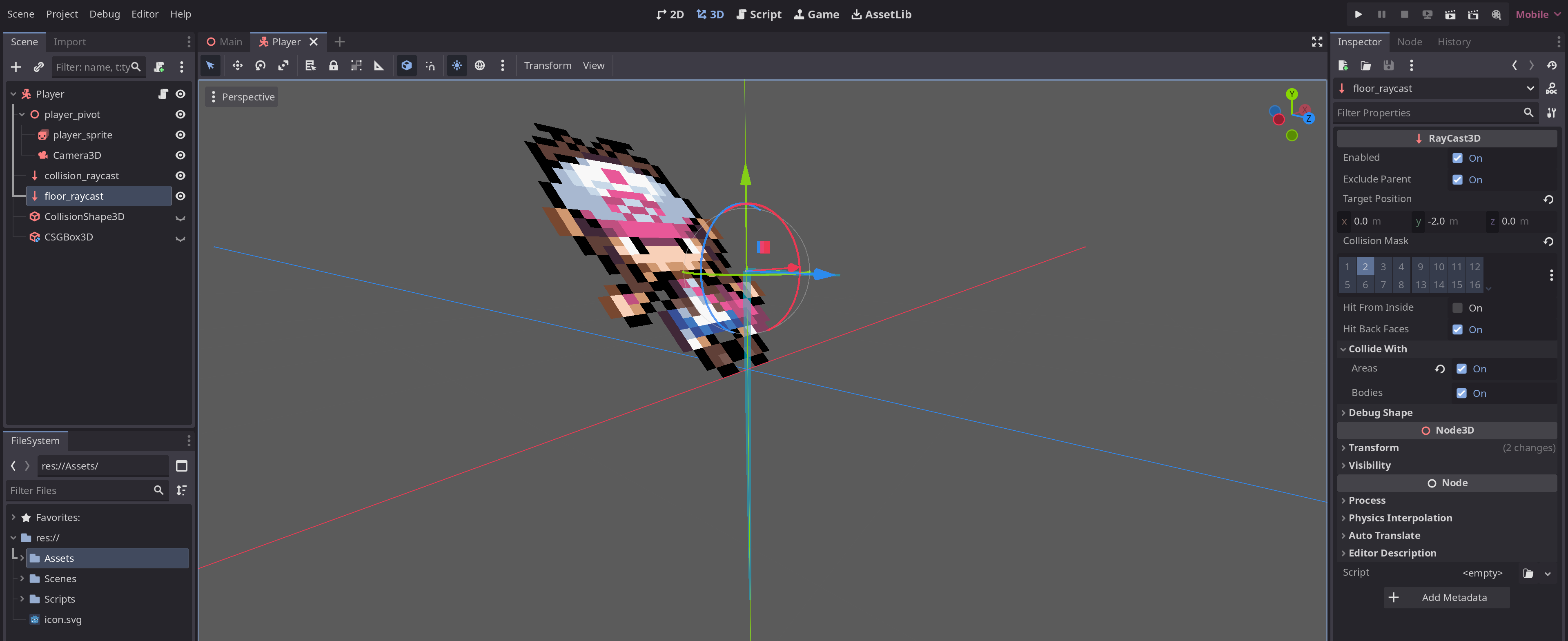
How is the floor ray raycast set up? Can you attach an image of where it starts and where it points in the editor? Your tween movement doesn’t detect collisions via the CharacterBody, so this y axis movement is entirely dependent on the raycast. Do yo have a very low physics tick rate? That affects how often _physics_process runs.
Here’s the raycast. My physics tick is 60, default I think. Doubling it help a little with the jitter, especially at the lower speed, but the offset still happens.
That looks overly complex. Also, that tutorial was not the best. You do not need raycasts to do this.
First off, your CharacterBody3D needs a CollisionShape3D assigned to it. Then make it a CapsuleShape. Adjust the size to fit your character, and the clipping issues should go away.
Here’s some code I tested, and it works. Note, I swapped walk and sprint speed so that they would reflect which one is faster (and simplify the math.) Tweak them as you see fit if you use it. I couldn’t test the facing code, but it should work.
extends CharacterBody3D
# Tile size in Godot meters
const TILE_SIZE = 2.0 # constants should always have UPPERCASE_NAMES
@export_category("Movement")
@export var walk_speed: float = 0.2
@export var sprint_speed: float = 0.45
var speed: float = walk_speed
var movement_remaining: float = 0.0
var direction: Vector3 = Vector3.ZERO
# Animation variables
var facing : String
func _physics_process(delta: float) -> void:
# Add the gravity.
if not is_on_floor():
velocity += get_gravity() * delta
# Get the input direction and handle the movement/deceleration.
var input_dir: Vector2 = Vector2.ZERO
if movement_remaining == 0.0:
input_dir = Input.get_vector("move_left", "move_right", "move_up", "move_down")
direction = (transform.basis * Vector3(input_dir.x, 0, input_dir.y)).normalized()
if direction:
if movement_remaining == 0.0:
movement_remaining = TILE_SIZE
#Facing
match direction:
Vector3.LEFT:
facing = "left"
Vector3.RIGHT:
facing = "left"
Vector3.FORWARD:
facing = "up"
Vector3.BACK:
facing = "down"
if movement_remaining > 0.0:
movement_remaining -= delta * speed * TILE_SIZE
velocity.x = direction.x * speed * TILE_SIZE
velocity.z = direction.z * speed * TILE_SIZE
else:
movement_remaining = 0.0
direction = Vector3.ZERO
velocity = Vector3.ZERO
print(movement_remaining)
move_and_slide()
func _input(event: InputEvent) -> void:
if event.is_action_pressed("sprint") and movement_remaining <= 0.0:
if speed == walk_speed:
print("Sprint toggled")
speed = sprint_speed
else:
print("Walk toggled")
speed = walk_speed
Tweens are going to happen around the same time as _process, where your raycast is happening in _physics_process, the clipping may be because the movement (tween) happens after the raycast so you’re always one frame off of being on the ground. Moving the raycast to _process may help but I’m not sure if tween happen before or after _process.
I’d advise to avoid using tweens for movement, they are great for fire-and-forget animations but spiral out of control, especially for essential gameplay functions. For grid-based movement it may be best to have a “target_position” variable that can be snapped and updated easily, then your player can move towards it. If you want to get the most out of a CharacterBody3D use move_and_slide(), that would include it’s own built-in collision detection and floor snapping rather than wrangling many raycasts.
The reason I used raycasts instead of collision shapes is because it’s harder to get it to stay on a grid. This code moves off the grid if I collide with anything, go up a slope, or move too fast.
I disagree. I just don’t think you understand how easy it is to leverage collision detection options in Godot, or how processor-friendly they are.
Why would you put a collision object that isn’t on the grid? Even if you do that, you could easily use an Area3D, ShapeCast3D to determine if the area is clear before moving - which would give you better coverage than a RayCast3D.
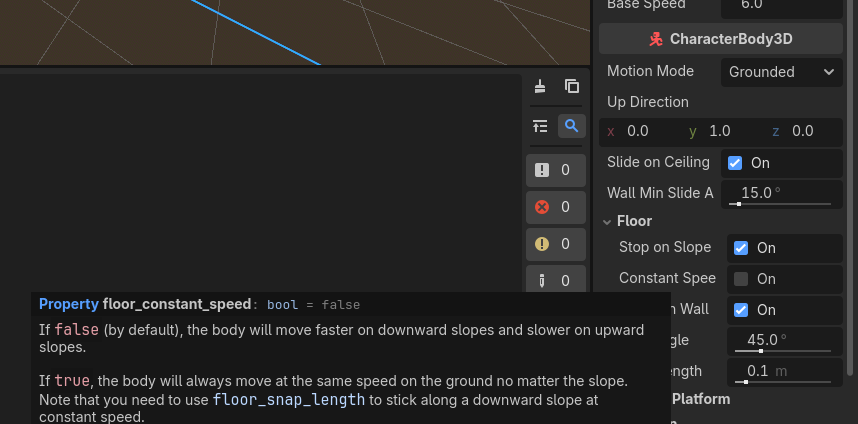
It should not be affected by the slope if you have set constant_speed to true.
Your right, is not moving too fast its just moving. Constant speed is true so idk what’s happening with the slopes. I didn’t know about ShapeCast3Ds, those’ll be really useful.
Ok, I’ve re-written the code to use a target instead, and I’m pretty sure it should be working, except for this jitter when I try to move to the target. My player goes past the target and then tries to go back too far again, and never reaches it, resulting in this.
This seems like it should be something with a simple fix, but I can’t find or think of any solutions.
extends CharacterBody3D
const TILE_SIZE := 1.0
var target_pos : Vector3
var speed := 2.0
@onready var collision_shape = $collision_ShapeCast3D
var facing : String
func _ready() -> void:
target_pos = position
func _physics_process(delta: float) -> void:
# Add the gravity.
if not is_on_floor():
velocity += get_gravity() * delta
if target_pos == position: # If the player isn't moving...
# Get the input direction
var input_dir : Vector2
input_dir = Input.get_vector("move_left", "move_right", "move_up", "move_down") # Get the currently input direction as a Vector2
if Input.is_action_pressed("move_right") or Input.is_action_pressed("move_left"): input_dir.y = 0 # If any input on the y, none on the x
elif Input.is_action_pressed("move_up") or Input.is_action_pressed("move_down"): input_dir.x = 0 # Vice versa
input_dir = input_dir.normalized() # All vector directions will be 1
#print("Input direction: " + str(input_dir))
match input_dir:
Vector2.LEFT:
facing = "left"
Vector2.RIGHT:
facing = "right"
Vector2.UP:
facing = "up"
Vector2.DOWN:
facing = "down"
# Set target position and position collision detection at that position
target_pos = (position + Vector3(input_dir.x, 0, input_dir.y)).snapped(Vector3.ONE * TILE_SIZE/2)
collision_shape.position = Vector3(target_pos.x, position.y + 0.5, target_pos.z).snapped(Vector3.ONE * TILE_SIZE/2)
print("Current position: " + str(position))
print("Target position: " + str(target_pos))
if !collision_shape.is_colliding(): # If the player won't collide with anything...
if target_pos != position: # And if player should be moving...
# Move the player toward the target
var move_distance = (target_pos - position).normalized()
velocity.x = move_distance.x * speed
velocity.z = move_distance.z * speed
move_and_slide()
# Animation
func _process(delta: float) -> void:
match facing:
"left":
$player_pivot/player_sprite.play("idle_left")
"right":
$player_pivot/player_sprite.play("idle_right")
"up":
$player_pivot/player_sprite.play("idle_up")
"down":
$player_pivot/player_sprite.play("idle_down")
This move distance being normalized means being 0.5 units away from the target will still try to move 1.0 units. Typically limit_length(1.0) would work better, any length less than 1.0 is kept and any higher than 1.0 is normalized.
But with such short distances and being velocity over time I think this will result in a drastic slow down as the player reaches the target. Maybe this is freaky but I’d try this formula, theory being dividing by delta should convert velocity to per-frame and limit length should prevent the overshoot for only that frame.
var move_distance: Vector3 = ((target_pos - position) / delta).limit_length(1.0)
That almost works, it stops the jittering but I still can’t move again, I think because there’s a very minuscule difference between the target and current position. Changing
if target_pos == position: # If the player isn't moving...
to
if target_pos.is_equal_approx(position): # If the player isn't moving...
seems to work for a little, but after moving around a while the jittering and immobility comes back. Changing the other target/position check to is_equal_approx as well lets me move but I jitter badly while not moving at every step.
You could check the distance to the target, this will give you control over exactly how close to the target before another input is used. Using distance squared is slightly more performant.
if position.distance_squared_to(target_pos) < 0.1:
# Get the input direction
var input_dir : Vector2 = Input.get_vector("move_left", "move_right", "move_up", "move_down")
You may still see jitter because of this other != check
Mathematically the if target_pos != position: shouldn’t be needed as when the target position is reached the velocity will equal zero.
That was it, it’s all working now! Now I just have to fix the wall collisions ‘cause I did them wrong, but I think I can do that by myself. Thank you both for your help! (•: