I’m trying to use a SubViewPort for my Dialogue Bubble scene, which would display the character speaking up-close in the bottom left. I got a test bit of it working inside the bubble itself, as an isolated 3D scene, but I’d want it to use the current world’s lighting and position of the character(s).
In my test, I just had a subviewport with a 3D camera, a 2D sprite as a Viewport Texture, then a Mesh to test if it was visible. Works well enough, but I wasn’t sure the best practice to make it work when instancing in the dialogue scene and attaching it to the characters.
I tried putting a SubViewPort on each person, which I can attach to the 2D ViewPort Texture, which does work in some capacity, but the camera and viewport always seems to be at the world’s origin instead of following the player (in this test). Also seems kind of bloated to have that on each person. So while I continue to tinker, I was wondering if anyone understood SubViewPorts better.
Hi, didn’t get your actually scene setup. But this is my approach.
You go create your dialogue scene of typ control.
Add SubViewportContainer and as a child of it a SubViewport.
In the script of the dialogue scene u add a variable for the camera reference from the 3d scene. (camera_zoom)
extends Control

var camera_zoom
@onready var Subviewport = $SubViewportContainer/SubViewport

var sub_camera: Camera3D

func _ready():
	sub_camera = camera_zoom.duplicate(0)
	Subviewport.add_child(sub_camera)
In my test i just did load the dialogue scene in the 3d scenes ready function.
In your case maybe you want to add a signal, when the dialogue started, to send the correct camera from the character who is talking. So you need to put that out of the _ready() function.
However, when the dialogue scene should start, you just set the camera_zoom variable to the 3Dcamera from your scene. Send the signal, and do duplicate to the subcamera and add_child to Subviewport.
My script of the 3d scene looks like this.
extends Node3D

@onready var Camera3D_zoom = $Camera3D_zoom


func _ready() -> void:
	var dialog = load("res://dialogue.tscn")
	var my_dialog = dialog.instantiate()
	my_dialog.camera_zoom = Camera3D_zoom
	add_child(my_dialog)
So i load the dialog scene. Set the camera_zoom variable to the Camera3D_zoom, then add to scene.
In your case, you just need to add a Camera3D_zoom to every character as a child, so it follows the movement all the way. When talking starts, send this camera to the camera_zoom variable of the dialogue scene.
I do something similar. It’s for 2D but I think the logic can be same.
I have:
1 x SubViewportContainer
1 x SubViewport
1 x Camera2D (sub_camera)
Here is the setup.
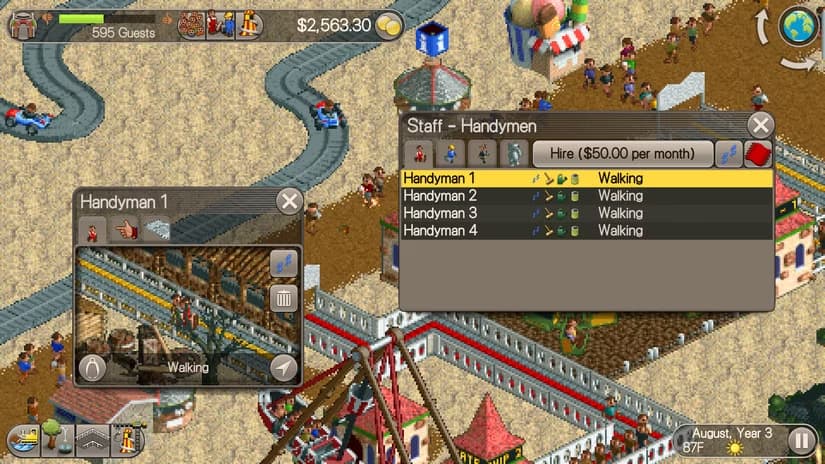
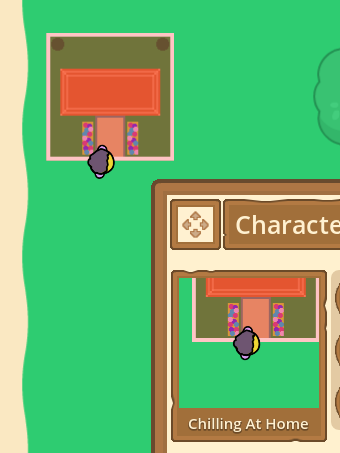
Then I only change the position of the camera to reflect the character that should be focused. In my case, it’s a camera on a ‘character info’ UI that follows the character. Something similar that you’d find in RollerCoasterTycoon games. Example
func _process(delta: float) -> void:
...
	if visible:
		#townie variable is your character's main node for your case
		townie_camera.global_position = townie.global_position
This line in particular was key for getting my SubViewPort to link to the actual world the rest of the game is taking place in, as opposed to my separate UI world in my scene manager.
Since it is 3D, I just added two Node3Ds to my character(s), dialogue_pivot and dialogue_focus. I put the camera to the pivot global_position and then look_at() the dialogue_focus. Seems to be working!


 . But maybe you can check that as well. There is a similar variable called