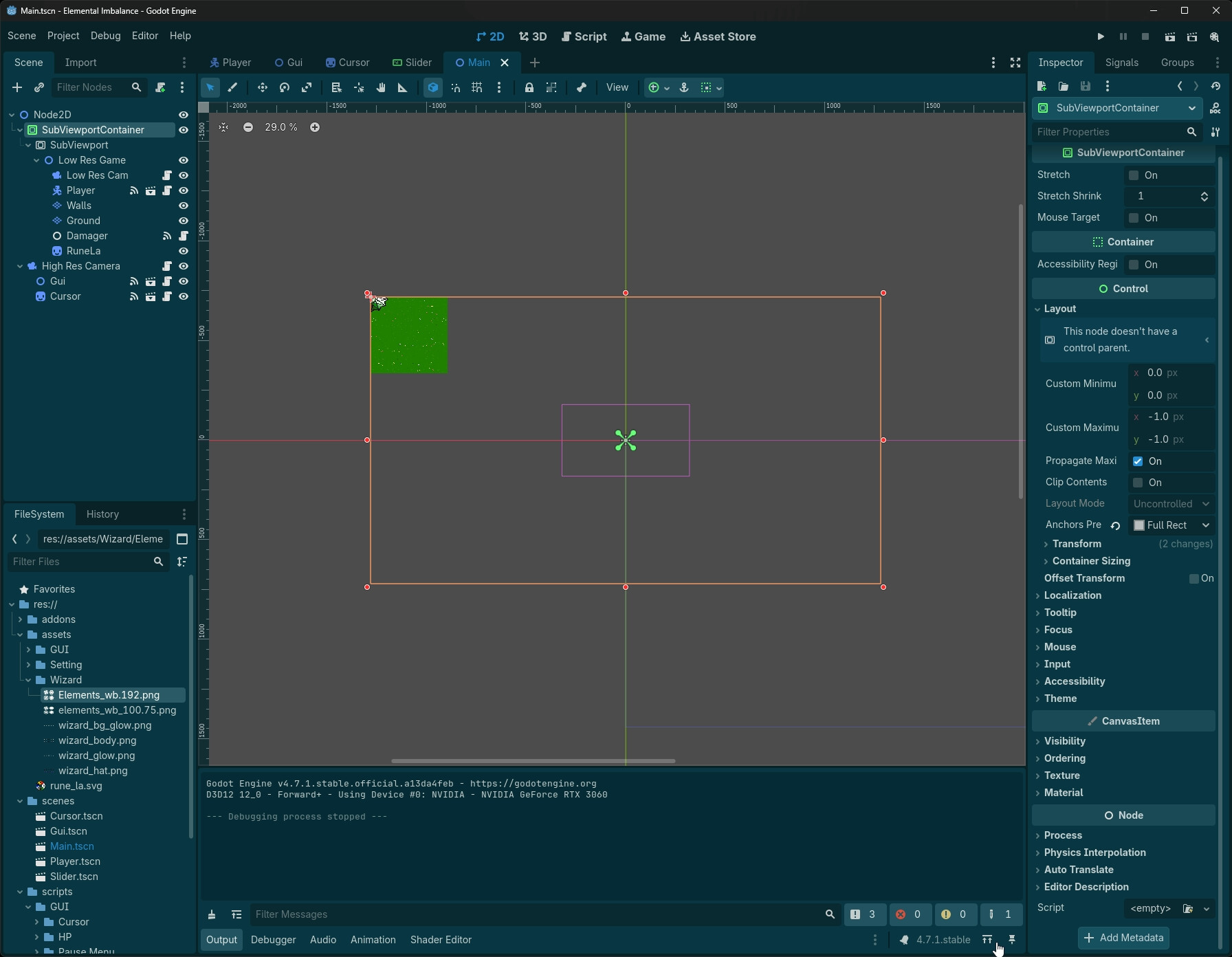
My 2D workspace for my main scene is confused by a SubViewportContainer, and I don’t know whats wrong, if anything at all. My game is a 2D, top down, pixel perfect rpg.
I am very new to Godot with only about 2 weeks-ish of just freeballing with the docs after completing GDQuest: Learn to Code From Zero. I haven’t really built up all these skills very much at all yet, so forgive me for being ignorant or slow to pick up.
Using an online guide (Godot: Pixel-Perfect Low-Resolution Rendering and Smooth Camera) I set up this system of a pixel perfect camera tied to the player, and a second, full resolution camera that moves freely through the pixels. Yet ever since, the sub-view port has made it hellish to work in the 2D workspace, since it does this weird clipping effect on the objects placed due to the offset required by the guide, on top of it only showing things in quadrant 1 of the grid no matter where it is offset to.
I struggled for weeks with seemingly unsolvable issues.
I found the best way to deal with the issues was not to use a subviewport unless it was completely necessary! (I now don’t use any)
good luck!
I definitely will continue pursuing this for a while longer, since Im very perfectionist about how I want things to work out and just got the camera settup working perfectly.. but I appreciate the warning. At least now I know what I’m getting into.
Well it’s incredibly early in development but the goal is a wizard of legend style wizard game with metroidvania aspects and maybe roguelike aspects but thats 50/50. The story and mechanics are far beyond anything Ive put into code and art yet lol
Nothing looks broken at a glance, that’s just how a SubViewport draws. Everything under it lives in that viewport’s own coordinate space, and the visible region is the rectangle from 0,0 out to the SubViewport’s Size, so right and down from the origin. Offsetting the SubViewportContainer moves where that block gets drawn in the editor, but it doesn’t change which part of the world the viewport is capturing, which could be why the quadrant follows you around no matter where you put it.
I’d probably try this first, right click Low Res Game and pick Save Branch as Scene. It stays instanced under the SubViewport in Main.tscn, but you can open it on its own to place tiles and objects, and there’s no SubViewport above it in that scene to clip anything. The guide sort of nods at this too where it mentions testing the LowResGame scene by itself.
Okay! Simple but effective! It’ll still have some pains since I’ll have to communicate UI updates up through it, but its still a big step in the right direction. Thanks a ton!