Hi! I made a tween cheatsheet!
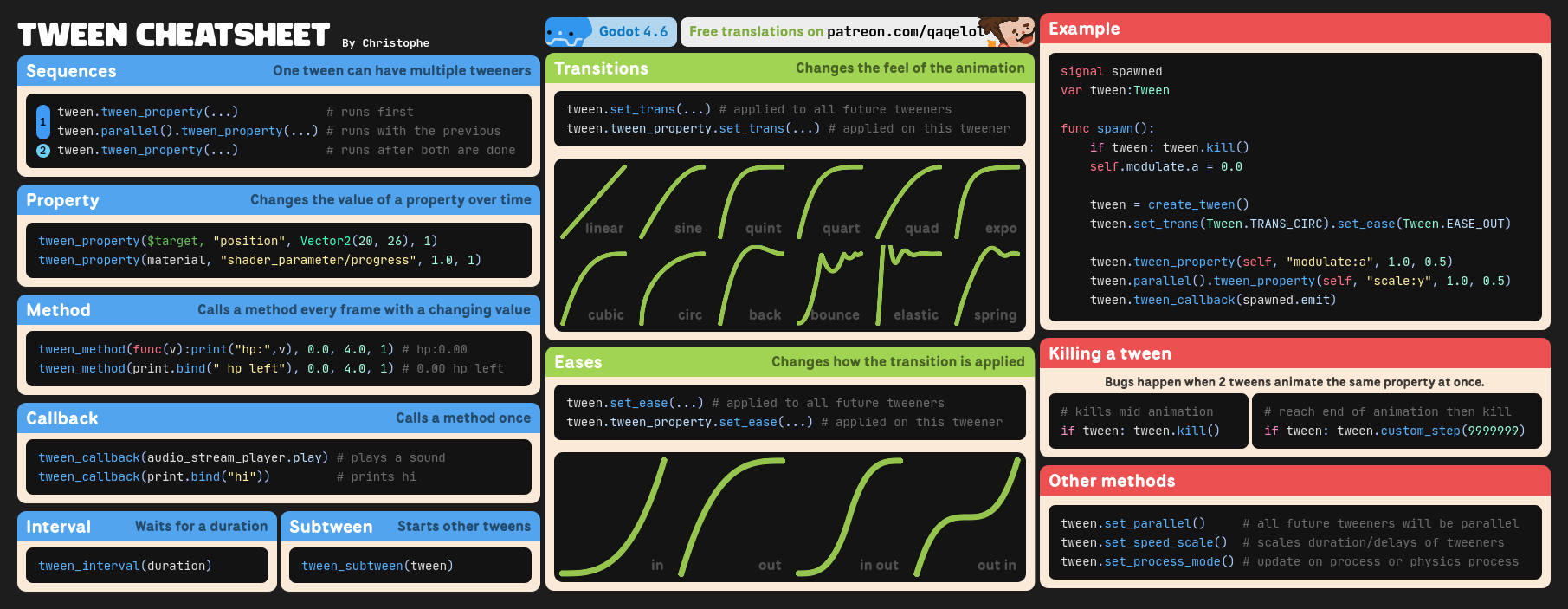
I asked some very kind people to help me translate it in 7 other languages, which are available on this post (free, no account needed)
Have a nice day!!
Hi! I made a tween cheatsheet!
I asked some very kind people to help me translate it in 7 other languages, which are available on this post (free, no account needed)
Have a nice day!!
Really cool overview, thank you!
By the way, I noticed that Tween looping wasn’t explained, which might also be a common use case.
Thank you!!
I didn’t put tween loops because I’ve never really found a use case for it! Are you using it in your project?
Here’s something to add to your cheat sheet , don’t use them with C#, causes too many issues with garbage collection, in my experience.
Really ?? Hahaha I have no idea how they behave in c#
The issue is that in order to use a tween you have to create a reference to it. Less of an issue with GD Script as its garbage collection is near instant and ongoing (ref counting). But c# does GC in batches so it adds up.
Tweens aren’t things that get created and then can be reused (like for example a particle system), they are immediately destroyed once the tween is finished. Therefore, in their current implementation they are not really c# friendly not if you are using them a lot.
Thanks for the details!
Are they causing that much of an issue between these garbage collection batches?
During my testing yes. If lets say you are using them to drive a shader effect (think of a hit effect on an enemy for example) and there are lots of those going on at once, if its that sort of game.
I suspect there is probably a way around it (maybe using a weak reference, or just keep a reference forever and therefore it wouldnt be GC’d, but that would cause memory to increase).
The other option is just to do the tween code in GDscript instead.
It wouldnt be so bad if you could create a tween and just keep reusing it , but for some reason they were not created like that.
oh thats not very convenient!!
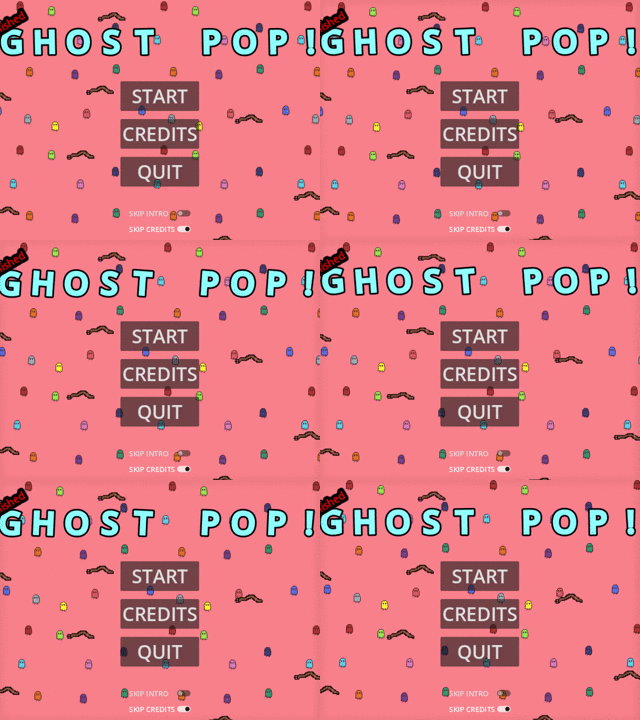
I recently made a font wiggle, similar to the Bouncy text input example in your interactive Tween guide. – The guide is really good, by the way!
Here is the code snippet from my use case. %move_box is of type BoxContainer and its children are exclusively RichTextLabels of single letters.
	for child in %move_box.get_children():
		var tween = create_tween()
		var rot = child.rotation_degrees
		tween.set_ease(Tween.EASE_IN)
		tween.tween_property(child, "rotation_degrees", rot + char_rotation, time)
		tween.set_ease(Tween.EASE_IN)
		tween.tween_property(child, "rotation_degrees", rot - char_rotation, time)
		tween.set_loops()
It creates this effect (see magenta letters on top).
Kind regards 
Oh yeah thats a pretty good use case!
I havent made a page on set_loops yet since I want to cover some other aspect first.
Thanks for the snippet too!
You might want to write it this way:
for child in %move_box.get_children():
	var tween = create_tween()
	tween.set_trans(...) # the default transition is linear, and isnt affected by eases
	tween.set_ease(Tween.EASE_IN)
	tween.set_loops()

	tween.tween_property(child, "rotation_degrees", char_rotation, time).as_relative()
	tween.tween_property(child, "rotation_degrees",-char_rotation, time).as_relative()
Its just an alternative way of writting it, yours had nothing wrong!!
You can remove the set_trans() if you want to keep it linear, in which case you dont need the set_ease() either !
And thank you for the kind comment about my guide!
Really lovely to see someone be inspired by it and make a cool effect like the one you shared!
I was going to tell you about this amazing interactive tween guide someone made.
Then I realised you made that.
Thanks for your contributions to the community 
Hahaha thank you!!
The pleasure is mine 
I’ve added the free tween cheatsheet and its very cool version ($5 USD) on itch as well!