Godot Version
v4.6.2.stable.official [71f334935]
Question
Update: Okay I don’t know why, but suddenly it does work now. It seemingly fixed itself overnight after I relaunched Godot this morning.
Also removing notify_property_list_changed() is adviced as it messes with the dragging of both sliders.
I have two exported ranges that each set the minimum and maximum bound of a value. I’ve made setters to ensure that min will never be larger than max and vice versa.
And it works, however I also want the changes be reflected in the inspector, as it is not only misleading but can also be confusing which value the editor may choose, which does not seem to work when calling notify_property_list_changed().
Is there a way to always update the inspector when modifying values to keep constraints in place?
In this below example I’ve set the minimum timer to 5 seconds, but the max timer has not updated its own value to reflect the change.
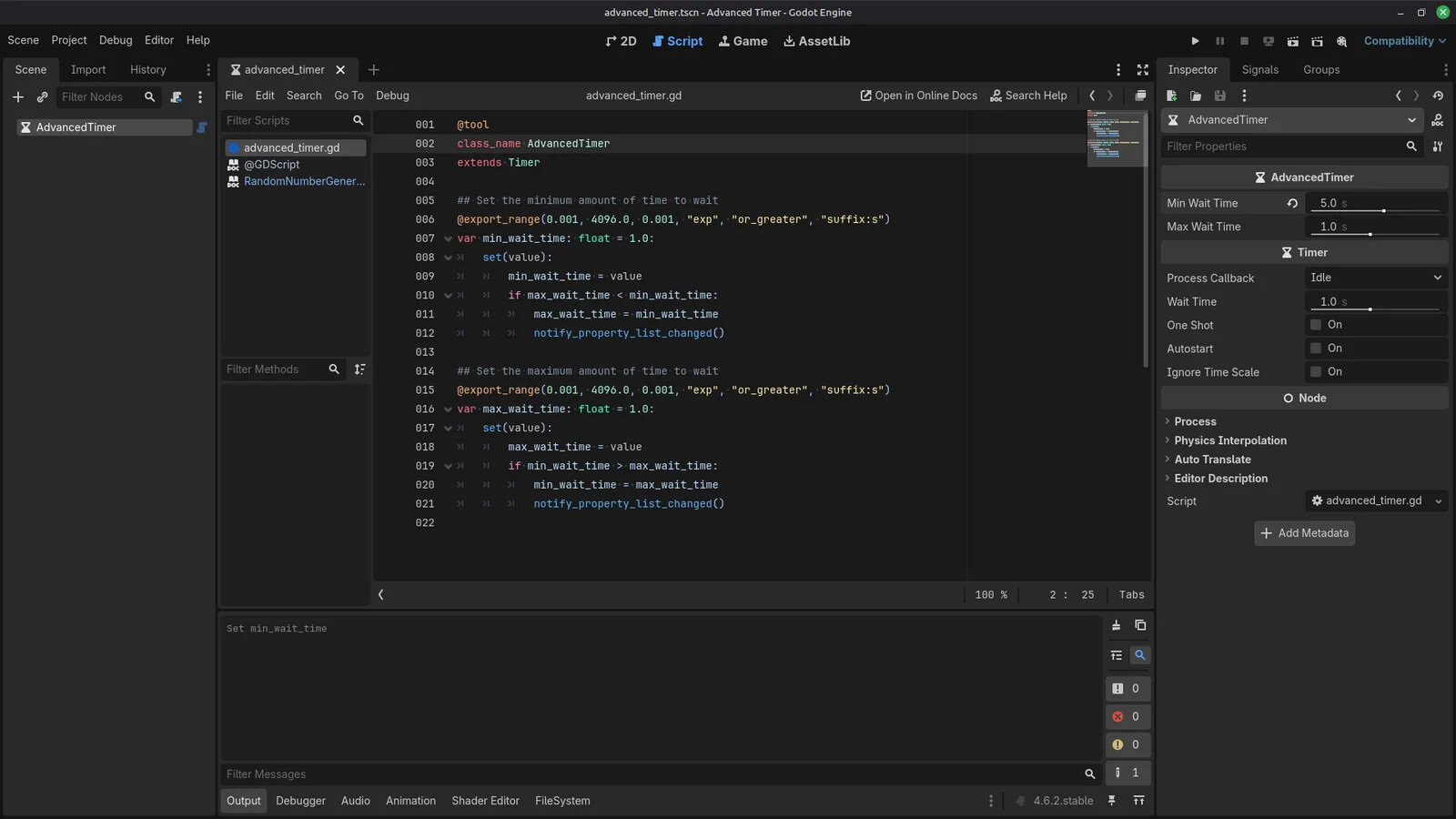
And here’s the code if copying it is desireable.
@tool
class_name AdvancedTimer
extends Timer

## Set the minimum amount of time to wait
@export_range(0.001, 4096.0, 0.001, "exp", "or_greater", "suffix:s")
var min_wait_time: float = 1.0:
	set(value):
		min_wait_time = value
		if max_wait_time < min_wait_time:
			max_wait_time = min_wait_time
			notify_property_list_changed()

## Set the maximum amount of time to wait
@export_range(0.001, 4096.0, 0.001, "exp", "or_greater", "suffix:s")
var max_wait_time: float = 1.0:
	set(value):
		max_wait_time = value
		if min_wait_time > max_wait_time:
			min_wait_time = max_wait_time
			notify_property_list_changed()
Thanks.