Weird bug with AnimatableBody platforms as child of Parallax2D node

Godot Version

Godot 4.6.2 stable mono

Question

How do I fix the following weird bugs I’ve found with my AnimatableBody platforms as child of Parallax2D node ?


Hi ! I’m currently working on the implementation of a fake 3D-depth effect in my 2d game, where I can send to player in backgounds layers, that are childs of Parallax2D node.

My plan was to integrate moving platforms (AnimatableBody2D) into those layers, like Donkey Kong Country Returns. The problem is when my player tries to stand on one of those platforms, whether they are moving or not, my player is suddenly pushed sideways until it falls down, a bit like if the parallax was “pushing” the player if the latter moves.

As for the animated platforms (I have used Tweens), when I move, so the camera too, the platforms become really jittery.

Here are some images and videos that shows the issue :

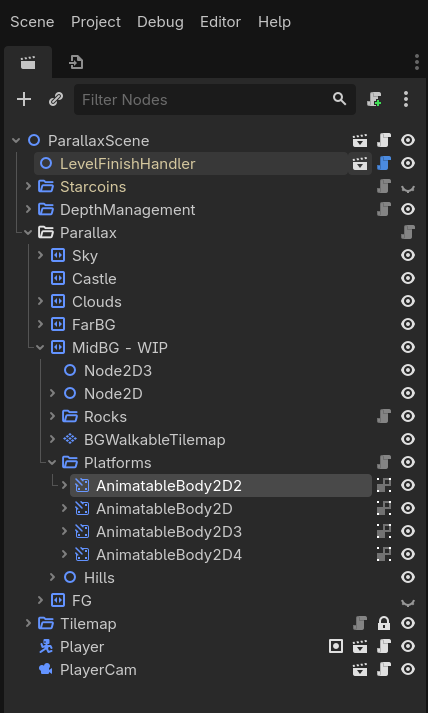
  • Node Structure

  • The issue in video :

As you can see in the clip, when I jump onto the background tilemap, nothing happens as it a StaticBody2D

Do you have any clues on why does that happen ?
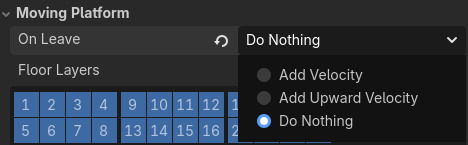
Have you tried changing the Moving Platform → On Leave setting on your CharacterBody2D to Do Nothing?

1 Like

My CharacterBody2D is currently on Do Nothing.

What’s in your Player script and in your AnimateableBody2D script?

I’ve shared a lighter version of my project that showcase the problem :

Parallax project

That link took me to my Google Drive. It is typical to create a public GitHub project to share something complex like that. Also people feel those links are safer to click on than downloading something from a Google Drive. It also allows us to upload a solution if needed on GitHub.

1 Like

Oh Sorry ! This is the right link (Github this time) : Github

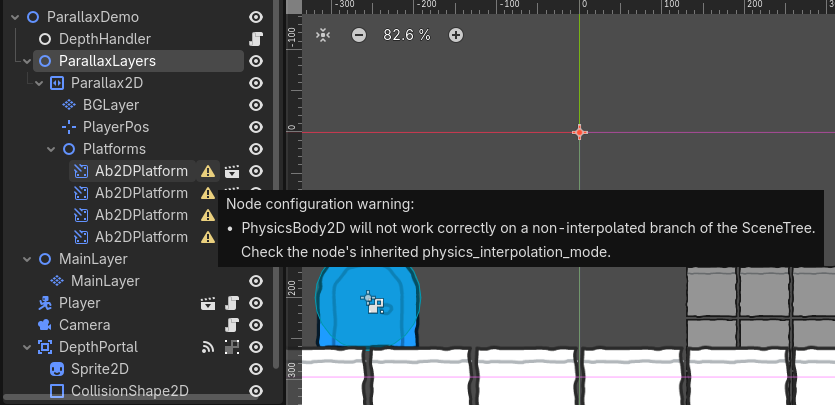
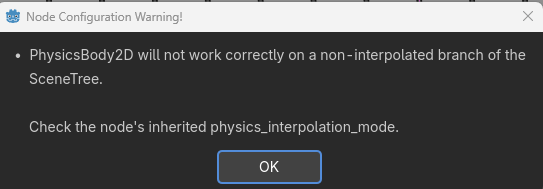
All four of your AnimateableBody2D scenes are all showing the same warning.

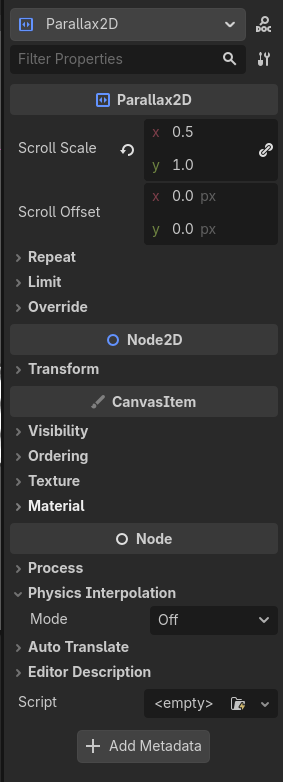
The Parallax2D apparently has it set to off by default.

Changing it to Inherit solves that problem.

You are also getting this error in the Debugger when the game is run:

W 0:00:01:165 _update_process_callback: Camera2D overridden to physics process mode due to use of physics interpolation.
<C++ Source> scene/2d/camera_2d.cpp:85 @ _update_process_callback()

Googling it, I found this:

This warning occurs because Godot’s 2D Physics Interpolation (introduced in Godot 4.3) requires the camera to update in sync with the physics engine to ensure smooth movement. When interpolation is enabled, the engine automatically forces the Camera2D to use the physics process mode to prevent jitter.

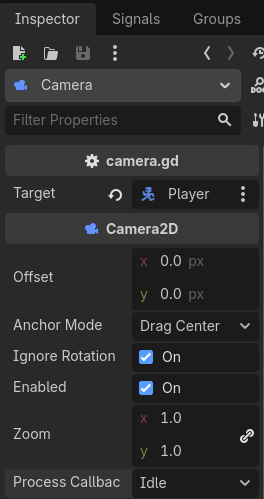
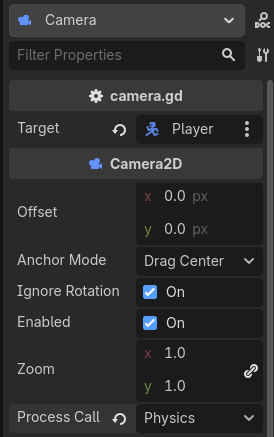
Looking at your Camera2D you still have process_callback set to the default: Idle.

Changing process_callback to Physics is the solution to your camera jitter problem.

How did you get here?

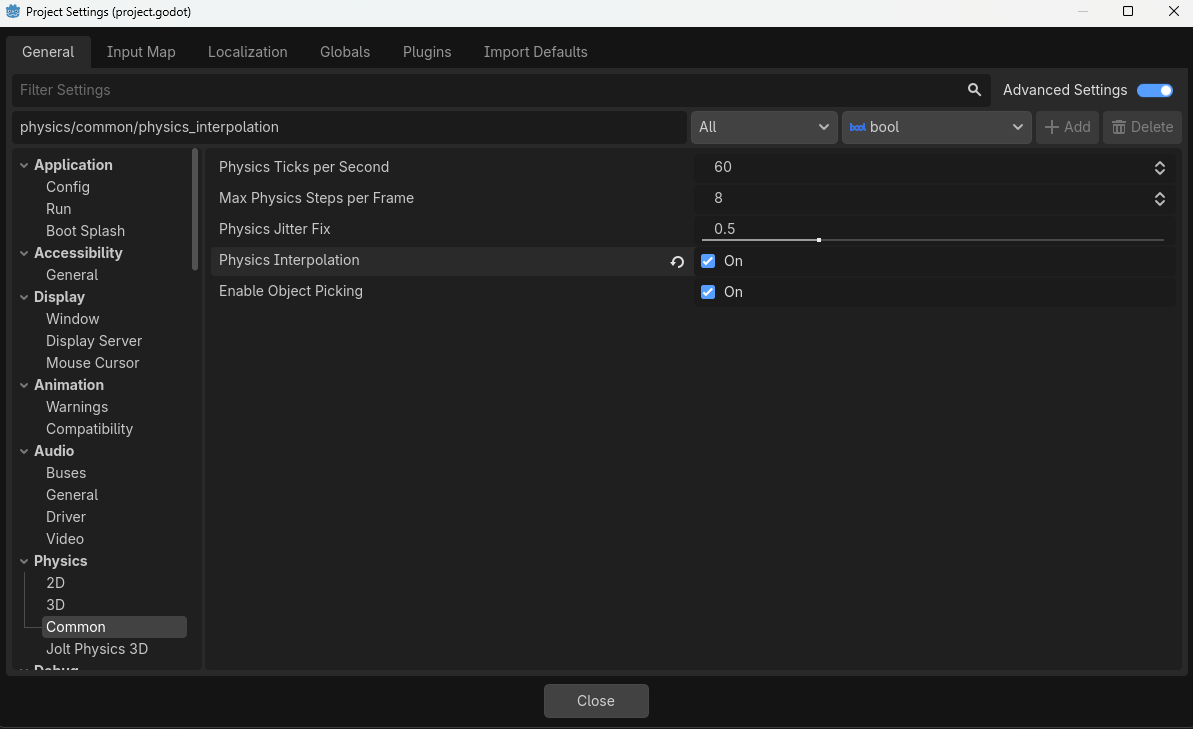
Taking a look at the Project Settings, it appears you turned Physics Interpolation on. (Good job on your MRP BTW.)

I do not know what decision led to this, but it had a number of consequences - of which the editor warned you and you appeared to have ignored. I notice that in your original project, the warnings for the AnimateableBody2D objects are not there, which means you resolved them in your main project.

However I suspect that you did not notice the warning in the debugger. Potentially due to Error Blindness which is when your project is outputting so many warnings and errors that you cannot see the ones that are important to you.

I strongly recommend that you clean up all warnings and errors now, and adopt a zero tolerance policy against them in the future.

2 Likes

Thanks for the pieces of advice, and sorry for my errors :woozy_face: (I was very tired when I created the MRP, and I forgot to read all the errors). As for setting the physics interpolation to true, it’s a habit that I took since a while as soon as I create a new project.

I’ve updated the MRP and all warnings are fixed. As for the player, it seems that while it stands on the AnimatableBodies, its deceleration is linked to the camera lateral movement. Strange, isn’t it ? And what could be the reason of that ?

I honestly don’t know, because I don’t know what effects Physics Interpolation has. My suggestion would be to turn it off, and see if things change. Turning something like that on should be a deliberate choice to solve a problem in my opinion.

In this case, it’s the kind of thing you turn on when a player complains that your 60fps game is jittery on their top-end 144hz gaming monitor.

1 Like

The issue persists even after disabling Physics Interpolation.

TBH it looks like an optical illusion to me. If you turn off Camera2D drag effects, does it stop?

1 Like

I have captured what I get when I let the camera fixed, and when player is set as target, without position smoothing

Here is what I got :

  • With target set, no position smoothing (Problem still persists) :

  • No target, fixed camera (Problem is gone) :

Quite interesting … What could explain such differences ?

What do you mean by target set?

Target is the player, so if target is set, camera follows the target (aka player), if not, camera stays fixed.

And how is the target set? Are you not just making the Camera2D a child node of Player?

I just checked your initial screenshot. You are not.

Just make the Camera2D the child of your Player. Whatever code you’re doing to track the player’s movements is a frame behind. That’s why you’re seeing what you’re seeing.

Oh interesting. I’m going to try this right now.

1 Like

And if you’re trying to limit your camera or something, check out my Camera2D Plugin. I have a Camera2DLimit node that you can add, assign your TileMpaLayer to it, and it’ll stay within the bounds. You can even switch between the layers when you go through the door and the camera will update.

1 Like

When I set the Camera as a child of Player, there is not a lot of differences :

I also tried to set player as a child of the current scene. It did not work. I have noticed that I replace AnimatableBody2D by a StaticBody2D, everything works fine. The problem is that I need animated platforms in background layers too.