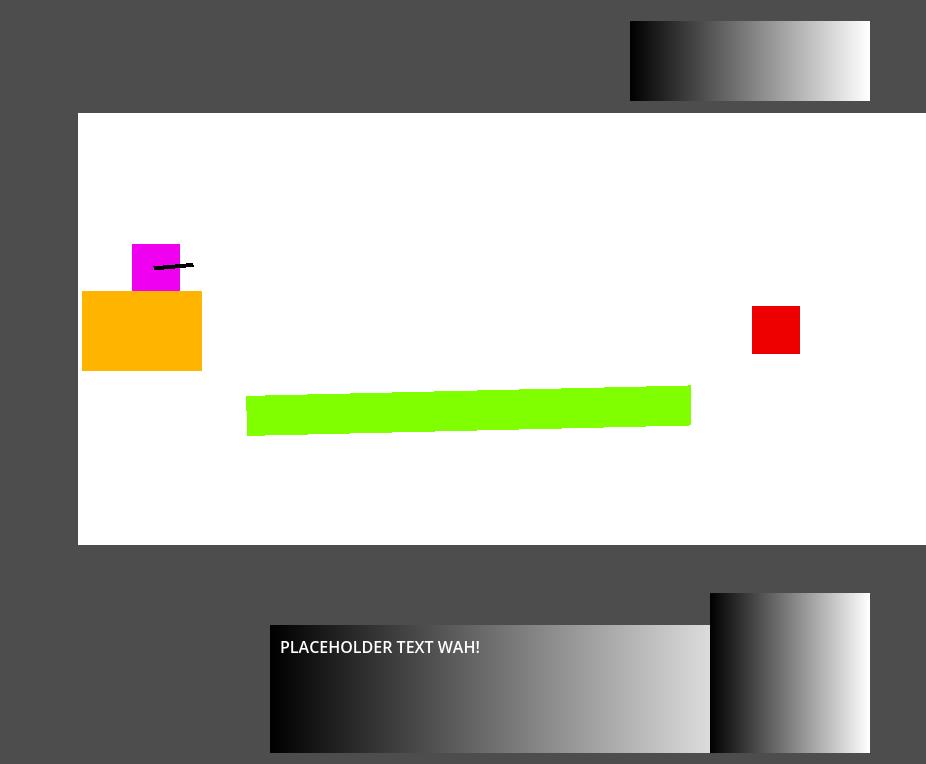
extends Node2D

const DIST : int = 50000
var mouse_variable : Vector2 = Vector2()
var barrel : Vector2 = Vector2()


func _input(event: InputEvent) -> void:
	if event is InputEventMouse:
		mouse_variable = event.global_position
		barrel = $Barrel_Node2D.global_position
		look_at(mouse_variable)

		rotation_degrees = clamp(rotation_degrees, -70, 90)
	if event is InputEventMouseButton and event.button_index == MOUSE_BUTTON_LEFT:
		if event.pressed and barrel != null:
			var shoot_collider : Variant = raycast_shoot(barrel,mouse_variable)
			if shoot_collider == true:
				var target = shoot_collider
				print(shoot_collider)
				target.been_hit()
			elif shoot_collider == null:
				print("Missed.")

func raycast_shoot(barrel: Vector2, mouse_variable : Vector2) -> Variant:
	var space_state : PhysicsDirectSpaceState2D = get_world_2d().direct_space_state

	var gun_ray_start : Vector2 = barrel
	var gun_ray_end : Vector2 = mouse_variable

	var shoot_params : PhysicsRayQueryParameters2D = PhysicsRayQueryParameters2D.new()
	shoot_params.from = gun_ray_start
	shoot_params.to = gun_ray_end
	shoot_params.hit_from_inside = true

	var shoot_result : Dictionary = space_state.intersect_ray(shoot_params)
	draw_line(shoot_params.from,shoot_params.to, Color(0.49803922, 1, 0, 1)
, 10, false)
	if (shoot_result.size() > 0):
		return shoot_result
	else:
		return null

# Called when the node enters the scene tree for the first time.
func _ready() -> void:
	pass # Replace with function body.


# Called every frame. 'delta' is the elapsed time since the previous frame.
func _process(delta: float) -> void:
	pass
What I expect to happen:
Draw a line when the ray is cast
A pickable rigidbody with a rectangular collision shape has it’s information printed
What happens:
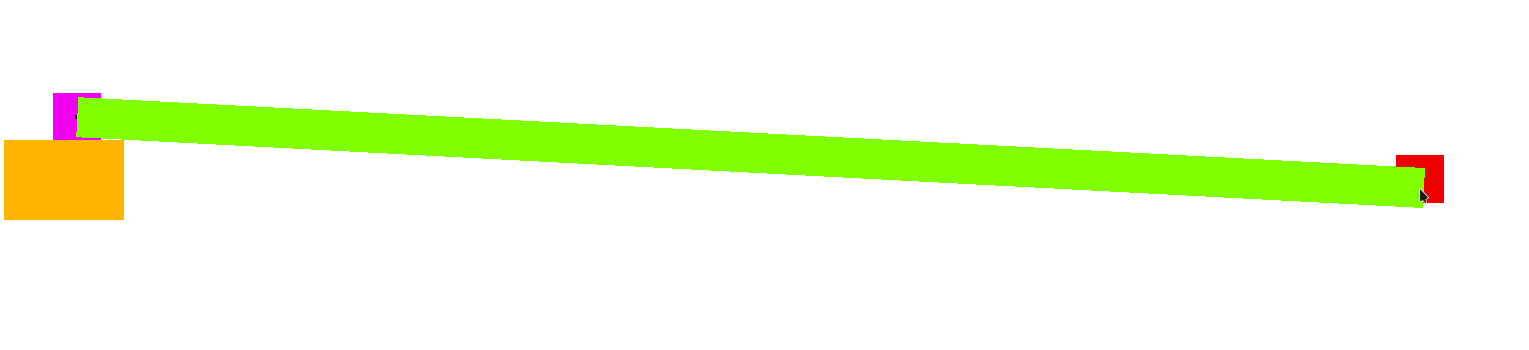
1. No lines
2. Prints “Missed”
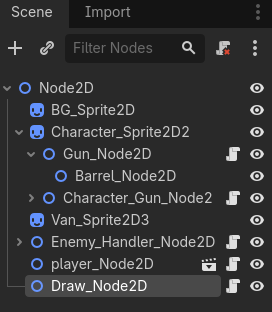
NOTE: This script is attached to a node with the child node: “Barrel_Node2D”
I fixed some shadowed variable warnings by changing the names a bit and it gives me a new error for the draw function:
E 0:00:01:468   gun_node.gd:37 @ raycast_shoot(): Drawing is only allowed inside this node's `_draw()`, functions connected to its `draw` signal, or when it receives NOTIFICATION_DRAW.
  <C++ Error>   Condition "!drawing" is true.
  <C++ Source>  scene/main/canvas_item.cpp:857 @ draw_line()
  <Stack Trace> gun_node.gd:37 @ raycast_shoot()
                gun_node.gd:17 @ _input()
Which is neat. Commenting out the function leads back to it just printing missed with no errors, though.
As the error message suggests: draw_*() functions only have effect inside draw signal handlers or in a _draw() function. So implement _draw() and put any drawing you need there. This will be automatically called by the engine whenever refresh is needed. If you need to draw on demand, call queue_redraw() when you want redraw to happen.
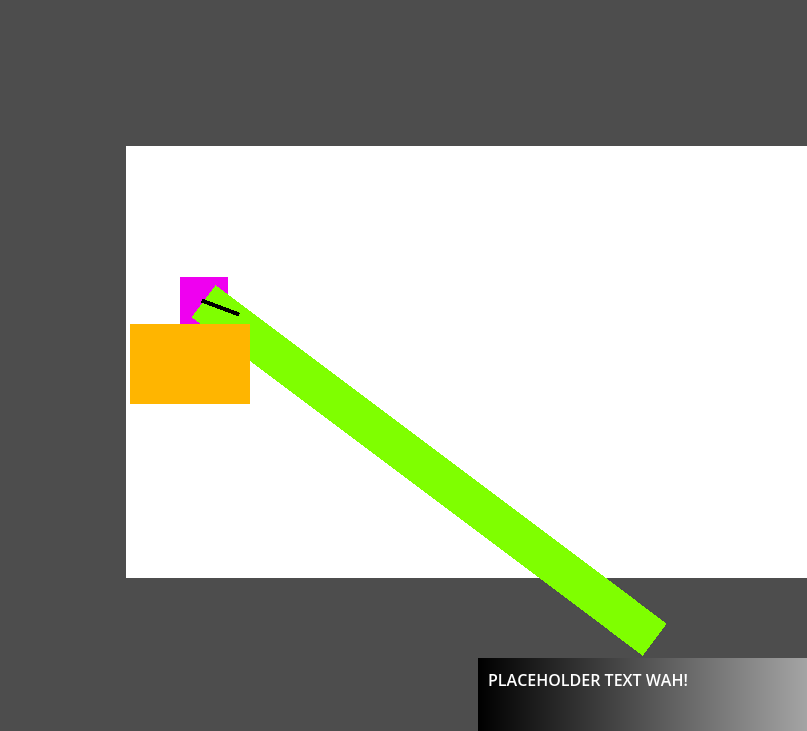
Changing the barrel position to .position instead of .global_position sets it properly, but the same is not true for the mouse.
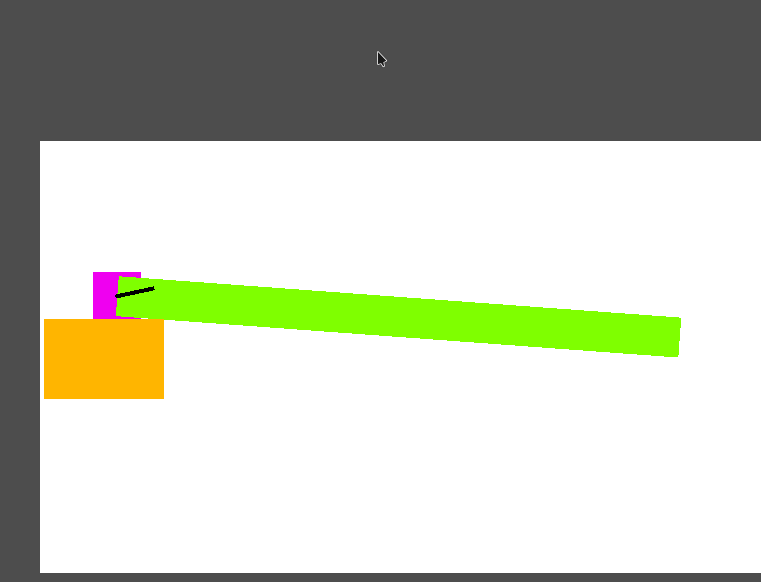
I thought maybe it was because of the clamp() but that’s not it. The rotation only aligns at a specific point and the offset grows as I move around center:
I suppose I need to make some kind of change to the event.position?
EDIT: I think I’ve got it, I need to change the viewport space position returned by event.position to a local space position. I don’t know how to do that.
EDIT 2: Commenting out the look_at() function and the rotation clamp then changing the mouse_variable fixes it!
Now my node which visually represents the barrel doesn’t rotate but I can fix that by seperating the node with the raycast script and the sprite node to two nodes with individual scripts. Probably.
Is there a better way to visualize the ray than the draw function? Because if I’m passing different position data to both it doesn’t really serve the intended purpose.
Draw onto a dedicated debug Node2D that has identity transforms, i.e. its position and rotation are zero and its scale is 1. In that case its local coordinate system in which drawing happens will coincide with the global coordinate system.
Pickable is irrelevant here.
Are your collision layers/masks properly set up?
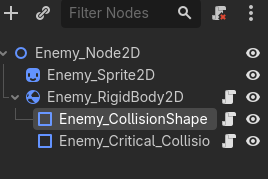
Rigid body should be the top node in the enemy scene.
Enable Debug > Visible Collision Shapes to check where your colliders actually are at runtime.
The collision appears in the enemy prototype scene but not the testing scene. I tried setting the rigidbody2D as root node but it made it vanish when playing the scene so I’m probably going to have to remake it and figure out what’s going on over there.
Any idea why the collisions disappeared like that?