I was wondering if anyone knows of a way of accomplishing a frame accumulation effect in Godot. The effect I’m looking for is like what you experience when you’re injured/losing blood in SCP: Containment Breach (loud).
My initial thought was to stop screen clearing and render subsequent frames at a lower opacity, but that doesn’t seem to be a feature of the engine (as far as I know). Does anyone know of a way to get this effect? I tried using Viewports to do this, but it just didn’t work. Any help is appreciated!
You have to assume we haven’t played this game.
Please give more description to what you want to achieve, ideally with some short gameplay video showing the effect in action.
The second paragraph describes how the desired effect could be composited. I want frames to accumulate by blending new frames with previous ones at the viewport level.
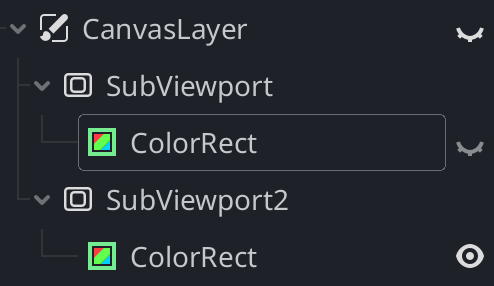
You’ll need 2 subviewports. Render normally into subviewport 1. Under subviewport 2 have a texture rect that runs a shader that mixes the screen texture and subviewport 1 texture. Never clear subviewport 2.
This should accumulate into subviewport 2.
For more sophisticated stuff you can use the Compositor. That’d require setting up a compositor effect and writing a compute shader, but the basic principle would be similar to what I described above.
This solution does work, but I am noticing some issues with handling mouse input with this method. I wonder if it would be possible to skip having multiple viewports by using a compositor effect.
I’ve got a setup where I’m using StaticBody3Ds to detect mouse events. Without additional viewports it works just fine, but adding the viewports to do the effect stops mouse enter and exit signals from being emitted. I’ve tried to see if the issue is with UI elements preventing detection, but everything is set to ignore mouse inputs, so I’ve no idea what the cause is. The events are being pushed correctly, I have an FPS camera working just fine, but this specifically breaks when using multiple viewports.
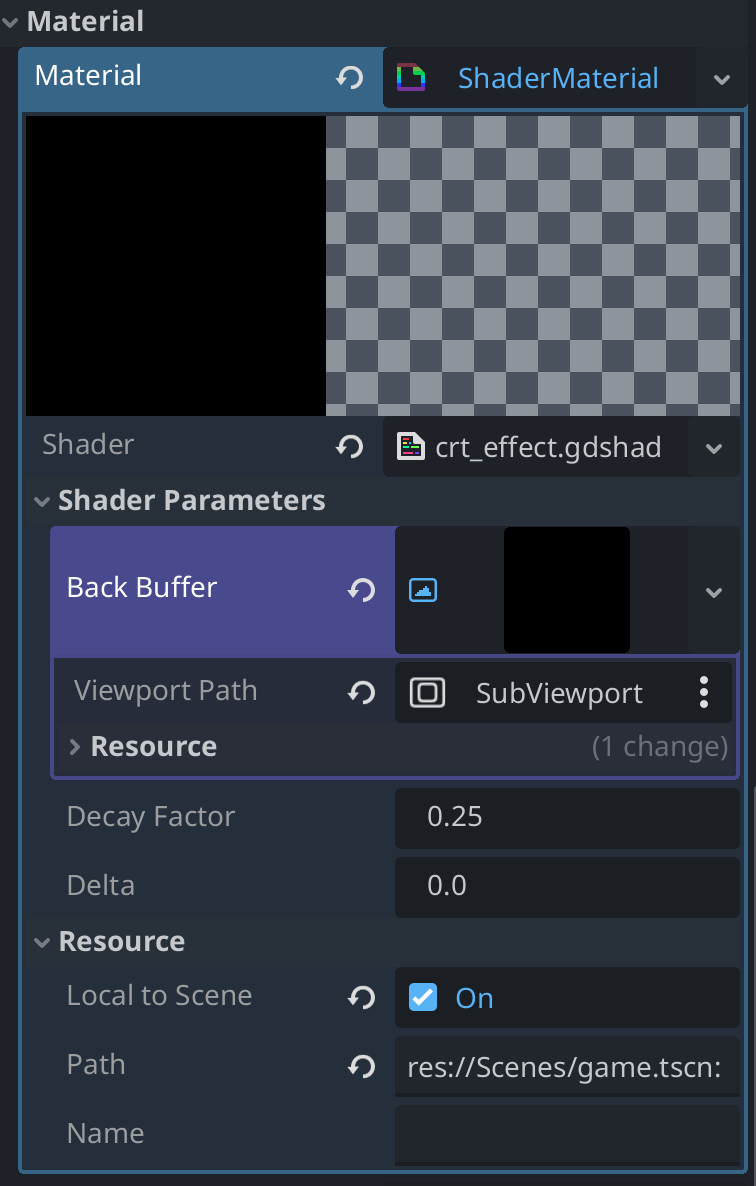
E 0:00:00:837   draw_list_bind_uniform_set: Attempted to use the same texture in framebuffer attachment and a uniform (set: 1, binding: 1), this is not allowed.
  <C++ Error>   Condition "attachable_ptr[i].texture == bound_ptr[j]" is true.
  <C++ Source>  servers/rendering/rendering_device.cpp:4656 @ draw_list_bind_uniform_set()
I have also tried changing the SubViewport2’s ColorRect into a TextureRect, however, in this case nothing really happens, and if I set the texture to the SubViewport1, I also have the same error as mentioned above.
I haven’t been able to figure out how I can solve this problem. Any help would be appreciated.