Really good intro.
Around 12:20
You recommend replacing hardcoded $NodePaths. That was good. You then said you can use @export variables. That was less good. $NodePaths should be replaced with @onready variables. For example, in your code, you changed this to an @export variable.
var start_button = $layout_margin/layout_options/start
start_button.pressed.connect(on_press_start)
This is a common thing I see in people with Unreal/Unity experience. The drawback to @export var methods are it clutters up the Inspector, and more importantly if you forget to link an object the failures are a lot more cryptic. I have found that even when creating a generic node reference, it causes less headaches to use an @onready variable and search for what you need in the tree rather than rely on yourself to remember to link the variable.
You can fix this with much less typing.
- Click and drag the start button in the Scene Tree over the editor window.
- Press the Ctrl button. (It has to be pressed after clicking and before dropping.)
- Drop the button into your code.
- This line will appear:
var start: Button = $layout_margin/layout_options/start
It will be statically typed, and have a variable you can use immediately. It will be named the same as your Node is named. So, you can either call it Start Button, or rename the variable name it created to match your code. This brings up another thing. Usually node names in the editor are not snake_case. They’re either PascalCase or they’re more often just human readable with every word capitalized. (Hence my suggested name above.)
The other thing I noticed is the convention of calling functions that are only referenced in the class is to prepend the function name with an underscore to indicate they are “private”. I put that in quotes, because as I’m sure you know GDScript doesn’t really have access modifiers. Still, it’s convention to make the code clearer. (If you address these later in the video, I just haven’t gotten there yet.)
Around 13:20
You mention that people should follow “some” convention. I’d recommend you not prevaricate on this point. Almost every day we get people posting questions, and they’re following some weird convention that makes their code much harder to understand. Marching to the beat of your own drummer is fine, as long as you never have to ask for help. But it can become a real problem, and people get very offended and frustrated when they’re told their code is confusing and/or hard to read.
Around 14:00
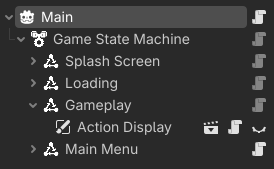
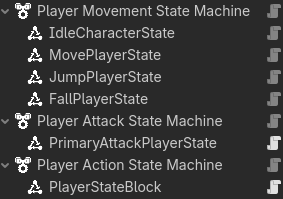
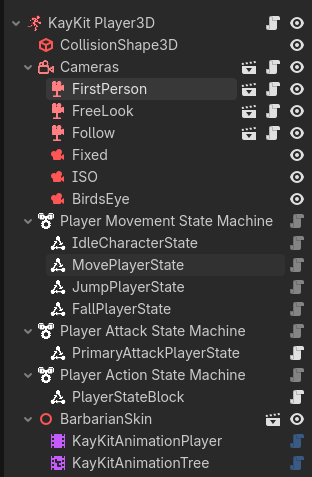
You talk about state machines. I’m a big fan. Something you might look into for your own enjoyment is Resource-based or Node-based state machines. I have adopted a pull-based (as opposed to push-based) Node state machine. You can look at it and play with it using my State Machine Plugin if you’re interested. I use it for game state, as well as player states.
I also think this State Chart Plugin is pretty nifty. And while I don’t like it for myself in practical application, I think it’s a neat design pattern and I had fun playing with it. I chose a pull machine based on Kanban project management and the idea that states control when they are entered. This allows me to keep the code completely atomic and add/remove states even during runtime without having tightly coupled code.
Around 15:15
You talk about contexts here. I use a state machine instead. Same idea, different name. (Unless you feel there are differences, in which case I’d be interested to hear them.) For me this was a journey of trial and error. I originally had four state machines that all did the same thing: Node, Control, Node2D and Node3D. The icons were color-coded and they could have spatial knowledge as part of the machine.
After implementing this, I realized that I did not need to hang the HitBox off the AttackState, and in fact from an encapsulation point of view, I had to view States as Components of the larger object the StateMachine was operating on. Basically they needed to be treated as if the _subject (object was taken) of the StateMachine and it’s Nodes had protected access modifiers that “allowed” the States to see and manipulate them.
Once I got to that point, I started seeing how they could all be nodes, and as I got used to using the StateMachine I realized there was never any need to extend it - only the States.
Around 18:17
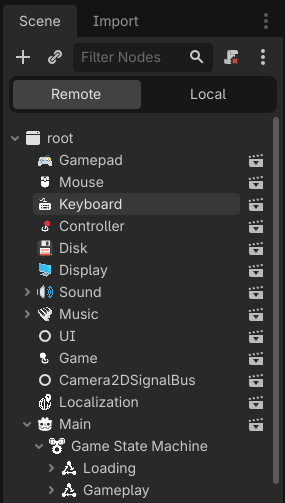
I get where you’re coming from about Autoloads I think they get overused and used incorrectly a lot. I’m typically not a fan of a SignalBus style Autoload. Having said that, as I have modularized my code, I’ve ended up with a bunch of little Autoloads.
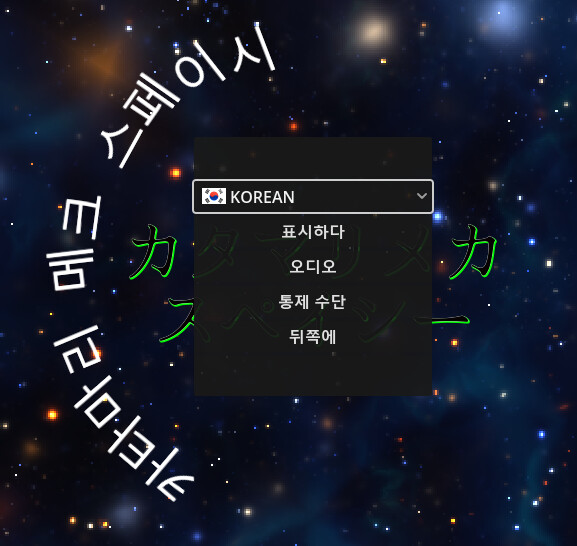
Each one handles atomic things that I want handled at a high level. They all have as few functions in them as possible, and they are specifically not load dependent. This list is generated from my Game Template Plugin, which brings a number of my commonly used plugins under one roof with a basic UI and scaffolding for 2D and 3D games. It also has the Localization Plugin, which simply provides a dynamically created language option button based on the languages you localize in the game.
(
From my game Katamari Mech Spacey)
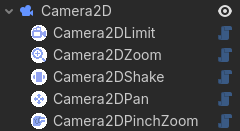
That node tree also has my great shame, the Camera2DSignalBus which comes from the Camera2D Plugin. That plugin provides a number of components that can be added to a Camera2D to extend its functionality.
About 19:25
I do agree that changing things in Autoloads is can be a big problem. Which is why I typically only use them in plugins, and those are all under version control and use semantic versioning. Even that Game autoload is from a plugin, and it carries a very few things that multiple contexts need to have access to that I haven’t yet figured how to pass in other ways. It’s also my central clearinghouse for when inheritance when I need a place to put some messy variables or signals for prototyping in a larger game until I can factor them out. It’s a convenient way for me to know all my trash is in one script.
I found your discussion of dependency injection very interesting, but I wish it was longer, because even though I’ve used it in other contexts (web development and automated testing), I couldn’t decide what I thought on the pros/cons of using it here, and the implementation details.
I also saw your use of a variable name gsh. I find the abbreviation of variables in modern languages obfuscation for obfuscation’s sake. You know what it is, but I had to look for a reference to what it meant, and it seemed unnecessary to shorten that name. Especially in the context of teaching - though I get that this was old code and we end up with short hand that often means things to us as developers. I’ve just found no reason not to have descriptive variables names as we are no longer in the 80s.
About 20:30
I saw a code smell, which is a bunch of classes named “Controller”. This seems like the Manager Anti-Pattern with a different name. I watched a talk years ago on C++ naming conventions, and the speaker talked about how our brains do things to our objects when we call them “Manager”. And by changing the name to what they actually do, we tend to delegate a lot of the responsibility they are holding onto to the objects that really should be doing them. If we take a look at my Autoloads again:
You’ll see that in essence they could all be named Manager or Controller. Funnily enough Controller is in fact the synonym I landed on for Input because that name is already taken by Godot. Gamepad Take Keyboard for example. This is the entire script:
@icon("res://addons/dragonforge_controller/assets/textures/icons/keyboard.svg")
## Keyboard Autoload
extends Node

const icon_path = "res://addons/dragonforge_controller/assets/key_icons/"


## Returns the Texture2D representation of the keyboard key event passed
func get_key_icon(event: InputEventKey) -> Texture2D:
	var keyname = event.as_text().trim_prefix("Kp ").trim_suffix(" (Physical)").trim_suffix(" - Physical").to_lower()
	var filename = icon_path + "keyboard_" + keyname + "_outline.png"
	return load(filename)
All it does is integrate in with Controller and when called with an InputEventKey, pull up a graphical representation in the form of a Texture2D. It’s only use is for the GUI to display the correct key to press.
If I called it KeyboardManager or KeyboardController, I would be tempted to give it more responsibility. Maybe all keyboard input should go through it - or special keyboard input. I decided not.
Likewise, if we look at the Mouse script (sans some comments):
@icon("res://addons/dragonforge_controller/assets/textures/icons/mouse.svg")
## Mouse Autoload
extends Node

## Look sensitivity modifier for 3D camera controls
@export var sensitivity: float = 0.0075:
	set(value):
		sensitivity = value
		if get_tree().root.has_node("Disk"):
			var disk: Variant = get_tree().root.get_node("Disk")
			disk.save_setting(sensitivity, "mouse_sensitivity")
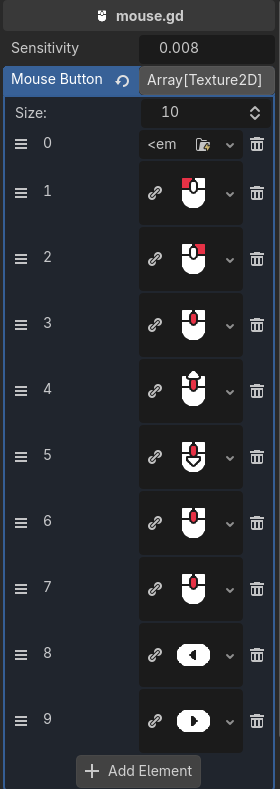
@export var mouse_button_images: Array[Texture2D]


func _ready() -> void:
	if get_tree().root.has_node("Disk"):
		var disk: Variant = get_tree().root.get_node("Disk")
		var returned_value = disk.load_setting("mouse_sensitivity")
		if returned_value:
			sensitivity = returned_value


func _input(event: InputEvent) -> void:
	if Controller.enable_3d_look and Input.mouse_mode == Input.MOUSE_MODE_CAPTURED and event is InputEventMouseMotion:
		Controller.look = -event.relative * sensitivity


## Returns the Texture2D representation of the mouse button event passed.
## Returns null if the InputEvent is not a MouseButtonEvent.
func get_mouse_icon(action: InputEvent) -> Texture2D:
	if action is InputEventMouseButton:
		return mouse_button_images[action.button_index]
	return
It stores images for mouse buttons and will return them just like Keyboard. It also handles variables for mouse look in 3D. It also decouples itself from the Disk Plugin. If the Autoload exists, it uses it to save and load the sensitivity settings for the mouse. If not, it doesn’t. It also can track looking for using keyboard and mouse for 1st and 3rd person camera control. The Gamepad Autoload does the same thing for the gamepage, and the controller takes that information and puts it together so that both inputs always work and you can tell which one is being used.
But the Mouse isn’t a Manager or Controller. It only deals with things that need to be centralized, and lets everything else be handled by the scripts that need to handle mouse input.
About 21:13
I’d question the naming convention of Holder as well, but not seeing the code it’s hard to say. If it’s basically a synonym of List that could make sense, I’m just used to the FSM context of State Machine as the holder of game states.
About 22:00
Really good stuff. Call down, signal up. (Ha! You said it!)
About 20:26
Good stuff.
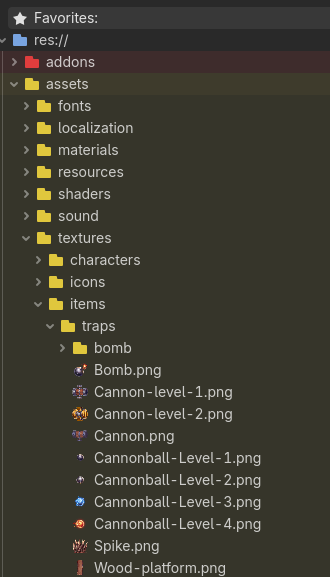
I put all assets in an assets folder, and then group scripts and scenes together under features. I have found that I often need to re-use assets in more than one context more often, and I sometimes need to do bulk import changes or something else. So in general, I have found it most useful to keep assets together. It also helps on game #10 when quick load can’t find a texture for example, and I want to find it, I always know that I am browsing to res://assets/textures/ and then looking for the folder name that makes sense. Over time my brain has decided on what works for me.
About 25:05
Really good point about the reduction of merge conflicts. It’s also really helpful when working with an artist or sound designer. All their stuff is in one place and they don’t need to muck about in your scenes and code. And while a lot of people seeing your video won’t be working on regular development teams, they may at some point be working on game jam teams, and this structure will really help if they want to pull in some assets designers in.
About 25:25
Preach!
I love that you’re talking about this.
I started using GDUnit a couple years ago. I created this lesson on implementing GDUnit intended for people who know nothing.
However, in practice I have found, as you touched on, that my games change so quickly that unit tests are not as useful for me as I hoped they would be. I also have made a fair number of game jam games, and the frenetic pace of game jams does not lend it self to unit testing.
Closing Thoughts
You had a lot of good things to say overall. Very good production quality. Engaging and interesting video.
 I will guess this is for small one or two person teams. After all we are a gaming community.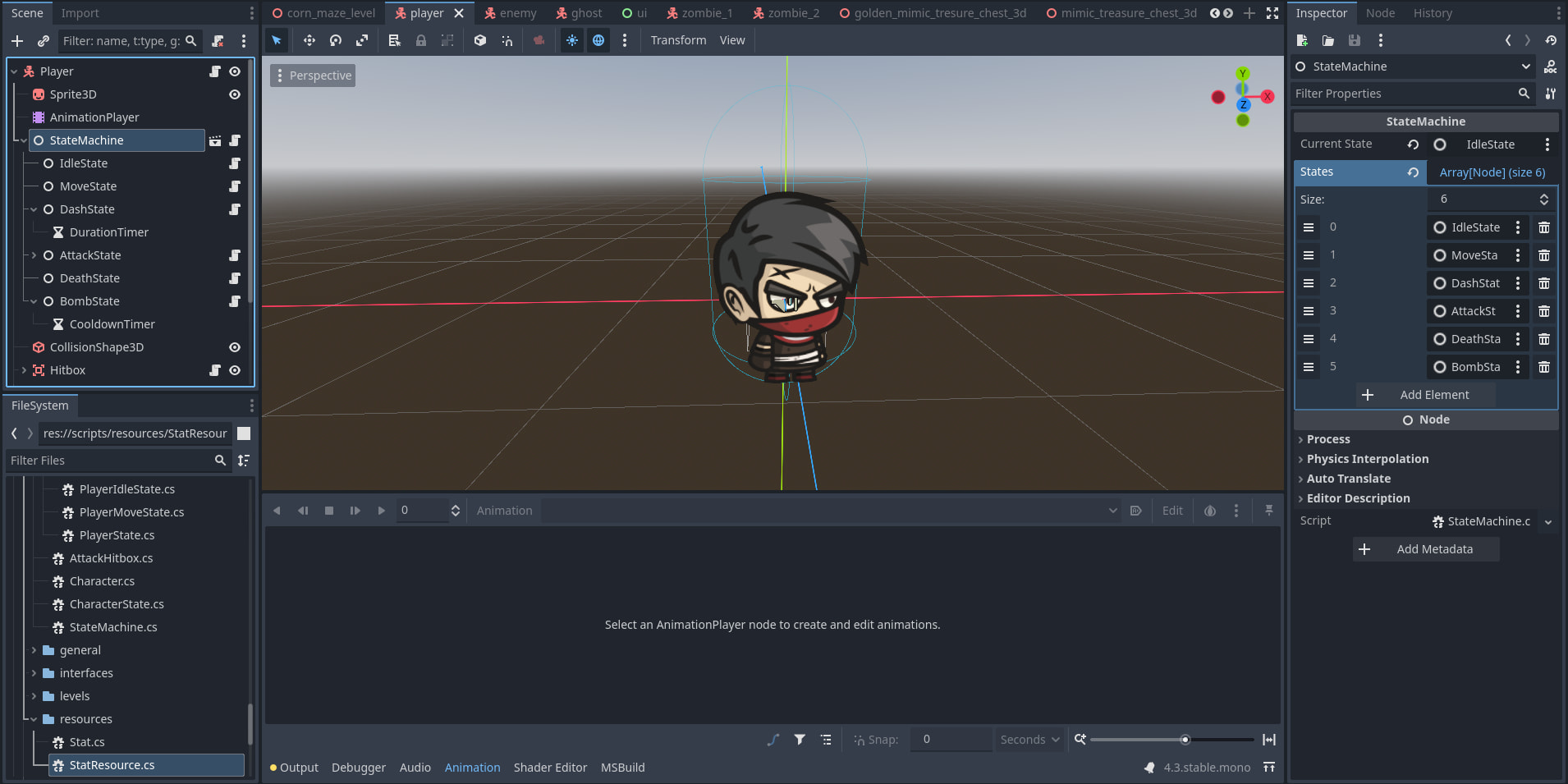
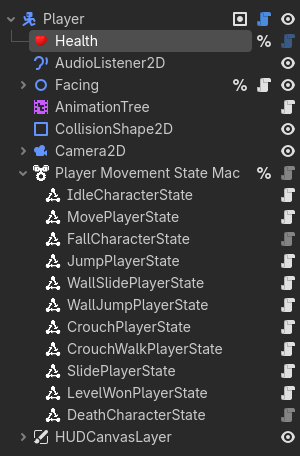
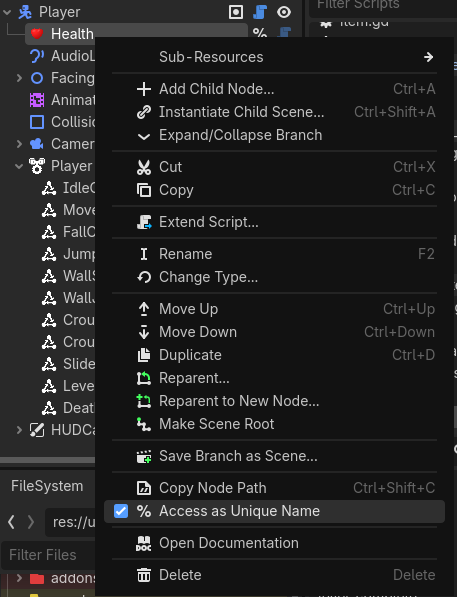
 into a script, I get the path: