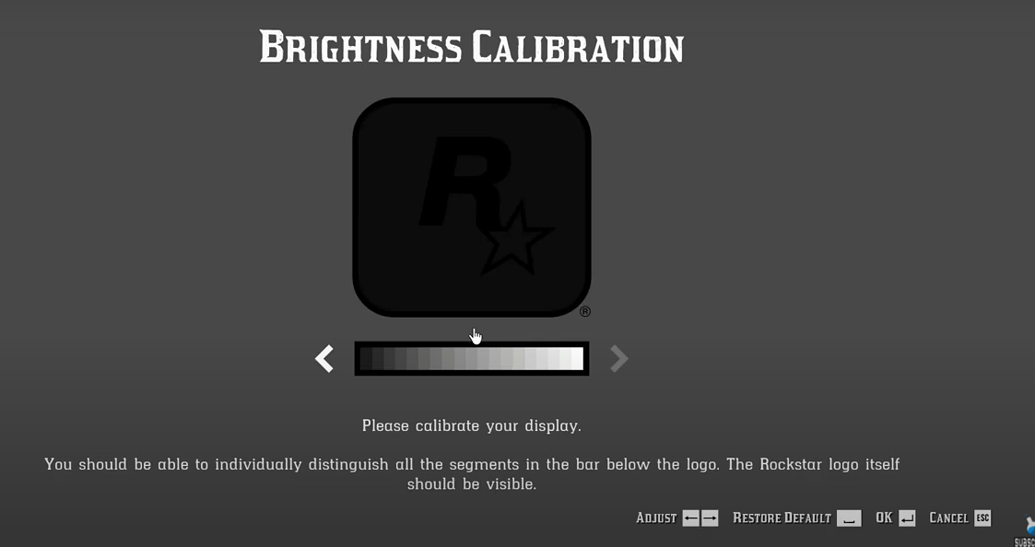
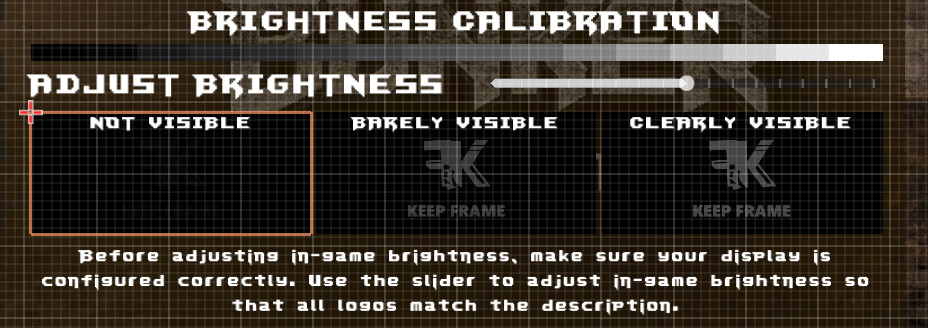
Hey community, I’m thrilled that Godot 4.6 has been released. I’m curious if anyone has created or tried something similar for your game? If you’re publishing your game on the Nintendo Store and PlayStation Store, you’ll be required to adhere to the standard, which will soon become an important part of the UI and post-processing. I’d love to hear from you about what a calibration image should look like and how it works with Godot.
I’m pretty sure all that it is doing is adjusting in game gamma.
The reason calibration exists is that, there are many different monitors/TV out there with different brightness, contrast, and saturation as there is not standard for those settings. (unless you have a HDR 1000 spec monitor/TV or similar)
Some games have it in the options menu for the player to change whenever than a calibration process on first bootup.
When watching all my friends boot up games they normally just mash through the calibration to play the game, so I wouldn’t worry about it too much. There isn’t much resources on the science behind on how games do it as it is mostly done by AAA studios with internal teams.
I found this forum posts of people talking about how they use it:
Thank you, I’ve read and looked at the links you sent me, looking at potential issues with the release and whether it’s worth bothering with at all. But I decided this implementation is important to me, so I decided to dig deeper. I looked through the Godot documentation and found one thing: Godot 3 had a Gamma setting in the Environment resource, but it was removed in Godot 4 due to the Post-Processing update. Does anyone have formulas for creating gamma from the current “Adjustment” values?
I thought about using “ToneMappingExposure” but it simulates camera brightness and it doesn’t work with my logos. When I raise “Exposure” the logos are slightly highlighted but it doesn’t affect the first “Not Visible” logo.