Godot Version
Tested on:
- Godot 4.1 on Windows 10
- Godot 4.1-4.5 on EndeavourOS, Linux 6.15.4-arch2-1 + KDE Plasma 6.4.2
Questions
I’m working on a 2D isometric 3/4 overhead game using TileMap and dynamic lights.
- Is there an intended solution for displaying LightOccluder2D shadows behind the objects which cast them?
- Is there an intended solution for one TileMap wall to cast a shadow onto another TileMap wall on the same Tile Layer?
- Are there any custom sprite shaders that deal with self-shadowing?
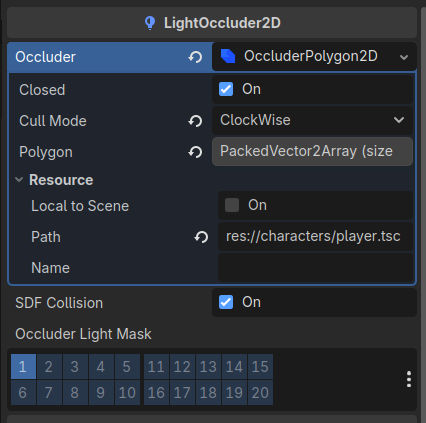
- What is the intended use of
Show Behind Parenton LightOccluder2D as seen in documentation for v4.0 ~ 4.4?
Background
There are years of questions about how to make LightOccluder2D display shadows behind its parent.
The documentation up to 4.4 appears to suggest that one could accomplish this by checking Show Behind Parent, or else manipulating SceneTree draw order: https://docs.godotengine.org/en/4.4/tutorials/2d/2d_lights_and_shadows.html
Occluder draw order
LightOccluder2Ds follows the usual 2D drawing order. This is important for 2D lighting, as this is how you control whether the occluder should occlude the sprite itself or not.
If the LightOccluder2D node is a sibling of the sprite, the occluder will occlude the sprite itself if it’s placed below the sprite in the scene tree.
If the LightOccluder2D node is a child of the sprite, the occluder will occlude the sprite itself if Show Behind Parent is disabled on the LightOccluder2D node (which is the default).
However, this doesn’t work on any version of 4.x that I’ve tested. Further, this section is removed from the 4.5 docs: 2D lights and shadows — Godot Engine (4.5) documentation in English
Some other engines, which will go unnamed, have ShadowCaster2D components, with simple checkboxes for Use Renderer Silhouette and Self Shadows. These are easier to play with than manipulating Light Mask layers on multiple objects, and - critically - default to values for Shadow Behind Parent style behavior. I believe it would be beneficial for Godot to do this by default as well.
Some related links about LightOccluder2D:
- 2018/02 — How can I make tilemap walls with an occluder show and cast shadows?
- 2019/04 — https://www.reddit.com/r/godot/comments/barwky/2d_how_to_prevent_tileset_sprite_from_being/
- 2020/02 — https://www.reddit.com/r/godot/comments/f6inym/selfshadow_of_wall_of_light_occluders_2d_godot_32/
- 2021/02 — https://www.reddit.com/r/godot/comments/lpfuis/render_sprite_above_lightoccluder2d/
- 2021/06 — https://www.reddit.com/r/godot/comments/o670c3/how_to_make_the_shadow_from_a_light_2d_appear/
- 2021/10 — Shadows go over the Sprite when using Light2D and LightOccluder2D
- 2022/05 — https://www.reddit.com/r/godot/comments/ui322w/how_do_i_make_it_so_the_light_hits_the_wall_the/
- 2022/08 — CanvasItem light_mask is ignored by LightOccluder2D occluder_light_mask · Issue #64939 · godotengine/godot · GitHub
- 2023/03 — https://www.reddit.com/r/godot/comments/11nbmzm/2d_godot_40_make_walls_in_tilemap_show_while/
- 2023/03 — Shadows cover sprites when set to show behind sprite · Issue #74265 · godotengine/godot · GitHub
- 2023/07 — LightOccluder always displays on top in Godot 4.x · Issue #78964 · godotengine/godot · GitHub
- 2023/11 — https://www.reddit.com/r/godot/comments/17x6f85/shadow_casting_over_character_with_lightoccluder2d/
- 2023/12 — Disabling Self Shading on Tilemaps in Godot 4
- 2024/02 — https://www.reddit.com/r/godot/comments/1ai6zef/is_there_a_way_to_make_it_so_that_the_shadow_from/
- 2024/08 — Sprite2D turns dark from its own shadow
- 2025/01 — Light occluder generates shadow for itself
- 2025/04 — https://www.reddit.com/r/godot/comments/1k4elj0/light_occluders_casts_shadow_on_own_sprite/
Workarounds
The most common workaround I’ve seen is to duplicate lights; one set for lighting objects and one for casting shadows. This works, but duplication is both tedious and brittle.
MRP
I’ve recreated the issue in a smaller project, and it’s reproducible in both 4.4 and 4.5.
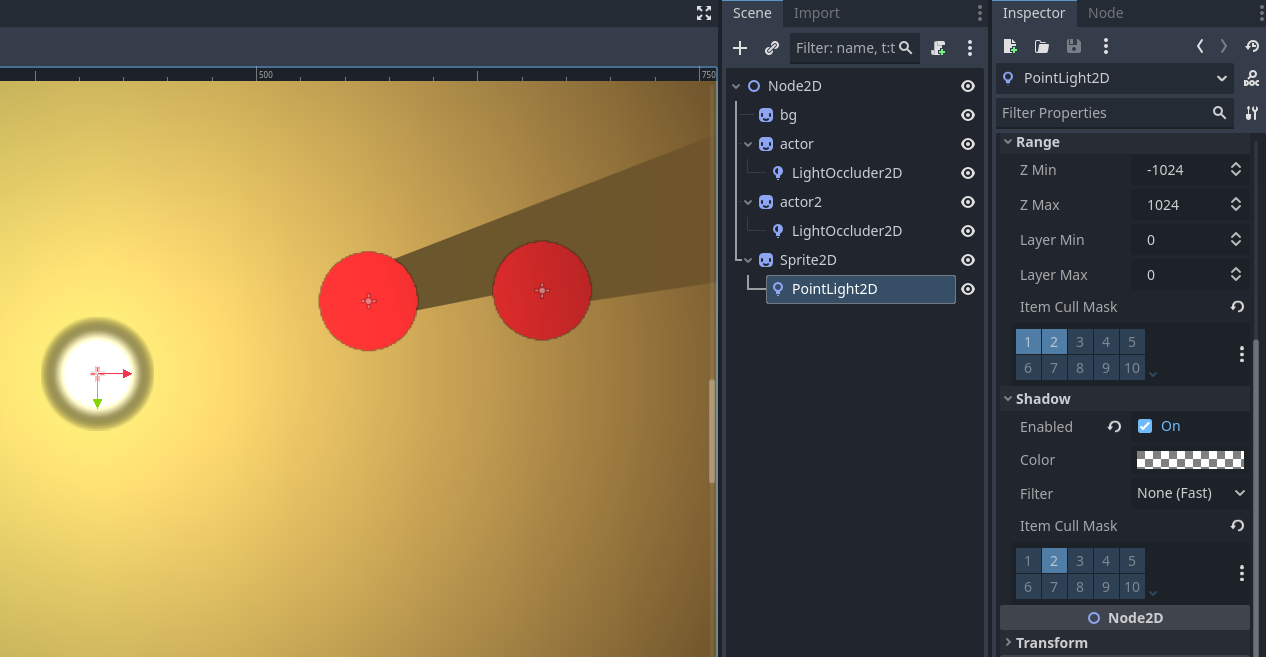
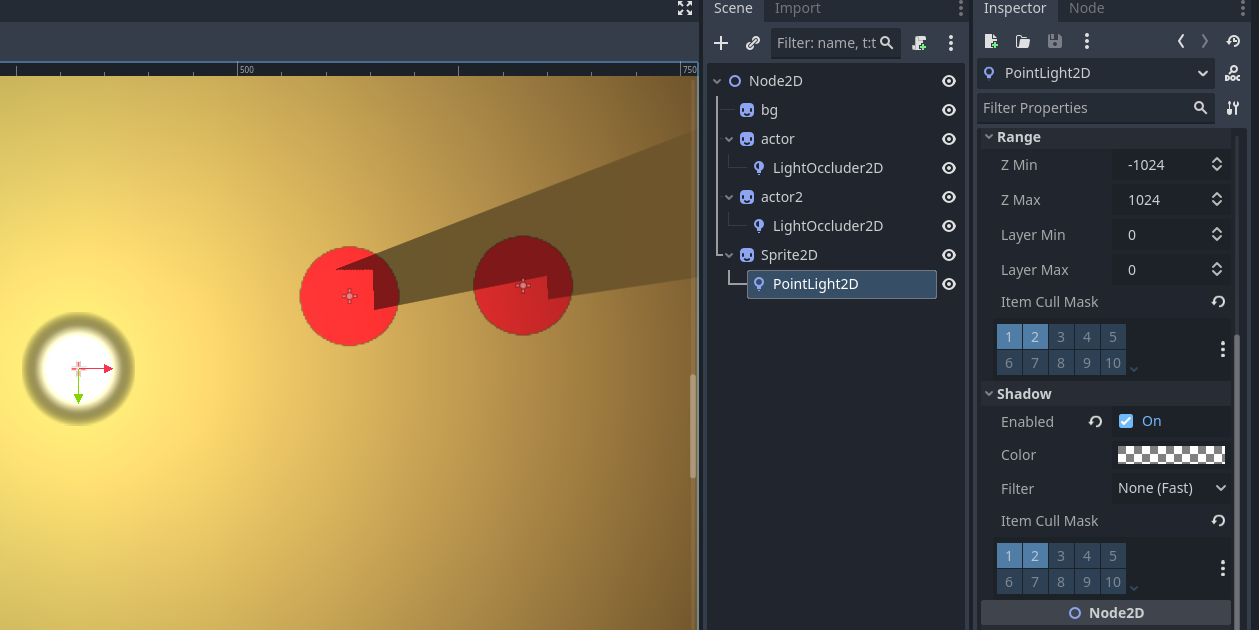
Image 1: The PointLight2D’s Shadow mask layer is only set to 2. The occluders cast shadow on the background, but not the parent sprites.
Image 2: I want to cast shadow on both background and other actors, so I have enabled Shadow mask layers 1 & 2. The light occluders are casting shadow on the background and each other (helpful) but also on their parent sprites (not helpful)