Point-And-Click Trouble

Godot Version

4.6

Question

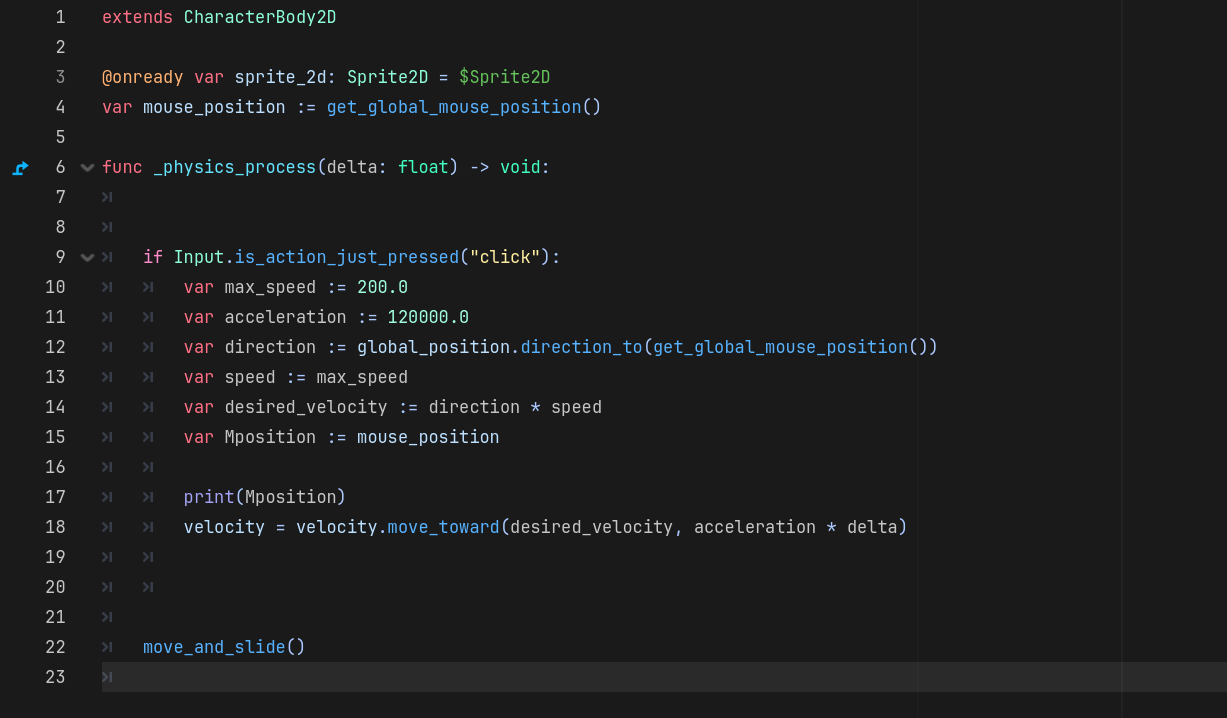
Hello! I am still a beginner at Godot and have been learning a lot from courses, but recently I’ve been running into a problem. I’m trying to make a point and click adventure and started with the movement functionality. I tried different kinds of code from different tutorials and the lessons I’ve been following, but I’m having a hard time getting something solid. With the way the code is now the character gets pushed to the mouse position, but he keeps going. Any advice will be a huge help! Here is my code currently:

Last 2 lines in your function make no sense, you can remove them as they have no effect.

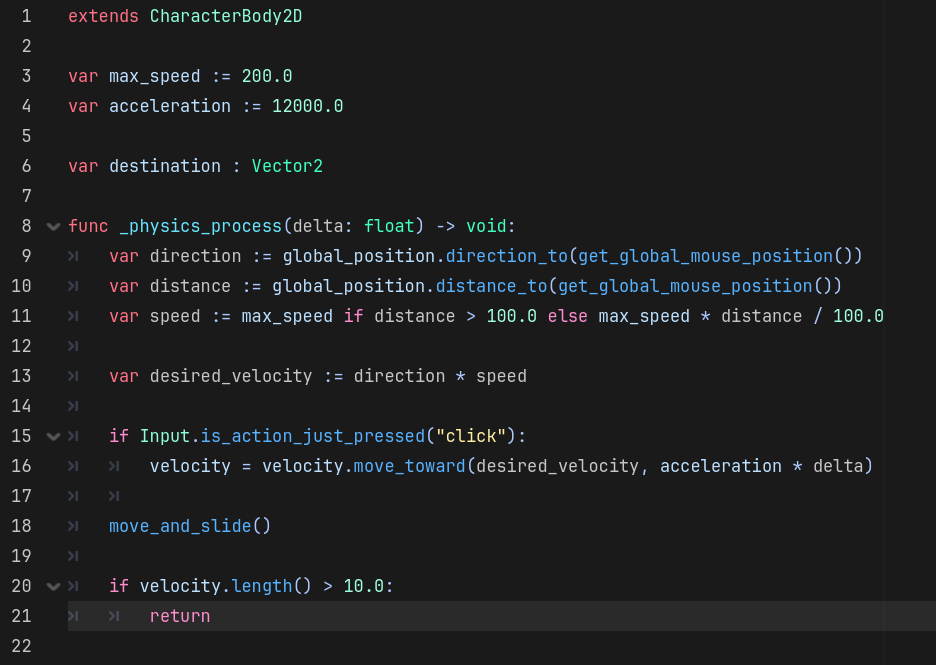
You need to store the mouse global position at the moment of the click as a class member variable and check the distance of your character’s global_position to that clicked position every frame. When the distance is below some threshold, you can set the velocity to Vector2.ZERO to stop the movement.
1 Like

Thank you! I’m still working on it, but your advice has been a step in the right direction!

1 Like

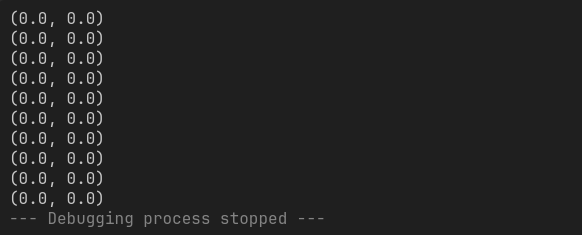
So I may have found the problem. I tried printing the mouse position everytime I click and this is the result

Can you show your code again after the changes?

1 Like

I haven’t changed much. I was messing around with some if statements to see if I can get it to stop, but so far no luck so I just got rid of them

You should keep updated Mposition, you are printing the original set to Zero

1 Like

This line doesn’t do what you think it does:

var mouse_position := get_global_mouse_position()

In the current form, it assigns the mouse position when the node is initialized and is never changed again.

What you meant to do is this:

var mouse_position: get: return get_global_mouse_position()

This uses a getter to retrieve the position when the variable is requested.

1 Like
var Mposition := get_global_mouse_position()
1 Like

Ok, that fixed the printing! Thanks!

I will suggest in the event:

  1. Update mouse_position or Mposition but keep one.
  2. Recalculate direction using as parameter the updated value
  3. Print both values and check the result
1 Like