Problem with tutorial pathfinding

Godot Version

4.6.1

Question

Hello
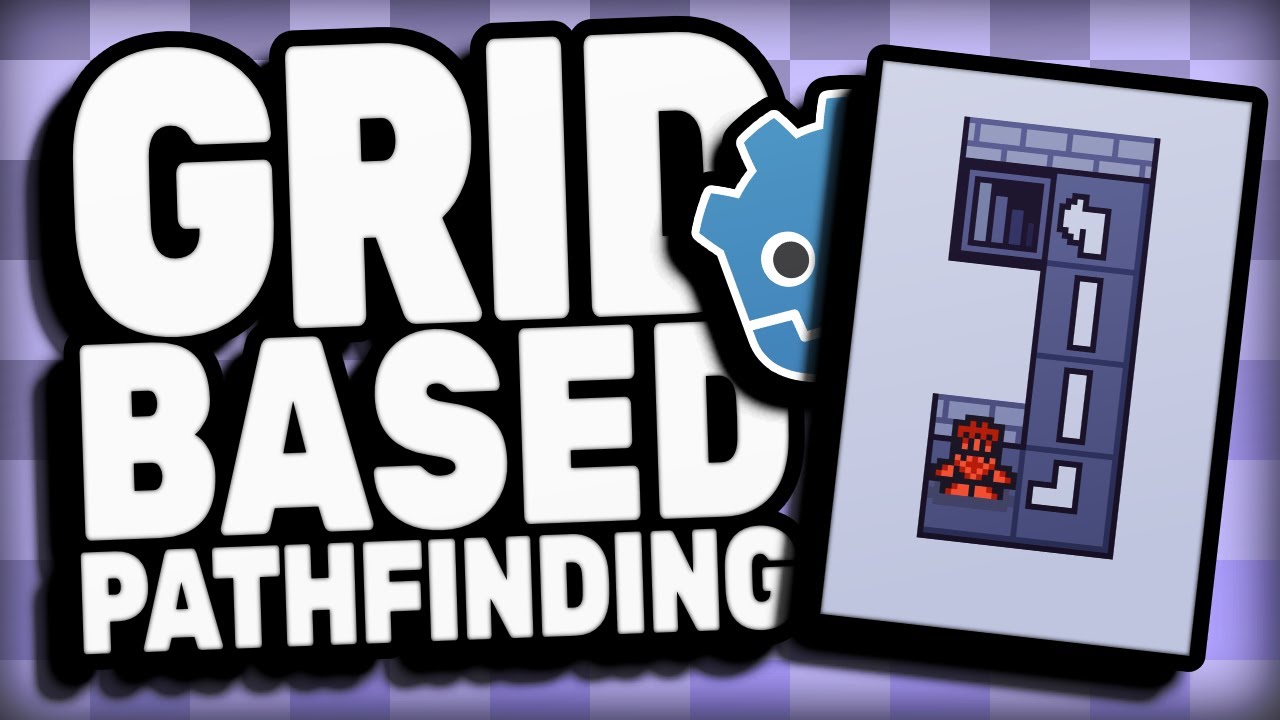
I was following tutorial above and recreated every step, expect the map, which I replaced with simple single TileMapLayer.

When I tried to test it, i got “Invalid assignment of property or key ‘global_position’ with value of type ‘Vector2’ on a base object of type ‘Nil’.” error.

In test run, player can move normally, but enemy doesn’t do anything and Line2D also doesn’t shows up

I found info that this problem may come from global position not being set, but I don’t understand this enogh to solve it

Here is Player’s code:

extends CharacterBody2D

const tile_size = 128

signal player_did_a_move

func _process(delta: float) -> void:
	if Input.is_action_just_pressed("up"):
		global_position.y -= tile_size
		emit_signal("player_did_a_move")
	elif Input.is_action_just_pressed("down"):
		global_position.y += tile_size
		emit_signal("player_did_a_move")
	elif Input.is_action_just_pressed("right"):
		global_position.x += tile_size
		emit_signal("player_did_a_move")
	elif Input.is_action_just_pressed("left"):
		global_position.x -= tile_size
		emit_signal("player_did_a_move")

And here is Enemy’s code:

extends CharacterBody2D

const TILE_SIZE = 128
const TURN_TO_MOVE: int = 2

@export var tilemap_layer_node: TileMapLayer = null
@export var player_node: CharacterBody2D = null
@export var visual_path_line2D: Line2D = null

var pathfinding_grid: AStarGrid2D = AStarGrid2D.new()
var path_to_player: Array = 

var turn_counter: int = 1

func _ready() → void:
visual_path_line2D.global_position = Vector2(TILE_SIZE/2.0, TILE_SIZE/2.0)

player_node.player_did_a_move.connect(_move_ai)

pathfinding_grid.region = tilemap_layer_node.get_used_rect()
pathfinding_grid.cell_size = Vector2(TILE_SIZE, TILE_SIZE)
pathfinding_grid.diagonal_mode = AStarGrid2D.DIAGONAL_MODE_NEVER
pathfinding_grid.update()

for cell in tilemap_layer_node.get_used_cells():
	pathfinding_grid.set_point_solid(cell, true)
	
_move_ai()

func _move_ai():
path_to_player = pathfinding_grid.get_point_path(global_position / TILE_SIZE, player_node.global_position / TILE_SIZE)
visual_path_line2D.points = path_to_player

if turn_counter != TURN_TO_MOVE:
	turn_counter += 1
else:
	if path_to_player.size() > 1:
		path_to_player.remove_at(0)
		var go_to_pos: Vector2 = path_to_player[0] * Vector2(TILE_SIZE/2.0, TILE_SIZE/2.0)
		
		if go_to_pos.x != global_position.x:
			$Enemy1Sprite2D.flip_h = false if go_to_pos.x > global_position.x else true
		
		global_position = go_to_pos
		
		visual_path_line2D.points = path_to_player
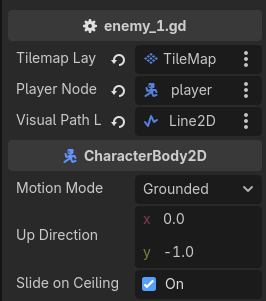
Where exactly is the error?

Assuming it is this line:

visual_path_line2D.global_position = Vector2(TILE_SIZE/2.0, TILE_SIZE/2.0)

Then the likely explanation is that you did not set the visual_path_line2D in the inspector, so it still has its default value:

@export var visual_path_line2D: Line2D = null

Thank you for answering

Problem is, I did it, just like in tutorial

Unless there is more to it than just draging it into inspector

It seems player_node is also set there, which was the other possibility (you access global_position on both, so it is one or the other).

put these in your _ready():

	assert(player_node != null)
	assert(visual_path_line2D != null)

and then also in _move_ai().

Which one fails?

Now, nothing happens

There is no error report, but enemy and line2D still doesnt do anything

Did I placed those in wrong lines?

extends CharacterBody2D

const TILE_SIZE = 128
const TURN_TO_MOVE: int = 2

@export var tilemap_layer_node: TileMapLayer = null
@export var player_node: CharacterBody2D = null
@export var visual_path_line2D: Line2D = null

var pathfinding_grid: AStarGrid2D = AStarGrid2D.new()
var path_to_player: Array = 

var turn_counter: int = 1

func _ready() → void:

visual_path_line2D.global_position = Vector2(TILE_SIZE/2.0, TILE_SIZE/2.0)

player_node.player_did_a_move.connect(_move_ai)

pathfinding_grid.region = tilemap_layer_node.get_used_rect()
pathfinding_grid.cell_size = Vector2(TILE_SIZE, TILE_SIZE)
pathfinding_grid.diagonal_mode = AStarGrid2D.DIAGONAL_MODE_NEVER
pathfinding_grid.update()

for cell in tilemap_layer_node.get_used_cells():
	pathfinding_grid.set_point_solid(cell, true)
	
_move_ai()

func _move_ai():

assert(player_node != null)
assert(visual_path_line2D != null)

path_to_player = pathfinding_grid.get_point_path(global_position / TILE_SIZE, player_node.global_position / TILE_SIZE)
visual_path_line2D.points = path_to_player

if turn_counter != TURN_TO_MOVE:
	turn_counter += 1
else:
	if path_to_player.size() > 1:
		path_to_player.remove_at(0)
		var go_to_pos: Vector2 = path_to_player[0] * Vector2(TILE_SIZE/2.0, TILE_SIZE/2.0)
		
		if go_to_pos.x != global_position.x:
			$Enemy1Sprite2D.flip_h = false if go_to_pos.x > global_position.x else true
		
		global_position = go_to_pos
		
		visual_path_line2D.points = path_to_player


Nothing at all in the output console?

I’d suggest also doing the asserts in _ready(), but you should be getting something in the output even as is, the asserts maybe aren’t being reached because the script has already bugged out, but then there should be a message in the output console on account of that earlier error.

Put the asserts at the top of _ready() as well and see what happens.

Nothing

No reaction from enemy, no report about errors

extends CharacterBody2D

const TILE_SIZE = 128
const TURN_TO_MOVE: int = 2

@export var tilemap_layer_node: TileMapLayer = null
@export var player_node: CharacterBody2D = null
@export var visual_path_line2D: Line2D = null

var pathfinding_grid: AStarGrid2D = AStarGrid2D.new()
var path_to_player: Array = 

var turn_counter: int = 1

func _ready() → void:

assert(player_node != null)
assert(visual_path_line2D != null)

visual_path_line2D.global_position = Vector2(TILE_SIZE/2.0, TILE_SIZE/2.0)

player_node.player_did_a_move.connect(_move_ai)

pathfinding_grid.region = tilemap_layer_node.get_used_rect()
pathfinding_grid.cell_size = Vector2(TILE_SIZE, TILE_SIZE)
pathfinding_grid.diagonal_mode = AStarGrid2D.DIAGONAL_MODE_NEVER
pathfinding_grid.update()

for cell in tilemap_layer_node.get_used_cells():
	pathfinding_grid.set_point_solid(cell, true)
	
_move_ai()

func _move_ai():

assert(player_node != null)
assert(visual_path_line2D != null)

path_to_player = pathfinding_grid.get_point_path(global_position / TILE_SIZE, player_node.global_position / TILE_SIZE)
visual_path_line2D.points = path_to_player

if turn_counter != TURN_TO_MOVE:
	turn_counter += 1
else:
	if path_to_player.size() > 1:
		path_to_player.remove_at(0)
		var go_to_pos: Vector2 = path_to_player[0] * Vector2(TILE_SIZE/2.0, TILE_SIZE/2.0)
		
		if go_to_pos.x != global_position.x:
			$Enemy1Sprite2D.flip_h = false if go_to_pos.x > global_position.x else true
		
		global_position = go_to_pos
		
		visual_path_line2D.points = path_to_player
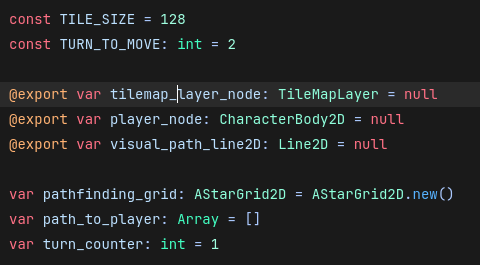

Hmm, doesn’t make sense.
Can you zip up the project and put it somewhere downloadable?

There you have wetransfer

No idea why you were getting the null error originally, removing the asserts did not produce that error for me.

The reason nothing was happening is because the path is empty.
How this was determined:

func _move_ai():
	var my_tile_pos:= global_position / TILE_SIZE
	var player_tile_pos:= player_node.global_position / TILE_SIZE
	print("Pathing from tile %v to tile %v" % [my_tile_pos, player_tile_pos])
	path_to_player = pathfinding_grid.get_point_path(global_position / TILE_SIZE, player_node.global_position / TILE_SIZE)
	print(str(path_to_player))
	# ...

The reason the path is empty is because you marked every tile as an obstacle:

	for cell in tilemap_layer_node.get_used_cells():
			pathfinding_grid.set_point_solid(cell, true)

Your white tile, that I presume should be walkable, is a tile. You need to check what tile is in that cell and only mark it an obstacle if that tile should not be walkable.
Your white tile has atlas co-ords of (1,0) so something like this:

	for cell in tilemap_layer_node.get_used_cells():
		if tilemap_layer_node.get_cell_atlas_coords(cell) != Vector2i(1,0):
			pathfinding_grid.set_point_solid(cell, true)

To make sure the line is actually visible, increase its z-index so it is always drawn over the tilemap.

This line:

			var go_to_pos: Vector2 = path_to_player[0] * Vector2(TILE_SIZE/2.0, TILE_SIZE/2.0)

will send your enemy a long way from where you intend, the * should be +.

Maybe other problems I didn’t find, but that should hopefully get you back on track :slight_smile:

print() is your friend for debugging.
The debugger is even better, maybe a bit daunting when everything is new, but worth the time to learn how to use it.
Good luck!

1 Like

Sorry, but I can’t find the place for code you gave me

Could you paste full script of enemy?

Another thing, the enemy (graphic and hitbox) is offset differently from the player (in player scene the origin is at bottom, in enemy scene it is at top) which is drawing it a tile above where you want.

extends CharacterBody2D

const TILE_SIZE = 128
const TURN_TO_MOVE: int = 2

@export var tilemap_layer_node: TileMapLayer = null
@export var player_node: CharacterBody2D = null
@export var visual_path_line2D: Line2D = null

var pathfinding_grid: AStarGrid2D = AStarGrid2D.new()
var path_to_player: Array = []
var turn_counter: int = 1

func _ready() -> void:
	visual_path_line2D.global_position = Vector2(TILE_SIZE/2.0, TILE_SIZE/2.0)
	
	player_node.player_did_a_move.connect(_move_ai)
	
	pathfinding_grid.region = tilemap_layer_node.get_used_rect()
	pathfinding_grid.cell_size = Vector2(TILE_SIZE, TILE_SIZE)
	pathfinding_grid.diagonal_mode = AStarGrid2D.DIAGONAL_MODE_NEVER
	pathfinding_grid.update()
	
	for cell in tilemap_layer_node.get_used_cells():
		if tilemap_layer_node.get_cell_atlas_coords(cell) != Vector2i(1,0):
			pathfinding_grid.set_point_solid(cell, true)
			print("Solid cell: %v" % cell)
		
	_move_ai()
	
func _move_ai():
	#var my_tile_pos:= global_position / TILE_SIZE
	#var player_tile_pos:= player_node.global_position / TILE_SIZE
	#print("Pathing from tile %v to tile %v" % [my_tile_pos, player_tile_pos])
	path_to_player = pathfinding_grid.get_point_path(global_position / TILE_SIZE, player_node.global_position / TILE_SIZE)
	#print(str(path_to_player))
	
	visual_path_line2D.points = path_to_player
	
	if turn_counter != TURN_TO_MOVE:
		turn_counter += 1
	else:
		if path_to_player.size() > 1:
			path_to_player.remove_at(0)
			var go_to_pos: Vector2 = path_to_player[0] + Vector2(TILE_SIZE/2.0, 0)
			
			if go_to_pos.x != global_position.x:
				$Enemy1Sprite2D.flip_h = false if go_to_pos.x > global_position.x else true
			
			global_position = go_to_pos
			visual_path_line2D.points = path_to_player
Thank you very much

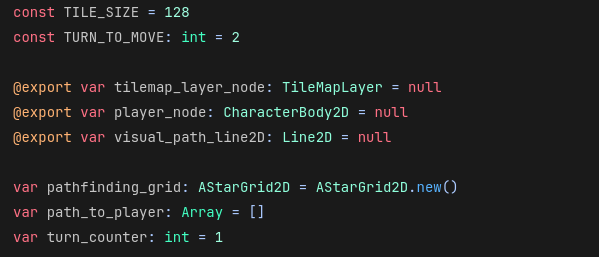
Last question; do you know why normal text in my script is light blue, but in your sript is just white? Doest it mean anything?

This is mine

And this is yours